

Premiere Pro Can Only Add HDR10 Metadata to HEVC Video With Software Encoding
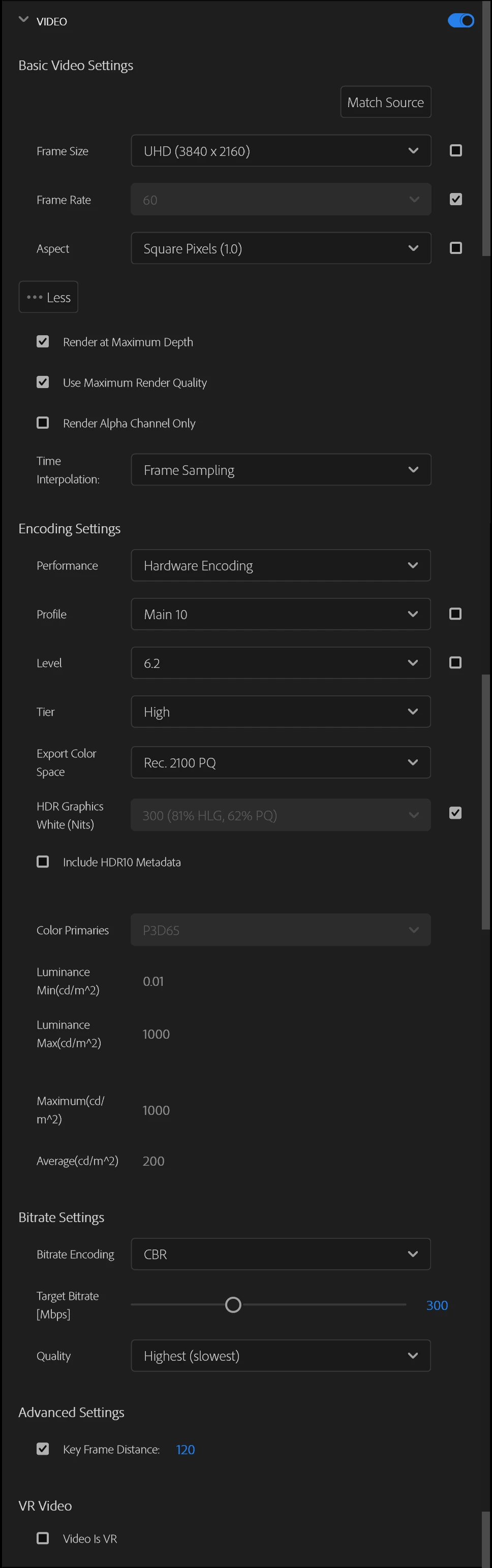
Recently I have begun editing HDR videos for YouTube. After learning color management and figuring out how to get SDR clips to look correct in exports, I managed to get a proper-looking export of my sequence. For reference, these are the settings I used for the export:
Unfortunately, I have run into a new problem. In order for YouTube to enable HDR streaming of an upload, the upload must contain appropriate HDR metadata. This appears to be done in Premiere Pro by checking a box in the Export screen labelled "Include HDR10 Metadata."
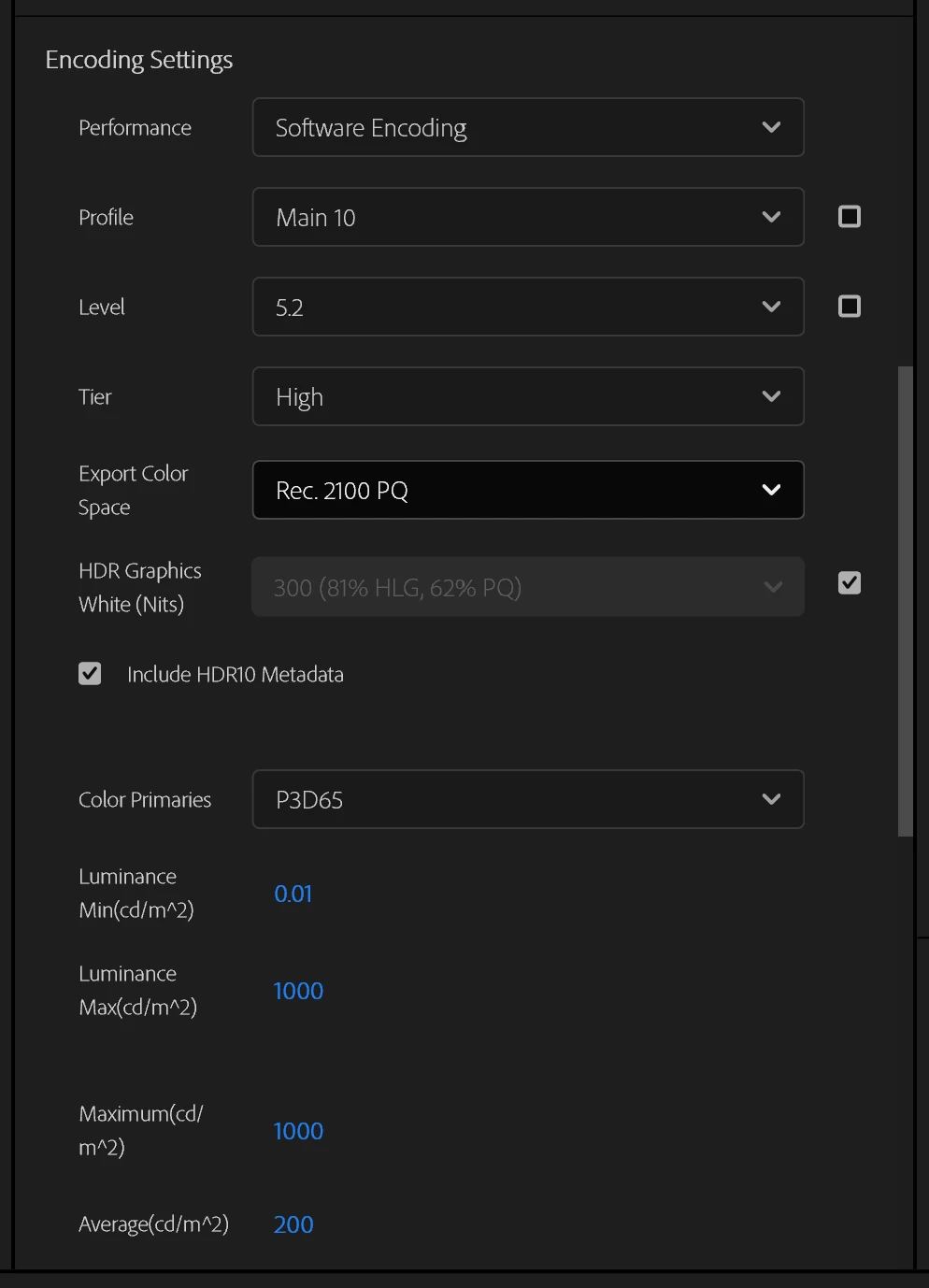
However, checking this box automatically changes the Performance drop down box to "Software Encoding." Attempting to change the box back to "Hardware Encoding" to use Nvidia Encoding instead displays this message:
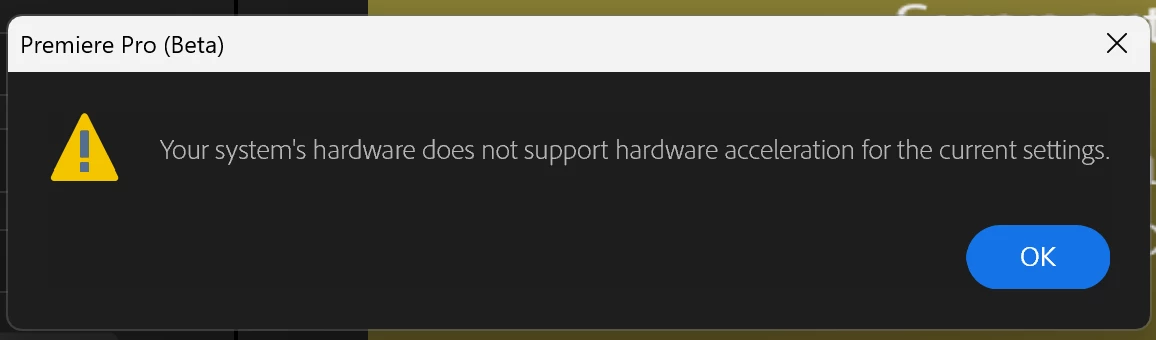
The problem is that encoding with CPU takes five times as long as encoding with the GPU, which is inconvenient. I'm not sure why the encoding device should make a difference as far as metadata is concerned, seeing as it is possible to add HDR metadata to a video with an NVENC encoded HEVC stream post-hoc using YouTube's HDR Metadata tool (mkvmerge).
I guess what I am asking is whether there is a fundamental limitation to Nvidia encoding that prevents HDR metadata from being added to an export during the rendering process or if this is an unintended bug in the design of Premiere Pro itself.
My Specifications:
Software: Adobe Premiere Pro Version 25.4.0 BETA (Build 83)
(The issue also occurs in Adobe Premiere Pro Version 25.3.0 (Build 84))
OS: Windows 11 24H2 Build 26100.4652
Processor: AMD Ryzen 9 7590X
GPU: Nvidia RTX 3080 12GB
Driver: GeForce Game Ready Driver Version 576.88
 AdChoices