
Premiere Pro freezes or crashes when opening a project
Hi,
I haven’t used Premiere Pro for a few weeks, and when I came back to it, I found myself unable to open my project.
Here’s what happened the first time I encountered the issue:
I plugged in the external hard drive where the project is stored and tried to open it. Premiere Pro launched but got stuck during the loading process for several minutes, then became unresponsive. I had to force it to shut down.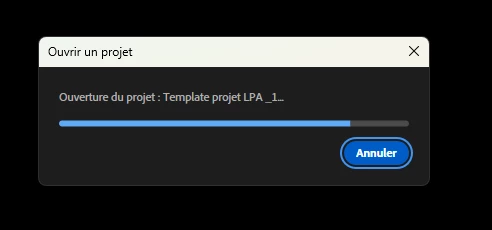
Next, I tried launching Premiere Pro via the Creative Cloud launcher and then opening the project from within the app. This time, the project loading window didn’t even appear before Premiere Pro froze again. I had to shut it down manually.
I then tried creating a new project to see if the issue was specific to the old one—maybe it got corrupted or something I don’t understand—but even when creating a new project, the same thing happened as in the previous attempt.
I also tried opening one of the automatically saved versions of the project, but I ran into the exact same problem.
Could someone please help me? I’ve put a lot of effort into this project, and I’d be really sad to lose it. Do you have any idea what might be going on?
I’m planning to uninstall and reinstall Premiere Pro to see if that helps.
If that's useful, I'm on window 11.
Thanks in advance!
Best regards,
 AdChoices