

"Open in timeline" from Source Monitor closes timeline if it was already open.
Hello !
Context :
I'm using Premiere Pro daily with a timeline opened in my Source Monitor to have a similar configuration than the "Toggle Source/Record" from Avid. I find this workflow to be a lot more precise and pleasing than pancaked timelines, as you can anticipate exactly the start and end frame when puttings clips on the program timeline, and use the two monitors efficiently.
This way of working in Premiere works actually works, but there are a few annoying bugs and small things missing that are really painful when using this workflow daily. This bug/feature which is here since a long timeline is one of the reasons this workflow sometimes feels painful (see this and this topic).
The bug :
- Open a timeline in the Program Monitor.
- Open this same timeline in the Source Monitor.
- From the Source Monitor, click on the wheel and "Open in Timeline"
- The previously opened timeline in the Program Monitor will be closed, and nothing will be opened anymore in the Source Monitor. If you had only one timeline opened on this screen, your panel's layout is destroyed.
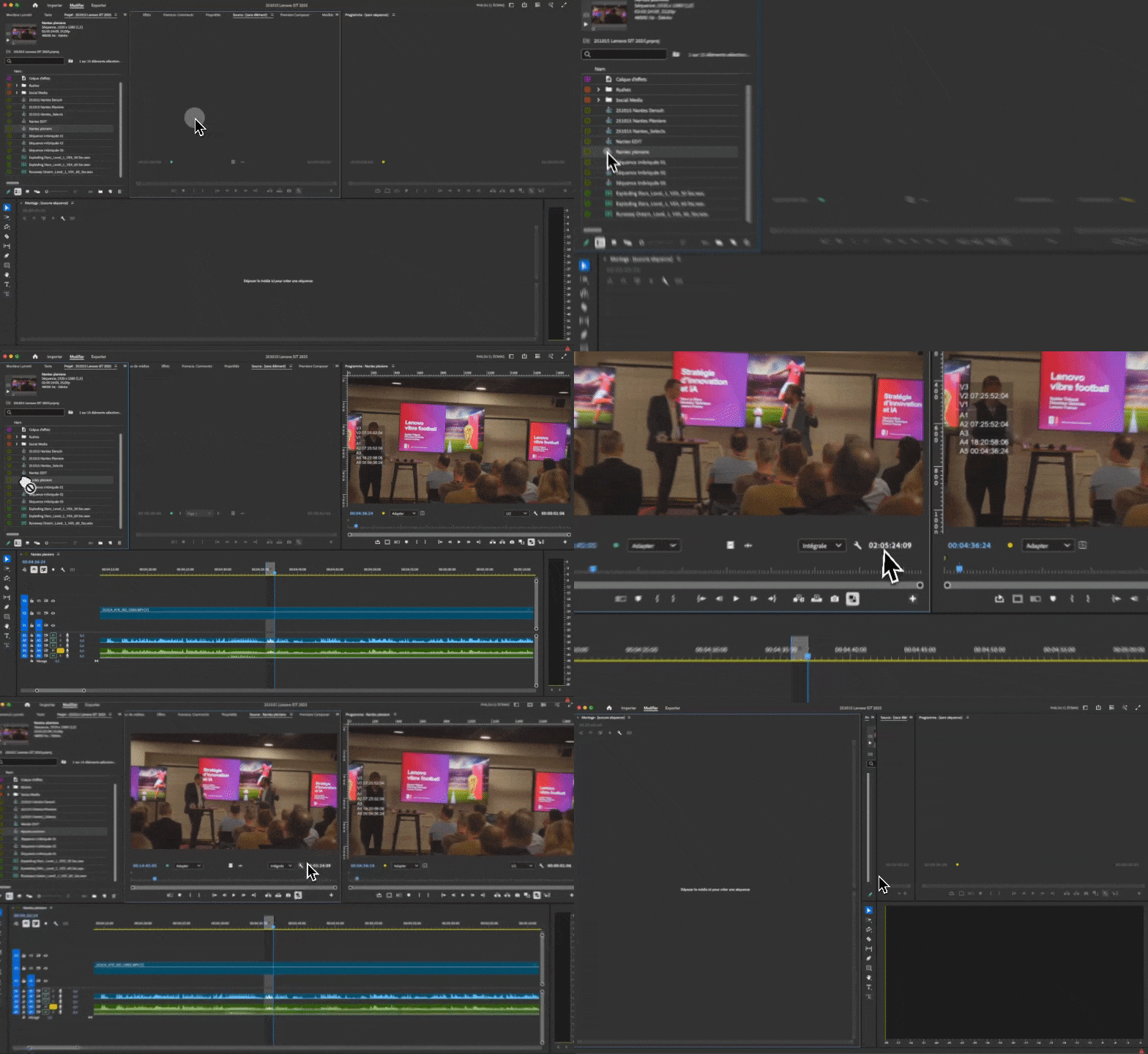
This bug occurs because the timeline that I'm requesting to open in the Source Monitor is already opened in the Program Monitor. Premiere Pro can't open one timeline two times, so it will close the previously opened timeline. And nothing will be opened in the Source Monitor anymore. I think that situation should be handled by Premiere Pro which should instead "convert" the already opened timeline to be viewed in the Source Monitor.
How it should work
- Open a timeline in the Program Monitor.
- Open this same timeline in the Source Monitor.
- From the Source Monitor, click on the wheel and "Open in Timeline".
- The selected timeline is closed in the Program Monitor and Program Timeline, and opened in as a Source Sequence.
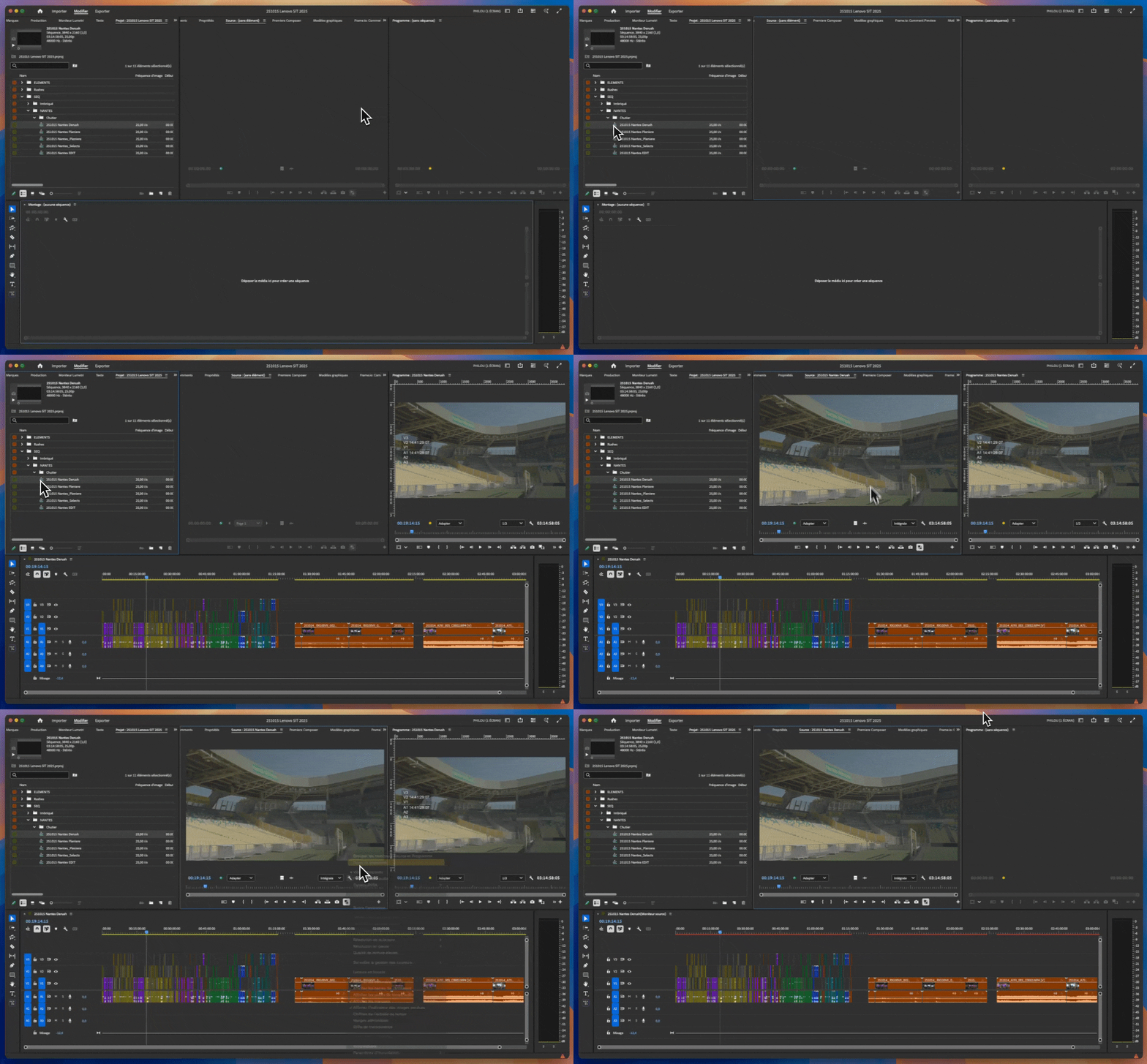
Note
You can work around by this, by making sure that you have not opened this timeline before opening it through the Source Monitor. But when working on large projects with a lot of footages and timelines using this workflow, this always happens at some time or another, and it is quite frustrating. I encounter this bug multiple times a week, and I always feel like Premiere Pro is not helping me out.
Recorded on the latest available build : Premiere Pro 25.5.0.


 AdChoices