
Participant
April 20, 2025

Text and Emojis Aren't In-Line With Each Other

  • April 20, 2025
  • 5 replies
  • 692 views

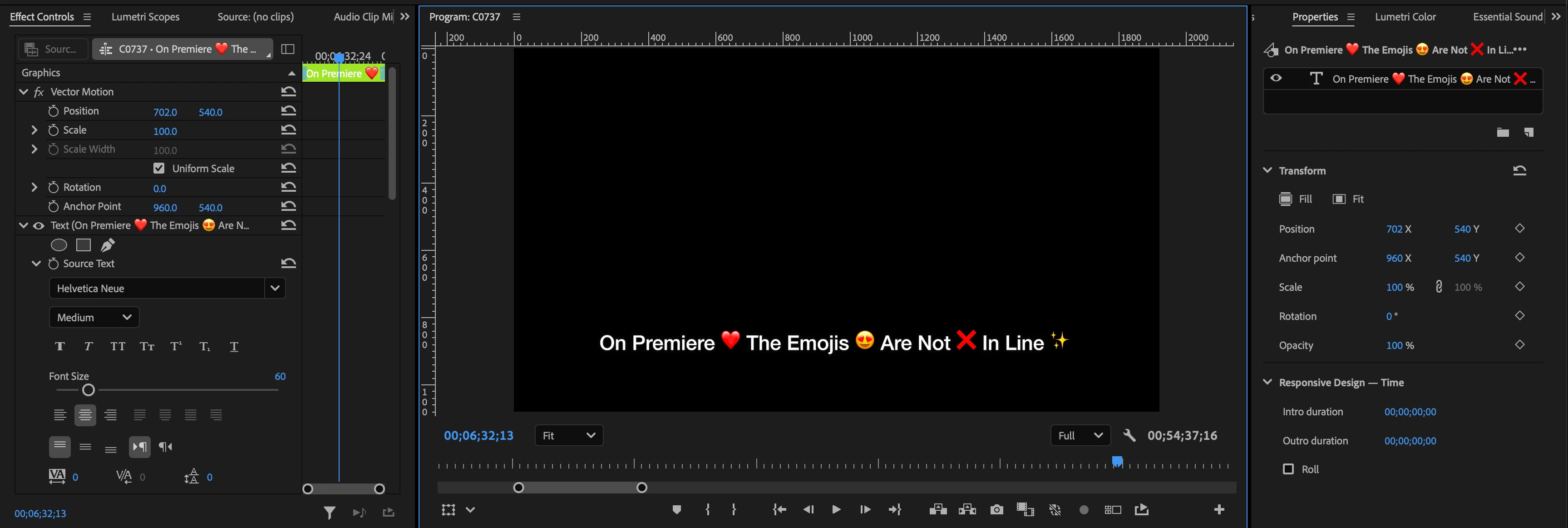
When I use the text function on Premiere Pro and want to include emojis, the emoji is always higher than the rest of the text. It's never in-line (like when you send a text message). Is there a way to fix this and does anyone else have this issue?


Currently, I highlight the emoji and manually move it down (reducing the line spacing of just the emoji). However, I have to do this pretty frequently and it's inconvenient. I added pictures below to describe better what I mean. 

For reference, I've dealt with this problem for at least the last year. Thank you!


iMessage Example:

 

Premiere Pro Example:

 

Full Premiere Pro Timeline:


5 replies

Participant
April 21, 2025

Yes! It's the Apple Emojis – this issue happens regardless of font choice

Stan Jones
Community Expert
Community Expert
April 21, 2025

@seannnnnnnn,


Are you using the emojis from the Helvetica font? I don't have it to test.


On Win 10, PR 25.2.1, they align correctly using Segoe UI Emoji font.


Stan


Participant
April 21, 2025

please be so fr 🤣😭

Peru Bob
Community Expert
Community Expert
April 20, 2025
quote

iOS Version: Sequoia 15.1.1 (24B91)

By @seannnnnnnn


Not an answer to your question, but just to point out that iOS is a phone OS.

You mean Mac OS.

Participant
April 20, 2025

Premiere version: 25.2.1
iOS Version: Sequoia 15.1.1 (24B91)