
Participating Frequently
July 21, 2025
Question

Tracking not working over a transition on the same track

  • July 21, 2025
  • 5 replies
  • 258 views

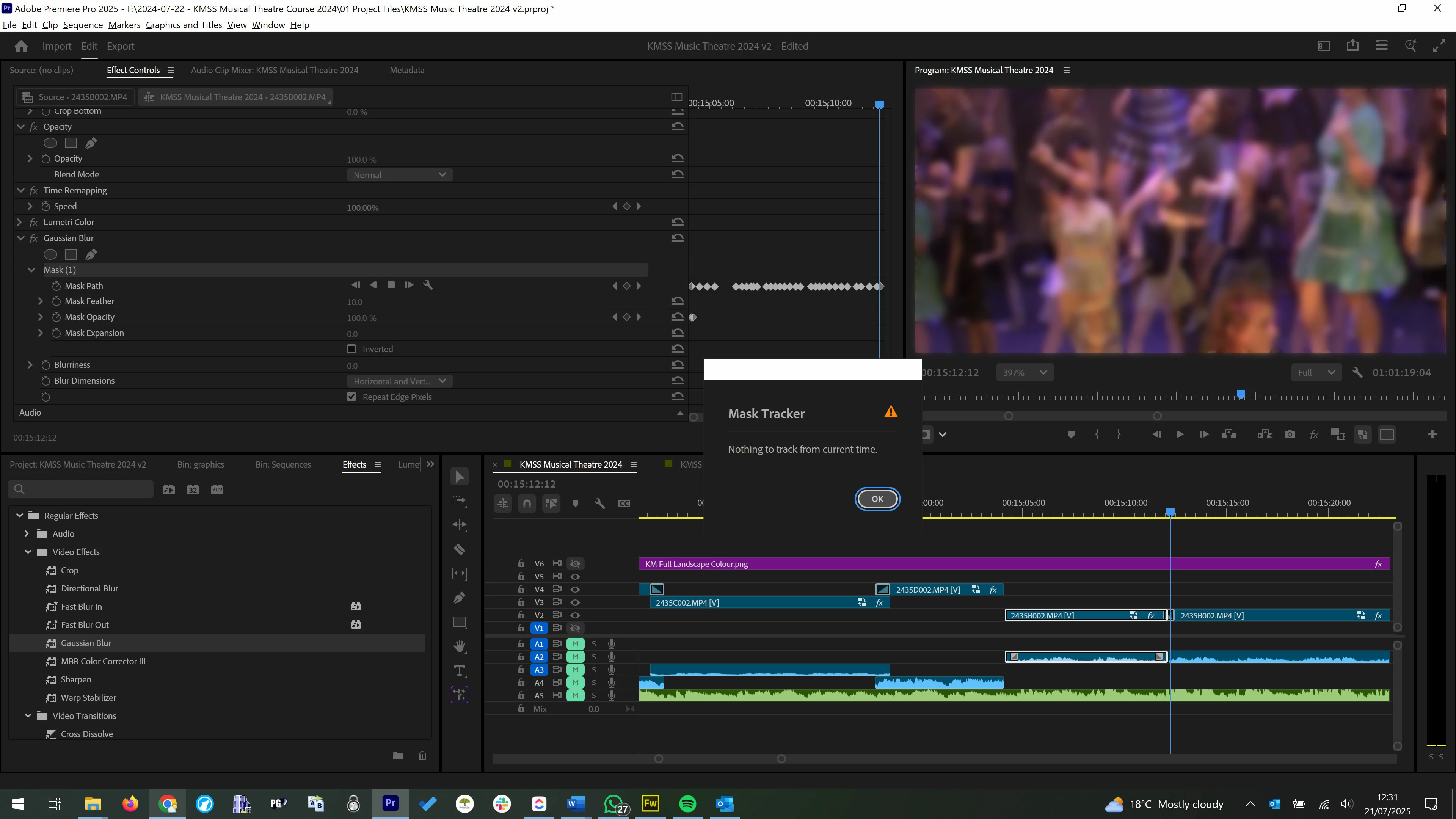
Tracking appears to not be working over the entire duration of a transition.

I have a 4k video track which I zoom into to create a 1080p zoomed in shot. Every so often I use the same track for a wide shot, and I use a fade transition between the two clips. I also need to blur some faces (using the gaussian blur plugin) within the clip, however the tracking doesn't work beyond the middle of the transition. After the playback bar passes the middle of the transition, you are unable to add any more key frames and automatic tracking brings up the error message "Nothing to track from this current time". This also applies to the start of the next clip which can't be tracked backwards beyond the middle of the transition.


Premiere Pro 25.3.0 (Build 84)
Windows 10
intel i7-7700 HQ
32gb ram
5 replies

jamieclarke
Community Manager
Community Manager
August 1, 2025

Hi @Piers27993239ra3u -  Even though you’re using a cross-dissolve or fade transition, Premiere treats each side of the transition as belonging to a separate clip. The mask tracker doesn’t track through the midpoint of a transition the point where the outgoing and incoming clips overlap.

If you need the mask to continue through the entire transition, a workaround is to extend the clip in a nested sequence and apply the mask and tracking there. This allows the tracker to operate across what would otherwise be treated as two separate sections.

Participating Frequently
July 21, 2025

hi @jamieclarke. Thanks for your quick responses on this.

It's not a cut transition; it's a fade transition, so technically the clip should extend to the end of the transition, but I'm unable to track past the mid point of the transition (where a cut would exist if no transition had been added if that makes sense), so I can't mask the areas I need to at the end of the transition.

jamieclarke
Community Manager
Community Manager
July 21, 2025

Hi @Piers27993239ra3u - The mask tracker does not track across cut points if you want the mask to continue to track then you can select the next clip after the cut point and then start tracking again.

Participating Frequently
July 21, 2025

@jamieclarke 
Yes, I'm attempting to track the mask over the transition so the blur follows right to the end of the clip rather than stopping at the mid point of the transition. Currently either attempting to track the mask on the transition or trying to manually move a mask after the playback bar has passed the middle of the transition does not work. Apologies, due to child protection I had to blur the preview image.


jamieclarke
Community Manager
Community Manager
July 21, 2025

Hi @Piers27993239ra3u -   Thanks for submitting your bug report. We need a few more details to try to help with the issue.
Are you trying to track the mask on the transition?  Do you have preview enabled in the wrench menu?

Sorry for the frustration.