
Participant
February 3, 2025
Answered

レンダリング方法の違いでブラーガウスの結果が変わってしまいます。

  • February 3, 2025
  • 1 reply
  • 275 views

Premiereproでブラーガウスのエフェクトを、黒色が含まれている部分にマスクで適用しました。

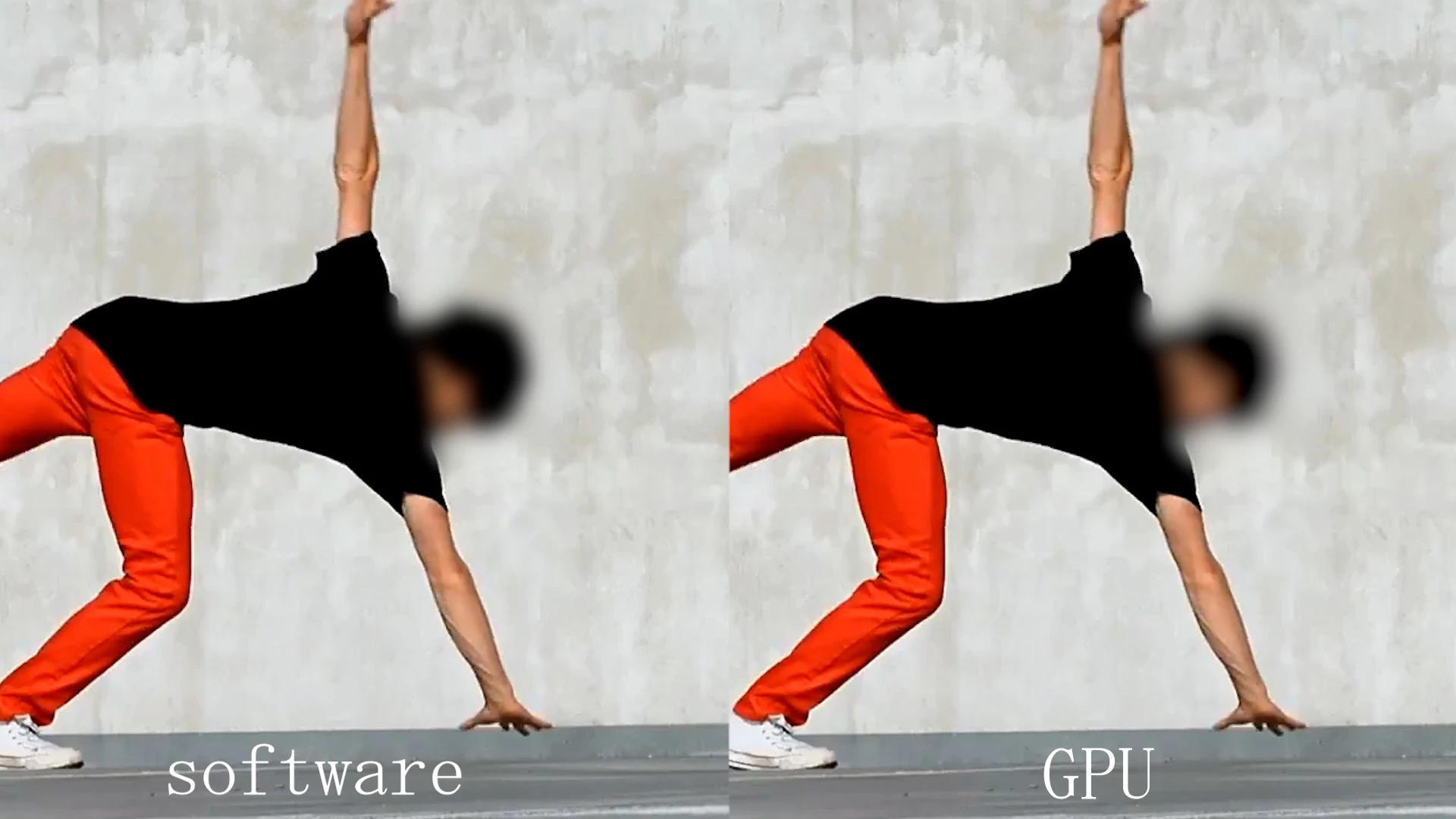
ソフトウエア処理とGPU処理のレンダリング方法の違いによって、書き出し結果が違ってしまいます。

書き出し時間が数十倍も変わってしまうためGPU処理で書き出したいのですが、黒色の部分が変になってしまうので、映像はソフトウエア処理の結果が理想です。

参考までに比較画像を添付します。


設定などによってGPU処理で同じ結果になるようにできますでしょうか?

原因や解決方法がわかる方がおられましたらよろしくお願いいたします。


・Premierepro 23.6.9(ビルド4)

・Windows11 64bit

・CPU AMD Ryzen 9 9950X 16-Core Processor 4.30 GHz 64GB

・GPU RXT4080 SUPER
 

Correct answer Warren Heaton

Hi @sun_dome3284:

You're switching back and forth between Mercury Playback Engine Software Only and Mercury Playback Engine GPU Acceleration, right? 

The software rendering is less precise than the GPU rendering.

Go through your Timeline to each clip that uses Gaussian Blur while using software only, right-click, and choose Render and Replace.  Then switch the project over to GPU rendering.  With the software only render "baked in", you'll be able to take advantage of the GPU acceleeration for everything else that uses it.


- Warren

1 reply

Warren Heaton
Community Expert
Warren HeatonCommunity ExpertCorrect answer
Community Expert
February 6, 2025

Hi @sun_dome3284:

You're switching back and forth between Mercury Playback Engine Software Only and Mercury Playback Engine GPU Acceleration, right? 

The software rendering is less precise than the GPU rendering.

Go through your Timeline to each clip that uses Gaussian Blur while using software only, right-click, and choose Render and Replace.  Then switch the project over to GPU rendering.  With the software only render "baked in", you'll be able to take advantage of the GPU acceleeration for everything else that uses it.


- Warren