

13.1 Update: Weird interpretation of ProRes on import
Hi all,
Just updated to 13.1 and now when I import my ProRes LT footage, footage that looks perfectly exposed when I look at the raw files, it appears in Premier as if I'd gone in and just gone nuts on the exposure slider and way overexposed it. In the past when I've imported this footage, it looks fine. I created a brand new Project, imported it there, and had the same issue. I also tried it with ProRes HQ and had the same issue. I'm on an iMac running Mojave 10.14.4.
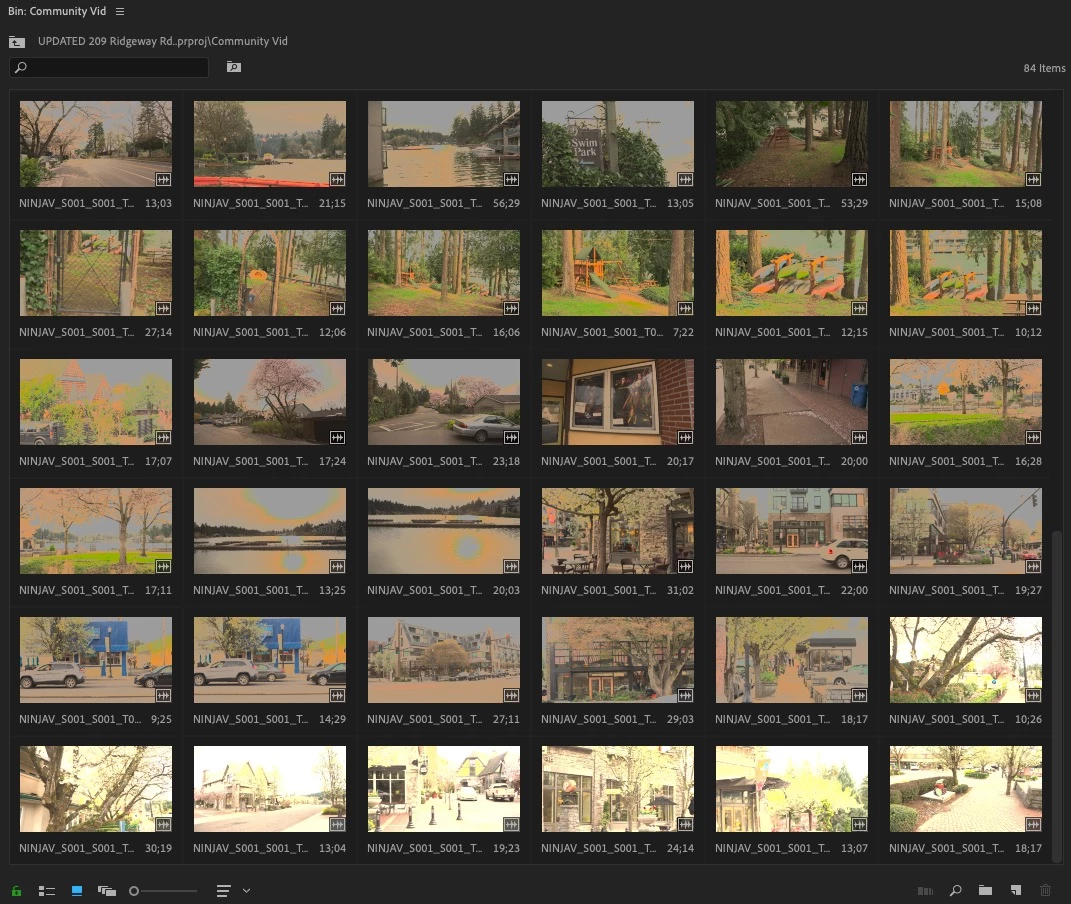
Weirdly enough I can drop it back down manually and it looks fine, albeit like it's been converted from legal to full range, but the thumbnails in my bins all look like they've had a solarized effect put on them. They don't look like that in the preview window or the timeline.
Here you can see the some clips that have been manually darkened back down, and some unaltered near the bottom:
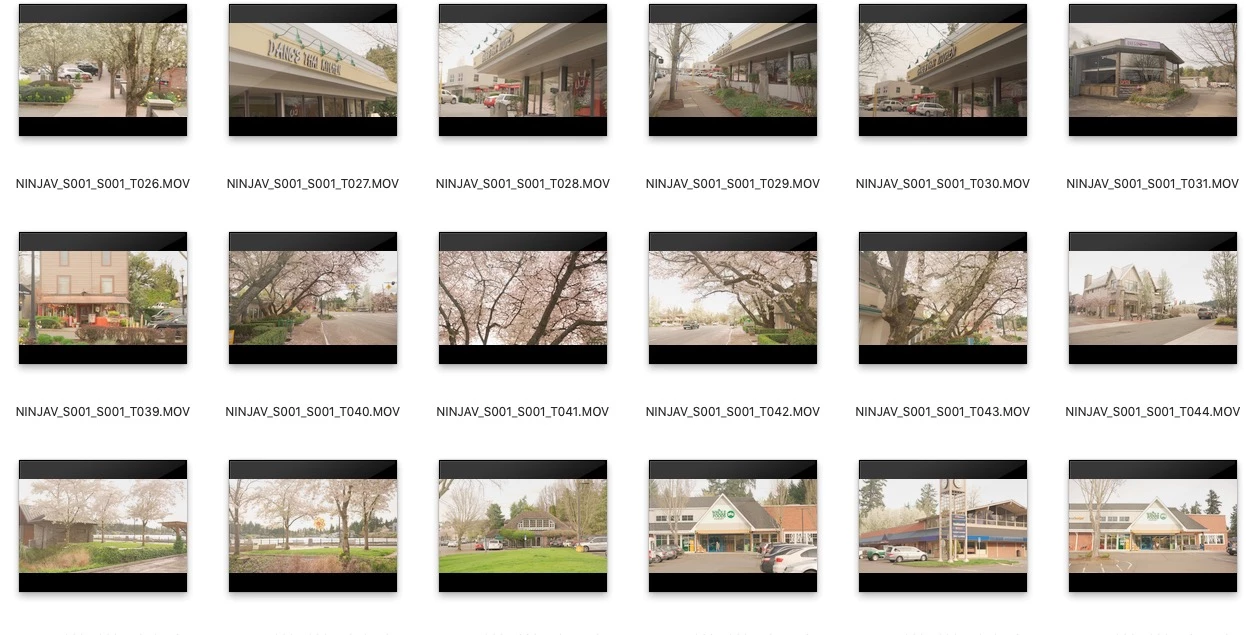
Now here's what it looks like in Finder:
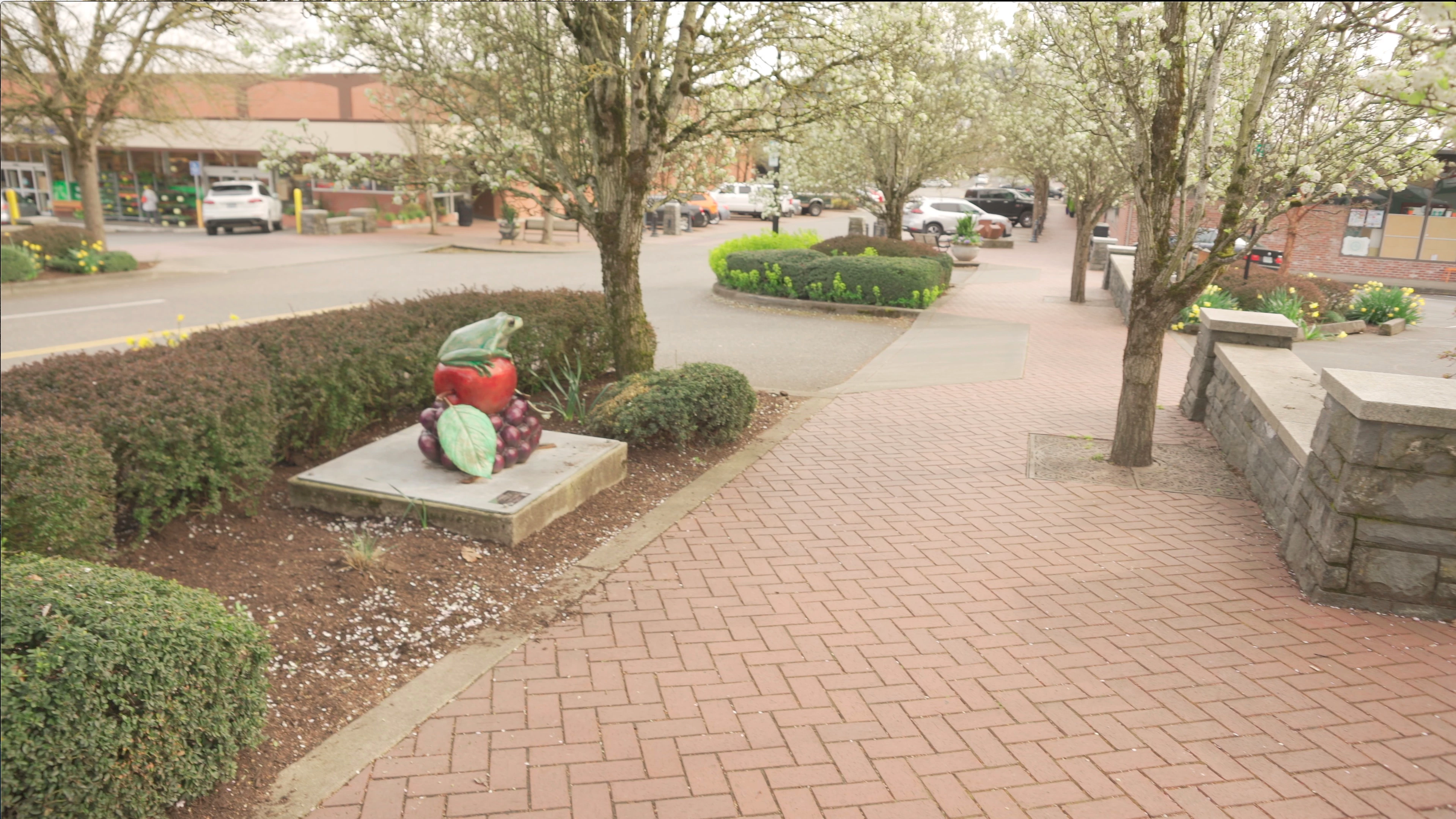
Raw footage in quicktime:
Upon import into premiere without any adustments:
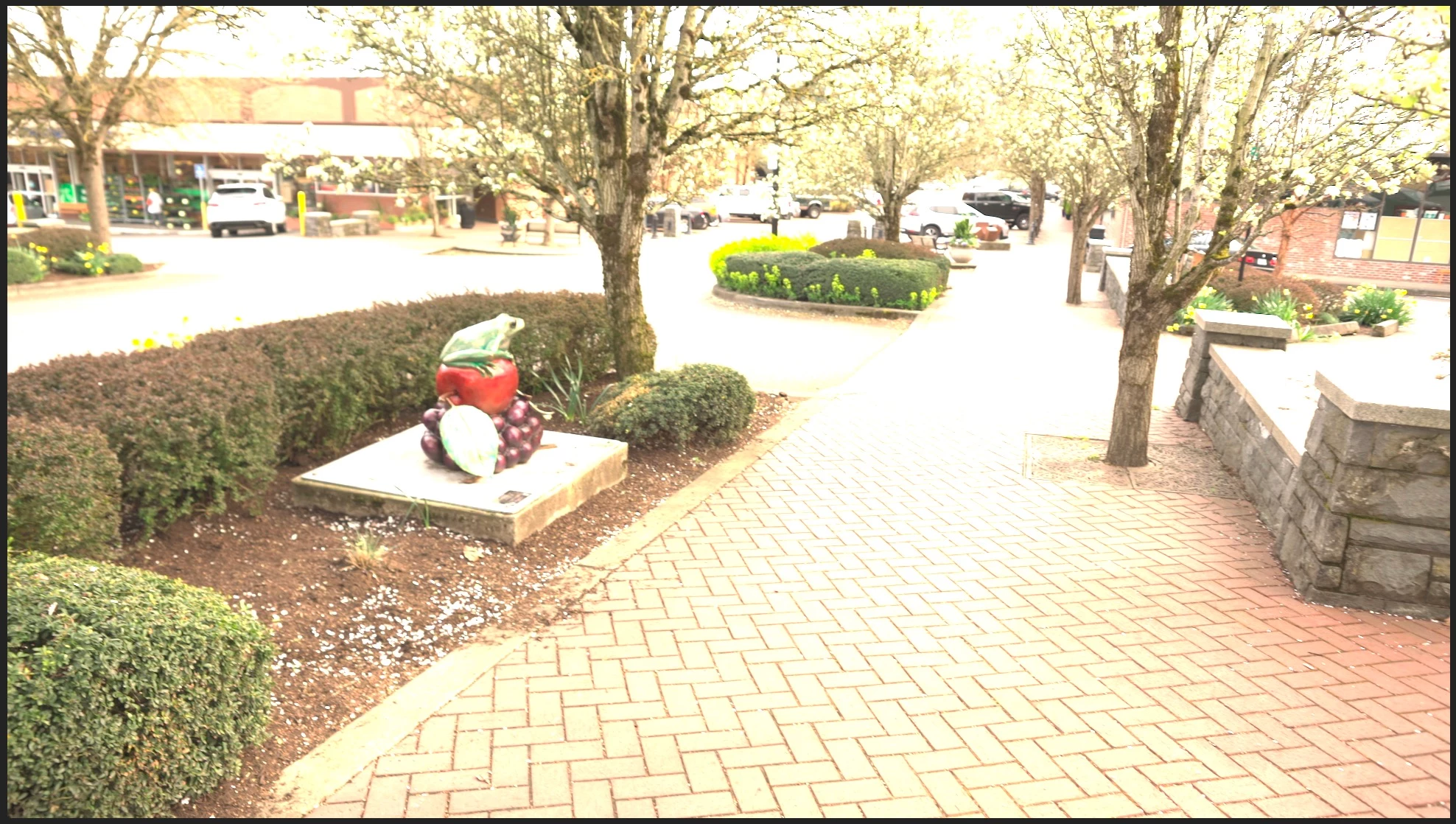
After dropping it about 2 stops:
 AdChoices