
February 8, 2021
Answered

2 issues

  • February 8, 2021
  • 1 reply
  • 373 views

I have 2 issues
1: my video doesn't show up in my `edit` workspace

2: I can't go to graphics or assembly I'm stuck on the edit
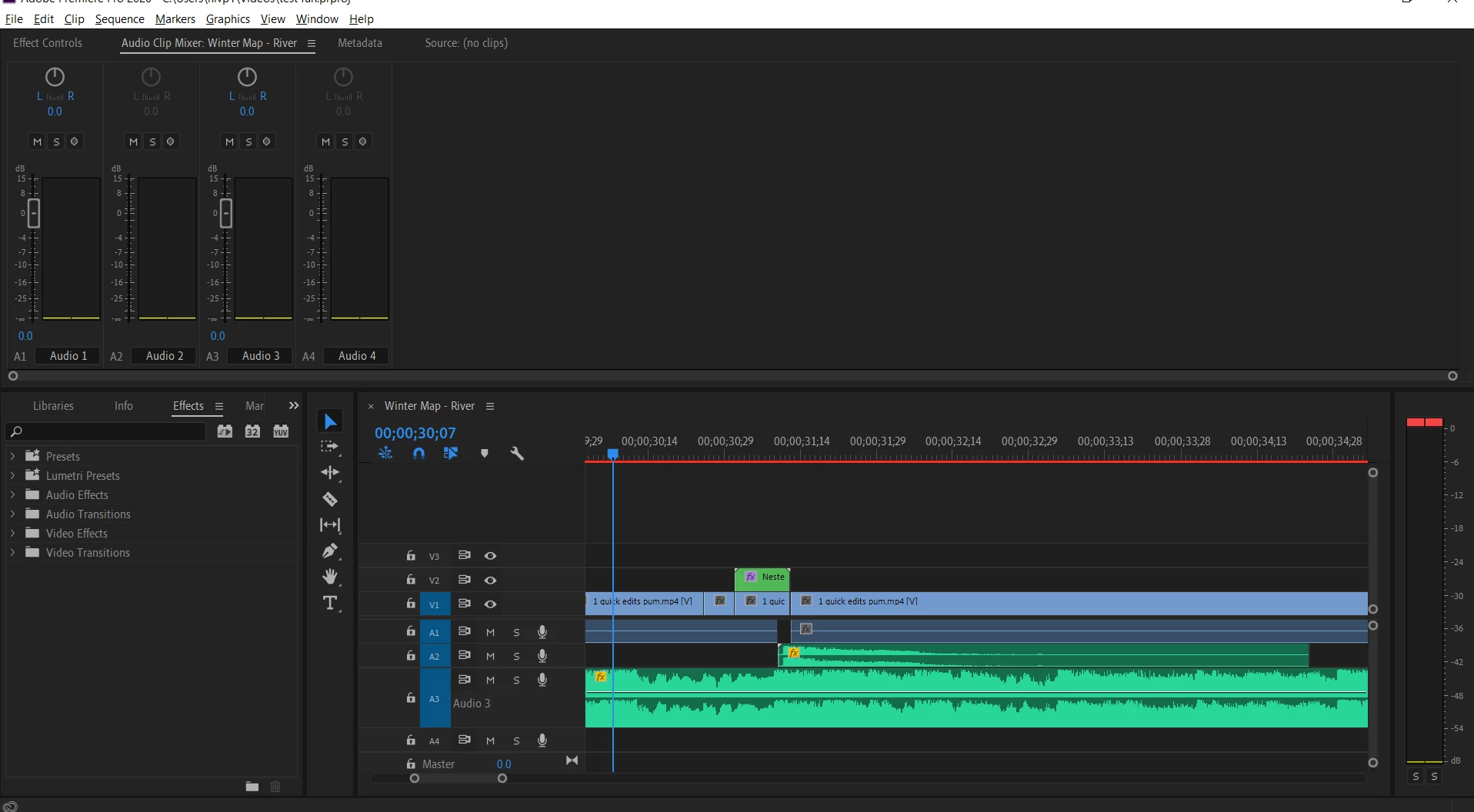


in the pic, you see there is no video to play my timeline and I cant switch to `Graphics` or `Assembly` tabs, they just disappeared 
This topic has been closed for replies.
Correct answer Byron Cortez

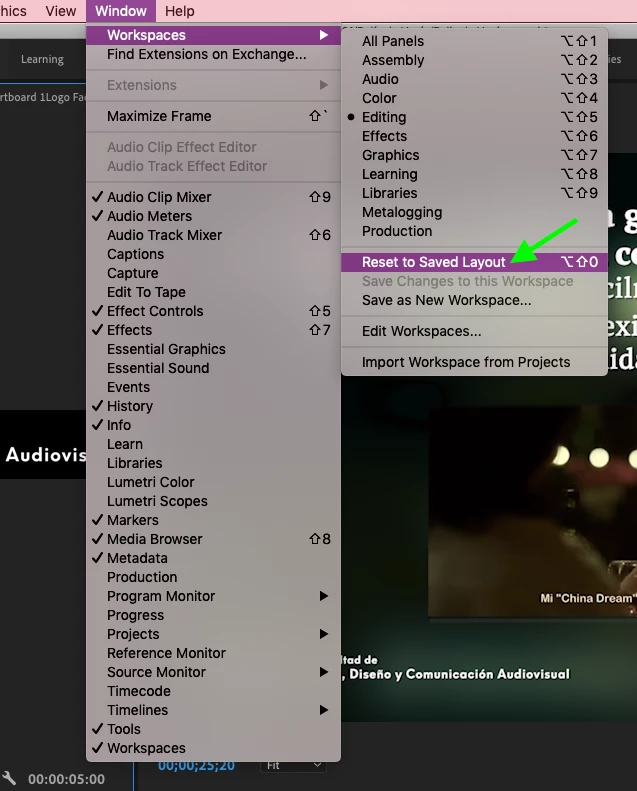
Try to reset to saved layout:


If not, try to reset (trash) Pr preferences:

- Press Alt (Windows) or Option (Mac OS) while launching Premiere Pro. You can release the Alt key or Option key when the splash screen appears.

- To reset preferences and plug-in cache at the same time, hold down Shift-Alt (Windows) or Shift-Option (Mac OS)while the application is starting. Release the Shift-Alt keys or Shift-Option key when the splash screen appears.

1 reply

Byron CortezCommunity ExpertCorrect answer
Community Expert
February 8, 2021

Try to reset to saved layout:


If not, try to reset (trash) Pr preferences:

- Press Alt (Windows) or Option (Mac OS) while launching Premiere Pro. You can release the Alt key or Option key when the splash screen appears.

- To reset preferences and plug-in cache at the same time, hold down Shift-Alt (Windows) or Shift-Option (Mac OS)while the application is starting. Release the Shift-Alt keys or Shift-Option key when the splash screen appears.

Byron.
February 8, 2021

Thank you!!

Community Expert
February 8, 2021

You're welcome!

Byron.