

2100 HGL has become the default color space in sequence presets
[Edit: since posting this, I've learned my assumption that Adobe has changed the color space in the sequence presets is incorrect. It seems to be a bug. The title of this post has been edited accordingly. This is no longer a PSA. However, if you're experiencing different colours in your source and program monitors, read on...]
I haven't found anyone else discussing this yet, so I'm putting it out there as a community PSA. With the Premiere 2024 update, we're given a much more simplified list of choices when making a New Sequence. (I'm actually a fan of this change).
One thing to note, that is NOT OBVIOUS, and that took some of digging to get to the bottom of, is that now ALL the new sequence options are in the 2100 HGL colour space. Thanks for the notification, Adobe!
So if, like me, you notice a colour difference between your source monitor and your program monitor, you'll need to change the sequence settings to match the colour space you actually want to be in.
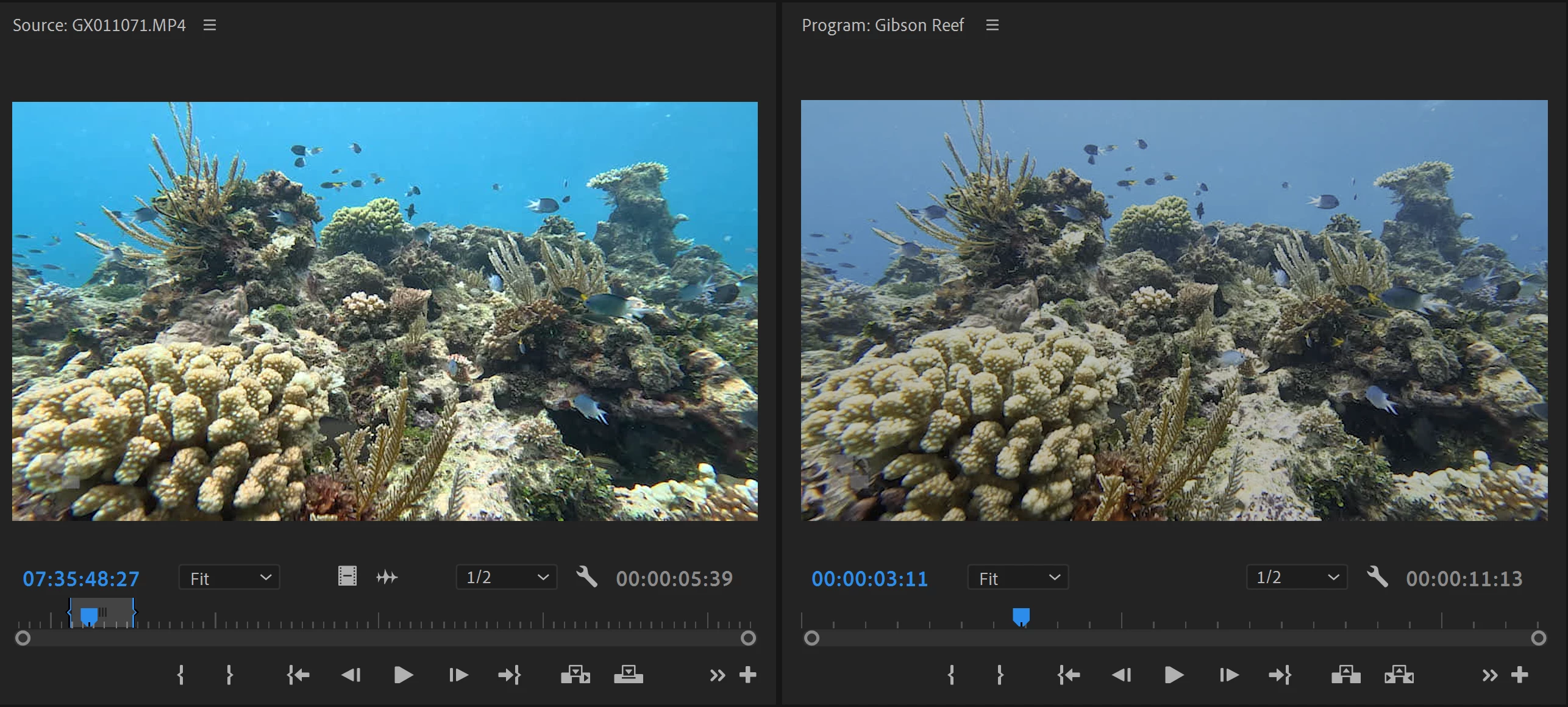
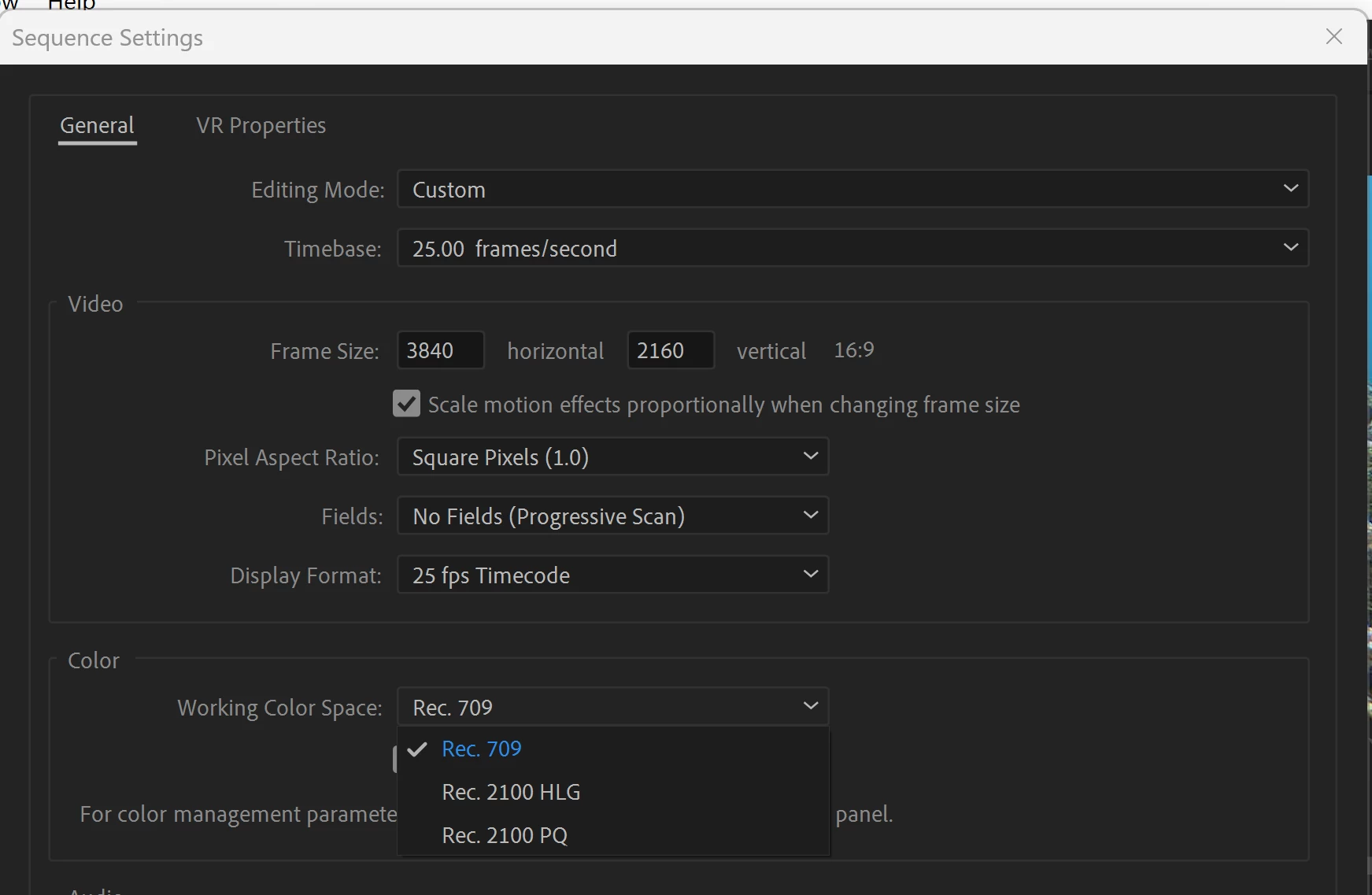
The good news is that if your footage is Rec 709, and you want to get your sequence into Rec 709 instead of the new 2100 HGL default, all you have to do is go into the Sequence Settings and choose Rec 709 from the Working Color Space drop-down. Problem solved.
Hope this helps!
 AdChoices