hoovdaddy
Inspiring
September 13, 2019
Question

23.976 to 29.97 conversion - 2 methods yield different results - WHY?

  • September 13, 2019
  • 2 replies
  • 7711 views

Can anyone shed light on why this happens?


I have a 23.976 timeline with :30 spots (slate, black, spot, black x5)
All footage and graphics are 23.976.
I need to deliver 29.97 spots for broadcast.


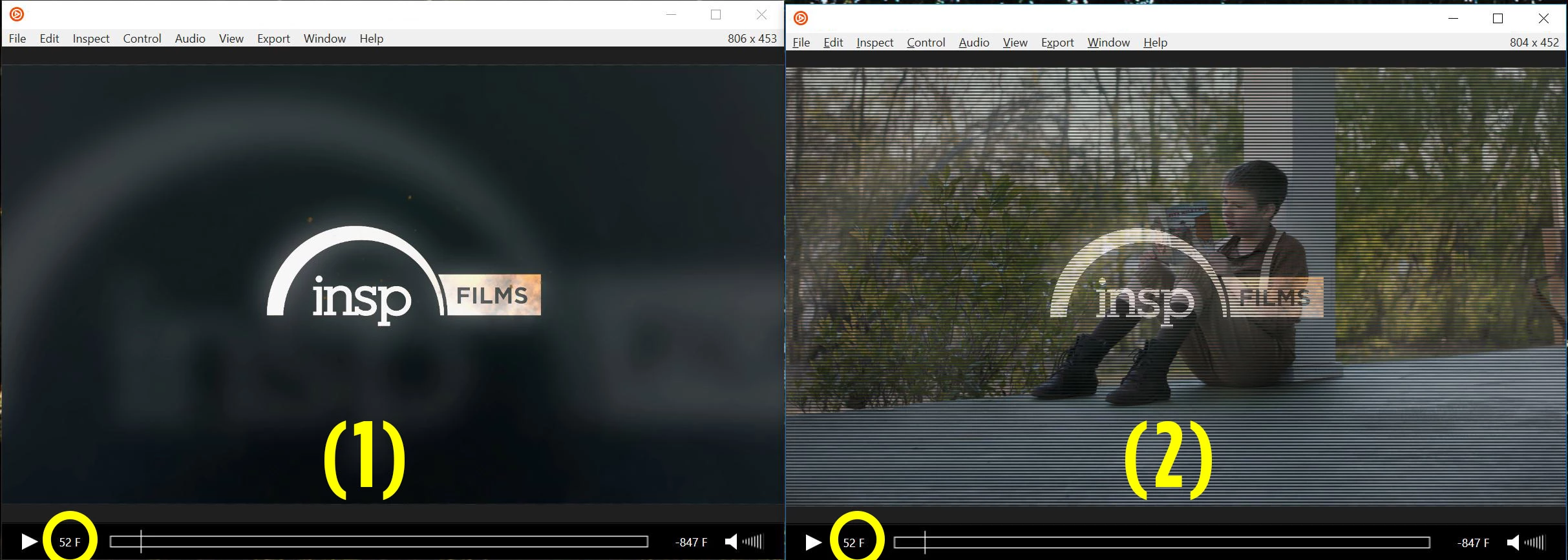
If I export from the 23.976 timeline, asking the AME queue to do the frame rate conversion to 29.97/upper field, I get bad frames like this one (2) at the cuts.
It's more noticeable with graphics than the video (it's less forgiving when graphics are involved)
(Source input is 23.9767 progressive, output is 29.97 upper field)

AME settings:
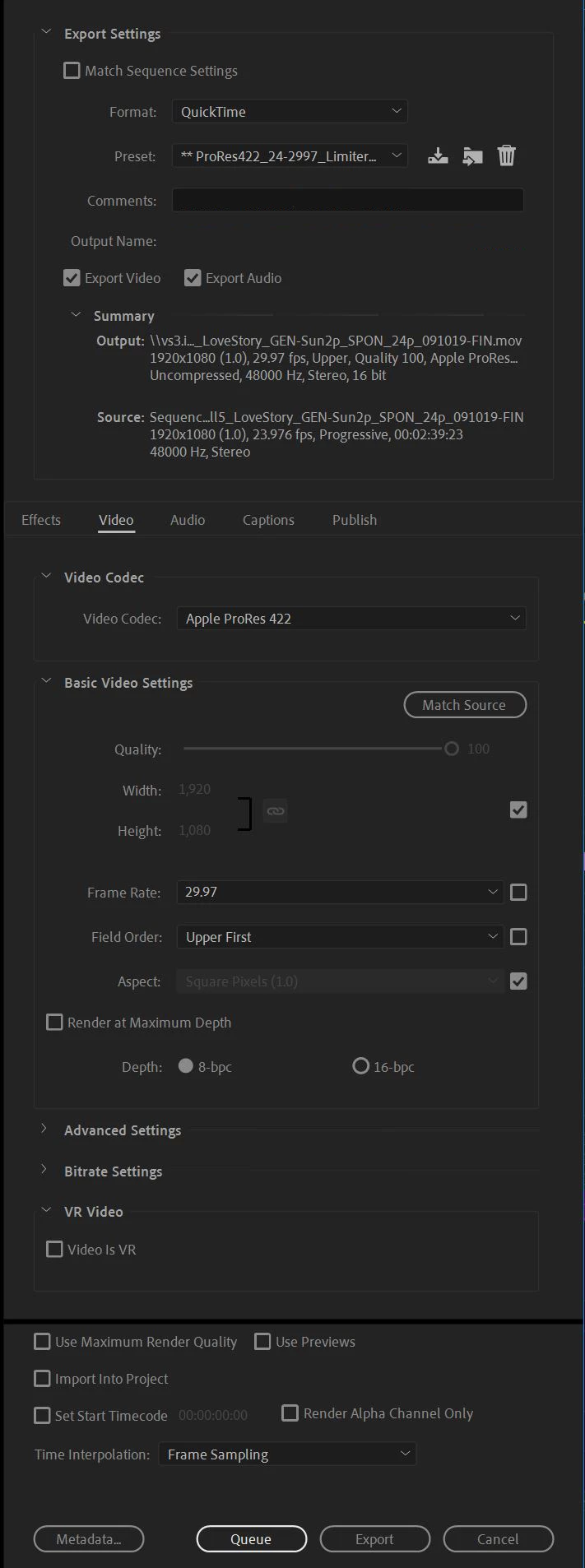


If I take the same 23.976 timline, duplicate it, change the sequence settings to 29.97/upper field, then export using the AME queue, I get this result (1) - which is what I expected without having to change my sequence settings.


Sequence settings changed to:
Editing Mode: Custom
Timebase: 29.97
Fields: Upper


Same spot, same place on the timeline, same frame in the example.

Why does exporting :30 spots from a 23.976 timeline, asking AME to convert to 29.97/upper field give me the field/frame issue seen in #2? 

This topic has been closed for replies.

2 replies

Warren Heaton
Community Expert
Community Expert
September 13, 2019

Those are "blended frames" that result from the 3:2 pulldown process when performed on edited footage, not "bad frames".   Due to the cadence pattern of 3:2 pulldown, you can't avoid it. 

You should be good to deliver it with 3:2 pulldown as is.

I wish the old After Effects user manual was still around.  It has a great diagram for the process.

There's a pretty good illustration of how you get from the original 23.976 frame to the odd video field and the even video field (resulting in the 29.97 frame) on the "Three-two pull down" Wilipedia page.

You might be tempted to convert your 23.976 clips to 29.97 prior to editing, but that means that you'll never be able to remove the 3:2 pulldown from the edited master (that is, pull the edited master back up).


R Neil Haugen
Legend
September 13, 2019

Changing frame-rates is a major pain. They don't actually compute easily. So computing 2:3 or 3:2 pull-downs while shifting from Progressive to Interlaced is a complex thing to do. It used to be that it was always better to go to AfterEffects for this.


What you've hit here is there are a couple ways that Premiere is trying to accomplish the pull-down and swap out to interlaced frames. One works vastly better for your needs ... as you've found. Just use that for your needs.


If you were going the other way, it might be that the one working best now works ... or could likely be you'd need the other method.


Neil

Everyone's mileage always varies ...
Participant
April 19, 2021

Neil, thanks for your answer! You mentioned AfterEffects used to be the preferred method for conforming 23.976 to 29.97. Is that still the case or is Premiere Pro just as good/better these days?

R Neil Haugen
Legend
April 19, 2021

Ae is still preferred by a number of the people I know. Just because it's always worked well.


Neil

Everyone's mileage always varies ...