
3 monitors, 2 different resolutions - problem with displaying the preview in full screen
Hello!
I have an unusual problem. I recently replaced my entire PC setup to improve my work efficiency. Previously I used 3 monitors:
1. Main monitor with a resolution of 1920x1080
2.Two old side monitors with a resolution of 1280x1024 - one for the timeline, the other for effects control, media browser, etc.
And I had no problem previewing the footage in full screen on the main monitor.
Currently, after replacing my PC with a new one, I also invested in better monitors and now the set looks like this:
1. Main monitor with a resolution of 3840x2160
2. Two side monitors with a resolution of 2160x1440
*The workspace in premiere pro is organized exactly the same as in the previous set in terms of timeline arrangement, effects control etc.
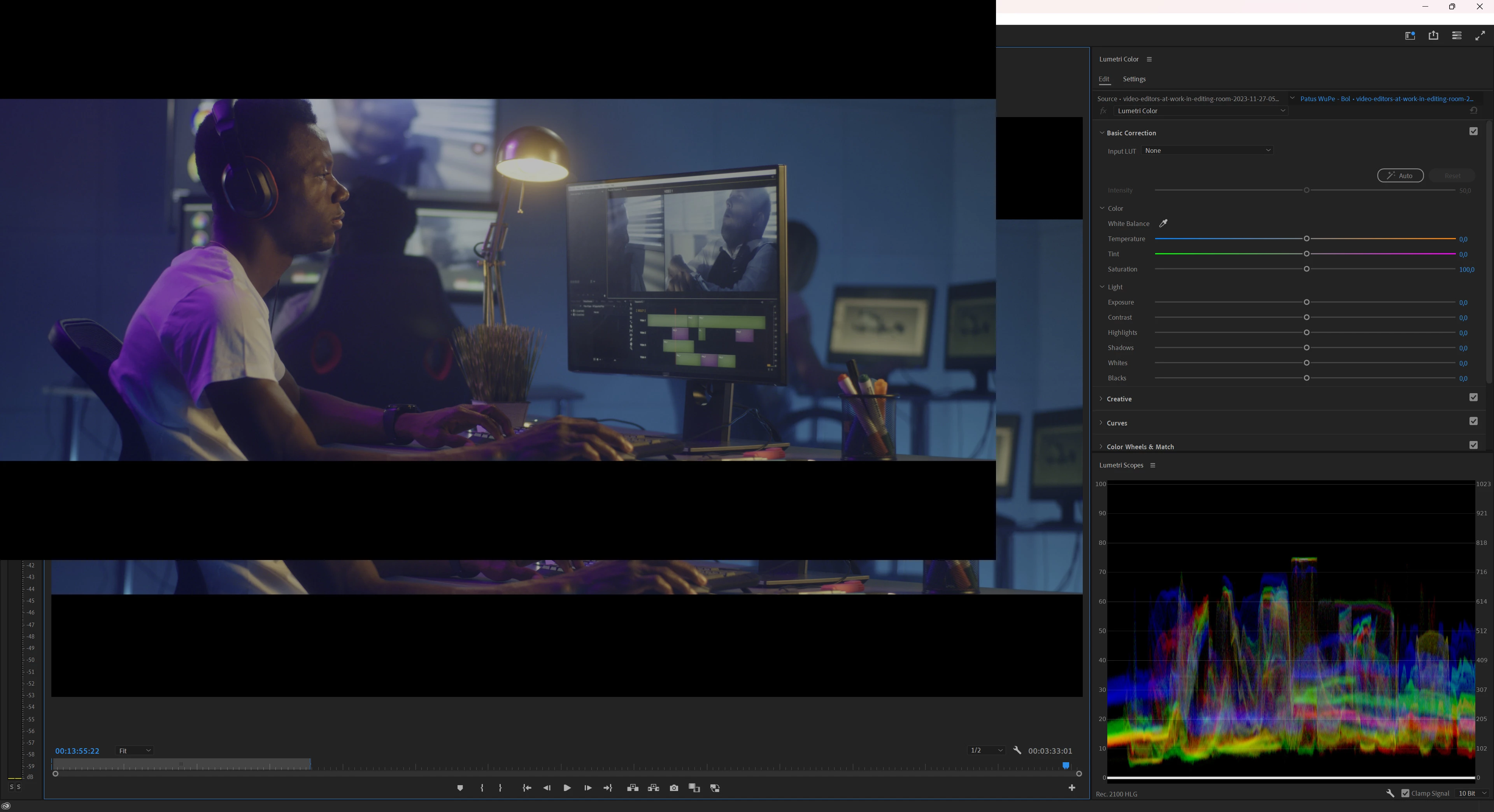
Now, unfortunately, when I want to preview the movie on the main monitor, it only displays the preview on part of its working surface...
I have already tried various solutions and unfortunately nothing helps. As if Premiere Pro adjusted the preview size to suit the lower resolution of side monitors.
I want the full-screen video to be previewed on the main monitor due to its resolution and color parameters, etc.
Have any of you encountered such a problem and is there any reasonable solution?
I will be grateful for any advice on this topic!
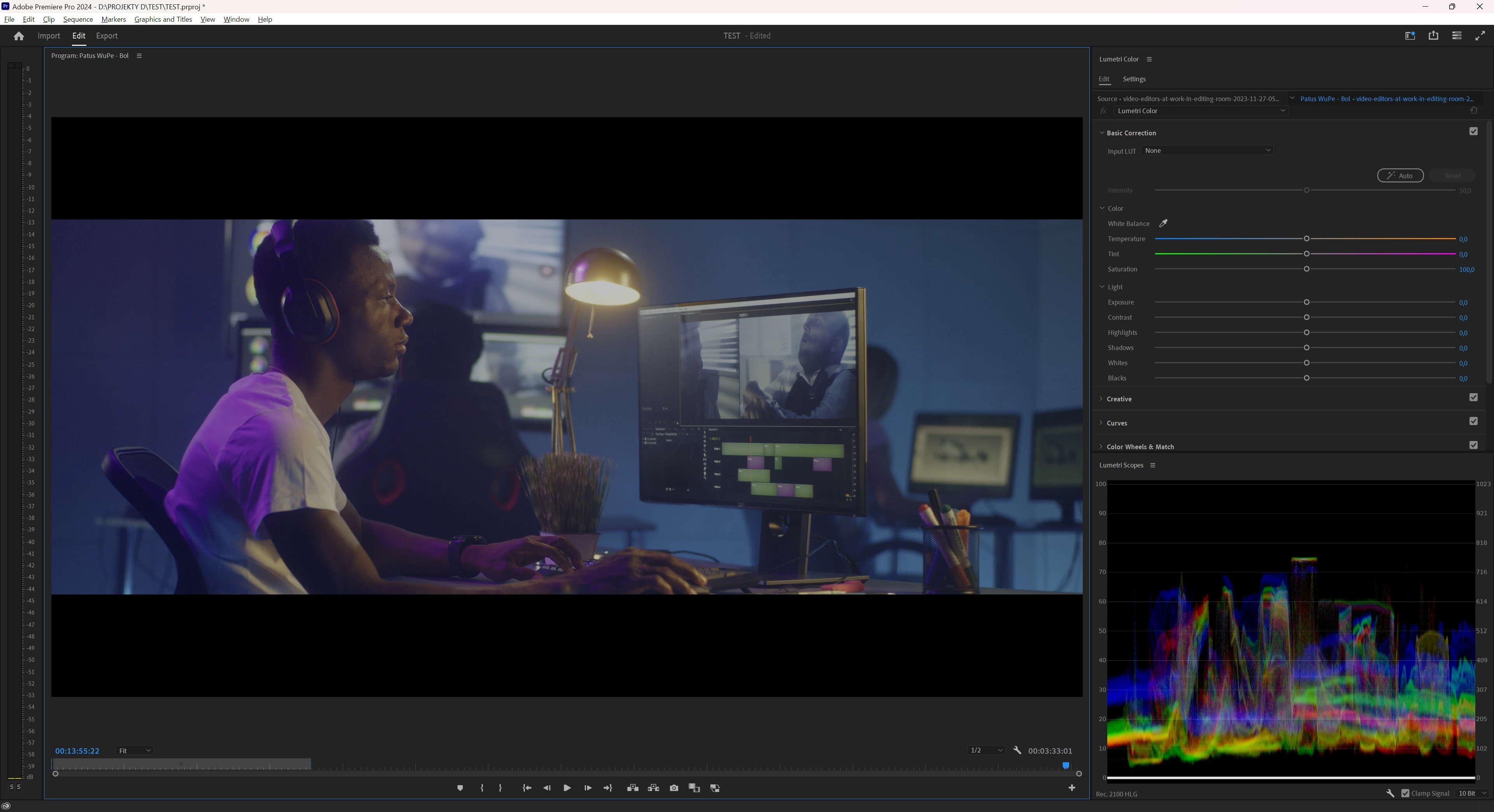
Screenshots below to illustrate the problem
1. Main monitor - before turning on the full screen preview
2. Main monitor - after turning on full screen preview.
 AdChoices