

4K DCI footage squashed/scrambled on Intel Mac, but not M1?
Hey everyone, upgraded my Sony FX3 last night which now shoots 4K DCI at true 24 fps.
Importing my footage today and, when not playing the footage (paused, or scrubbing) is squashed/scrambled.
Now, when actually playing the he Preview or Sequence windows, the footage looks fine. It's just when/not playing. The footage also looks fine playing outside of Premiere, with VLC.
Just as well, if I try creating basic Low Res proxies using Premiere's default "ProRes Low Resolution Proxy" setting, the footage is completely squashed/scrambled, even when I play the clips outside of Premiere.
Interpret footage settings are all good, following Square 1.0 pixel aspect that is in the file.
What's the fix for this? Thank you in advance for any guidance!
Edit:
- Experimenting with exporting anything from the timeline, it's also squashed/scrambled.
- I'm on an Intel mac, a colleague of mine opened the same footage in Premiere on an M2 Apple chip, and it's working as expected. So this is an Intel Mac issue?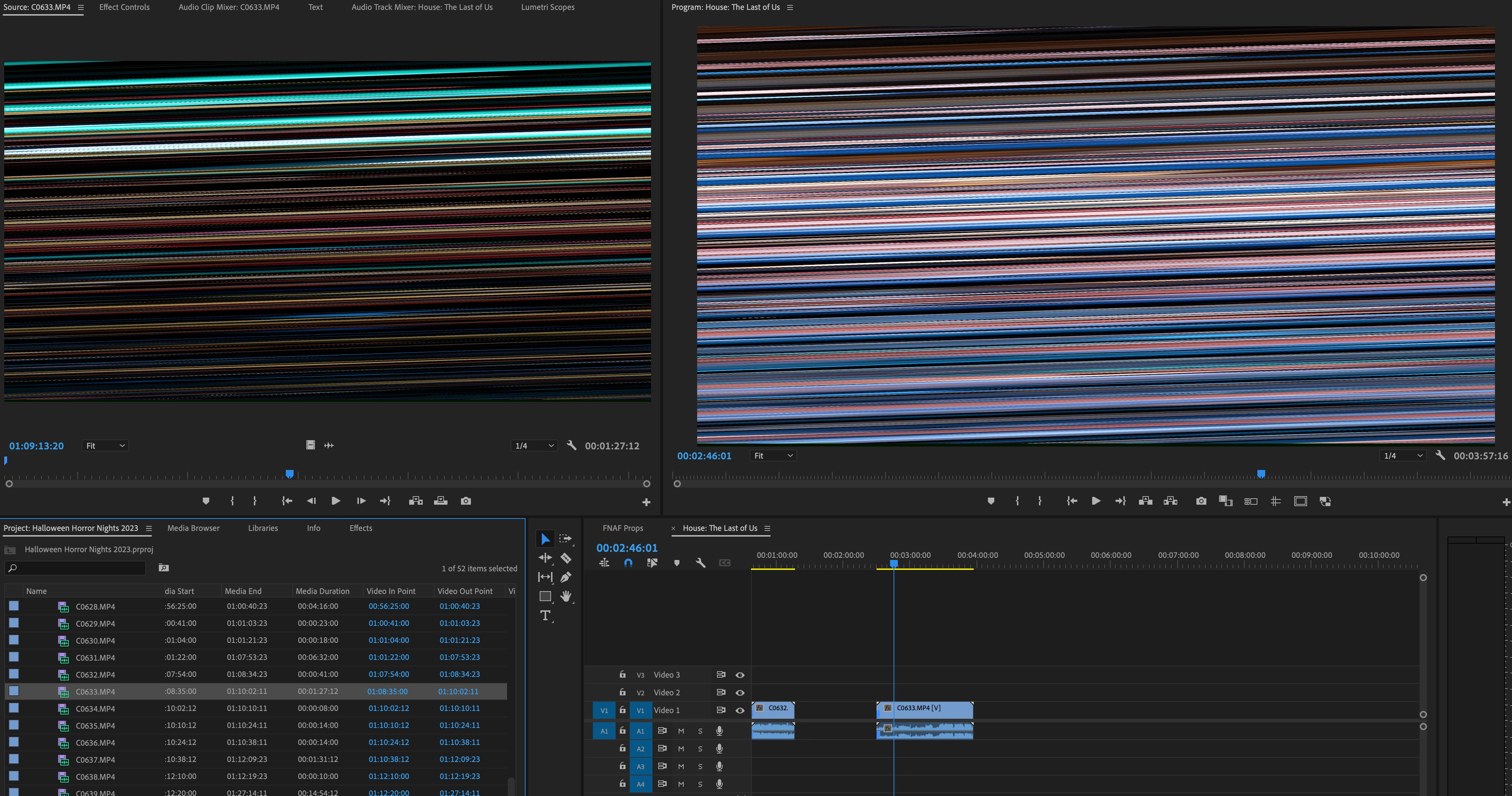
 AdChoices