

600%+ CPU usage when doing anything
Im a motion / postproduction designer for a long time and this is the first time im running into this problem. After a few months not needing to use PR, i had to work on a PR project. I updated and opened it fresh. Imideately i had very bad laggy and slow performance... almost entirely unusable. I didnt know it was the CPU usage at that time so i tried everything to minimize the load on my 2017 maxed Macbook Pro and PR Pro but no changes.
Problem: As soon as i do anything at all in Premiere (scrubbing, clicking, dragging, button press, play, property changes, anything) my CPU shoots up to between 350% and 700% and logically everything is laggy and choppy af.
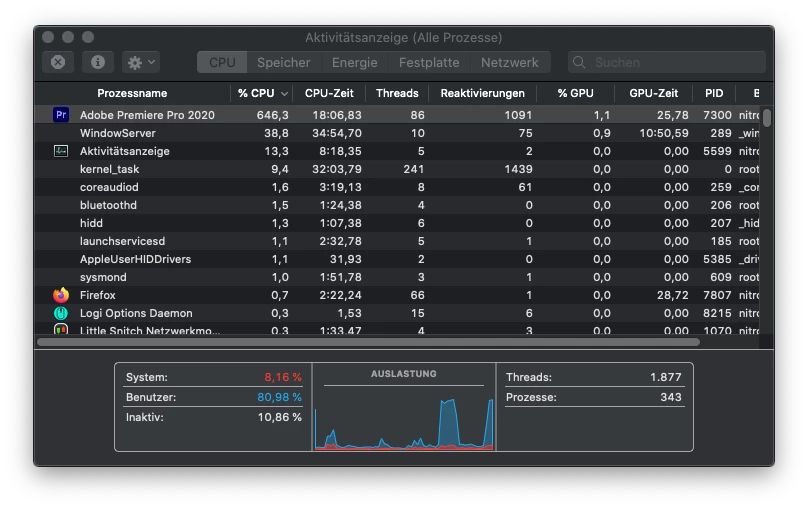
Trouble shooting done: On/Off (reboots and stuff), update to latest, clean reinstall, cache, footage/projects (different footage, proxis, empty project), turn off otther programs (still cant count that out 100%), disconnecting from everything (drives, dongles, wifi, bluetooth) etc.
Nothing helped
Does anybody have an idea how to fix that? Its almost impossible for me to work like this
 AdChoices