
Participant
February 7, 2023
Answered

60fps imports to blurry 30fps

  • February 7, 2023
  • 2 replies
  • 891 views

I have footage marked on the camera as 60fps, and when transferred to my laptop is stays nice a crisp. An image of the file details below: 
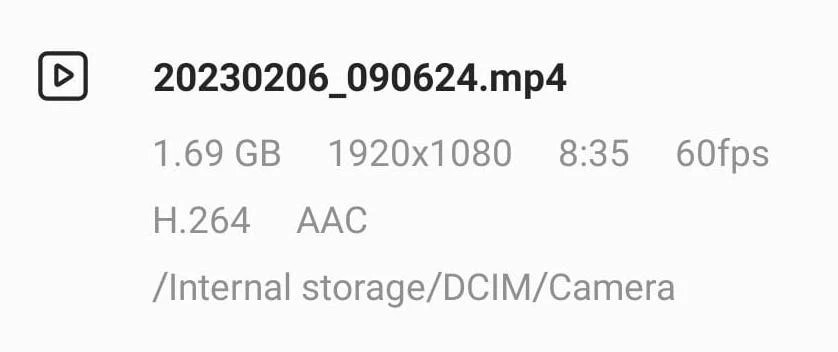

However when I import it into Premiere Pro it becomes 30fps and incredibly blurry in the playback. I turned on high resolution, I am on Full, and I rendered the file so I have the green bar. But it's still blurry. 

When I export that file (with no edits) to check if it's just the playback that's lower resolution and not the file the exported file is also blurry.
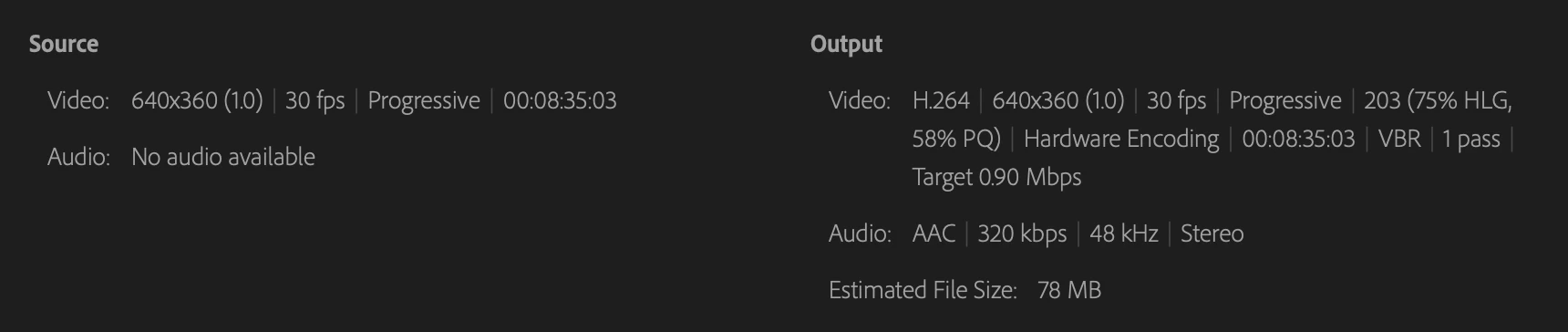
When I edit the frame rate in Premiere Pro to say 60fps and half the speed I still get a blurry video in the playback and after being exported. 

Any suggestions?

This topic has been closed for replies.
Correct answer EllaOD

Nevermind community. 
From the raw footage to Premiere Pro the footage got compressed so what I ended up importing was actually a blurry 30fps video. 

2 replies

Kevin-Monahan
Community Manager
Community Manager
February 7, 2023

Hi,

That does sound weird. I can understand how blurry footage in Premiere Pro might be confusing. Can you show us a screenshot of your footage, if possible? Can you also inspect clip properties to check if the footage was shot in HDR? That could be the problem. I hope we can help you.


Thanks!

Kevin

Kevin Monahan - Sr. Community and Engagement Strategist – Adobe Pro Video and Audio
EllaODAuthor
Participant
February 7, 2023

Thank you for reaching out.

It really was how I transferred the file to my laptop (google photos). I now tried again with a different transfer method (onedrive) and when I import the video now I have a beautiful 59.99fps clear video in Premiere Pro. 

Ann Bens
Community Expert
Community Expert
February 8, 2023

That's the compression that killed my pretty video, now that I am using the actual raw footage everything is good.


Premiere does not compress on import, i am guessing you picked the incorrect sequence settings.

EllaODAuthorCorrect answer
Participant
February 7, 2023

Nevermind community. 
From the raw footage to Premiere Pro the footage got compressed so what I ended up importing was actually a blurry 30fps video.