
Participant
July 21, 2017
Answered

A low level exception occured in AE.ADBE Text

  • July 21, 2017
  • 17 replies
  • 41314 views

Hello,

I keep getting this error message in my video. I know it has something to do with the text as deleting the text removes the error but I can't seem to find a fix for it, my suspicion is that it has something to do with the new essential graphics panel as I have never seen this when using the legacy title. Below is a screen grab of my screen showcasing the error.
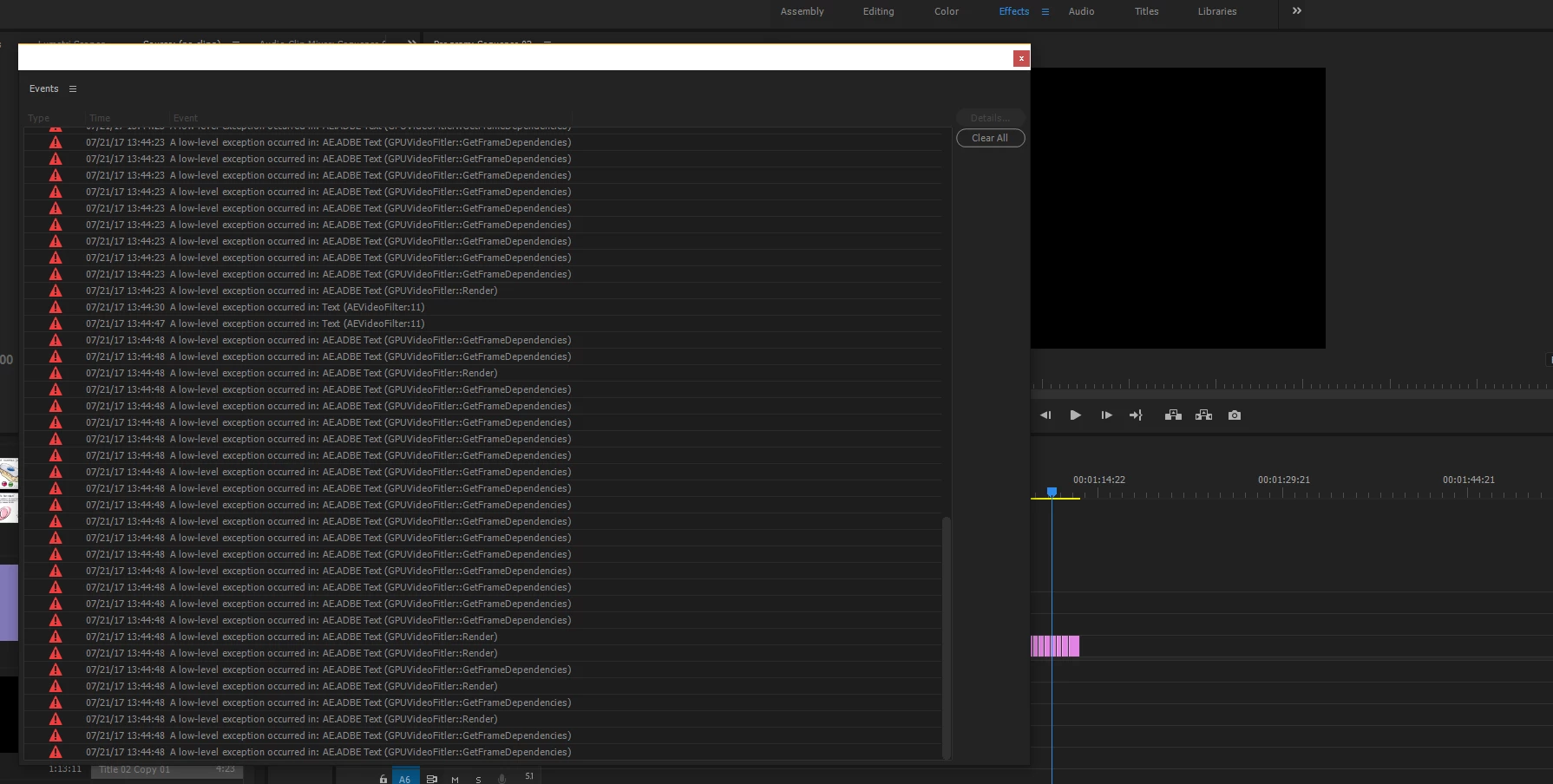
The error first appeared on a colleagues PC, it originally opened fine on but today it has come up with the same error. I haven't installed any new fonts recently and everything is up to date. Reinstalling premiere also didn't work. Any help on this issue would be greatly appreciated

Cheers

Ben

Correct answer jeremiegrandemange

I FOUND THE SOLUTION with the help of the Adobe Customer Service.

1. Delete all fonts on your computer that are 3rd party.

2. Uninstall Premiere (I deleted app preferences, don't know if that makes a difference).

3. Install and Update premiere to the latest version. Do not open application!
4. Restart Computer.
5. Open Premiere and voila!

17 replies

Inspiring
June 28, 2018

Seriously! I don't have time for that. Adobe, send out an update.

dng.bat
Participating Frequently
August 11, 2018

I am having the same issue. Paying for software you can't use is frustrating to say the least. Refunds anyone?

AfroBlanket
Inspiring
June 3, 2021
jyp7202
Participant
November 14, 2017

I'm getting the same issue with Adobe Premiere. I wish I could try that fix but it would take "years" just to get the IT department to come and uninstall all Fonts, which some are provided by an external client, uninstall and re-install Premiere. This is extremely frustrating especially when having to work on deadlines, and I can't add any text to my videos. Very frustrating.

RudeBrat
Participant
November 9, 2017

I tried restoring Fonts in Windows 10 but they seem not to work.  I've deleted them all and downloaded default Windows 10 fonts.  Still the same issue.  My GeForce Drivers are up to date.   Hmm...  Any help would be appreciated.   Thanks in advance!

Participant
November 1, 2017

I had the exact same issue, I just updated my NVIDIA Driver and that solved it.

Randune23
Inspiring
February 11, 2022

I too went out an updated my drivers.  Well that problem went away b/c all of my Essential Graphics mogrts disappeared.  So what's up with that?  I'm rebooting for the 2nd time.  It's like they are all gone.  Well, expect for the few free mogrts on Adobe Stock that is....


Randy

jeremiegrandemangeCorrect answer
Participant
August 23, 2017

I FOUND THE SOLUTION with the help of the Adobe Customer Service.

1. Delete all fonts on your computer that are 3rd party.

2. Uninstall Premiere (I deleted app preferences, don't know if that makes a difference).

3. Install and Update premiere to the latest version. Do not open application!
4. Restart Computer.
5. Open Premiere and voila!

Participant
July 18, 2020

Why do you keep posting this over and over and over again?  For me, I am VERY skeptical about spending so much time following your advice.  Your advice may be correct, but I am only going to follow your advice if that is the last possible attempt to solve this problem.  I am just confused as to why you keep saying what you're saying so much.  WE GET WHAT YOU'RE SAYING.  thank you.

Participant
August 23, 2017

I'm getting the same thing and I can't do any text whatsoever. Please Adobe fix this!:( When I scroll through all of my fonts, the "Plus # errors" goes way up the more fonts I go through. Also, I cannot see my video layer when my text layer is above it when this problem occurred. Thank you! Hope there is a solution soon!

abwell
Participant
August 4, 2017

I'm having this issue too. It started for me at around the same time that I started getting tons of "Invalid Font Family" errors. Someone please help.

Randune23
Inspiring
February 11, 2022

Deleting all the fonts I have downloaded over the years and uninstalling PP is NOT an option.  Surely Adobe there has to be a better fix than "starting over" right???


Randy