
Known Participant
June 26, 2024
Question

About Premiere Pro Project Manager

  • June 26, 2024
  • 4 replies
  • 1440 views

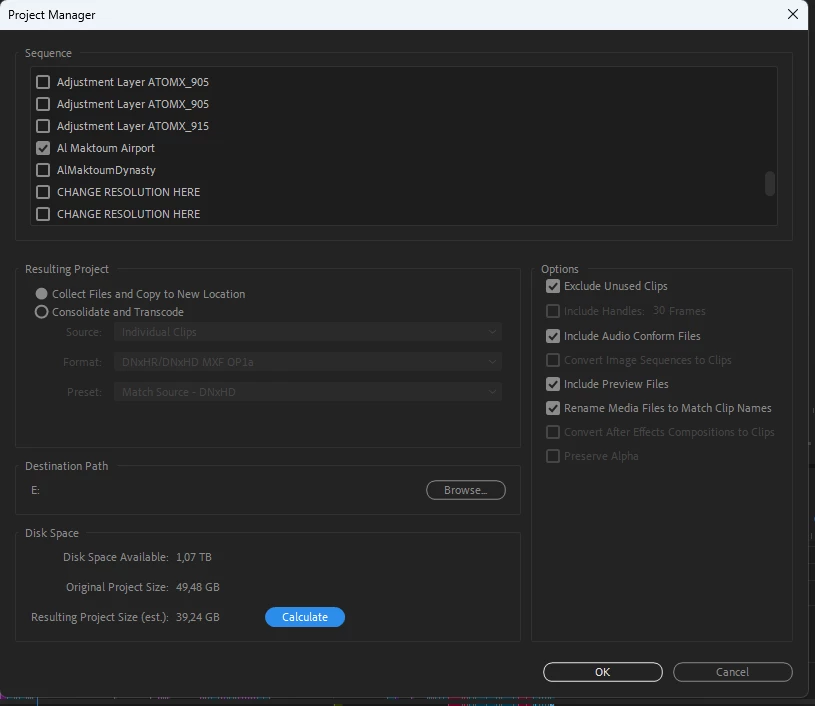
I have a huge amount of old projects I need to store. Storing separate project files is not an options since I hame tons of additional materials used in a projects, so to consolidate and store all the media I normally use Premiere's Project manager. Yesterday I opened a project saved via the Project manager a couple of years ago and got multiple errors connected with missing files. They were rendered files, music, motion graphics. So I started to open other projects both old and new and all of them had missing files.

My question - is the Project manager buggy and works not what it's meant to or is it me who does not fully understand how it must really work. 

And second question - I had it in Premiere Pro 23 and 24, now I'm having this issue in 24.5 - on opening a project saved via the Project manager Premiere Pro crashes.

Last question - Premiere Pro - nomatter what version it is - always finishes with an error if you try to save a project wia the Project manager with "Include Previews" on. Why and how do I fix it?
 

4 replies

shaund20095421
Participating Frequently
October 9, 2025

You are not alone, I can't get Project manager to work. On the job I'm working on I can't consolidate a sequence to send across to another editor, I can't access the titles to amend on a rolling credits ending, end up amending in keynote and rebuilding the whole thing and now I can't get the AAF to transfer across the source time code to protools. The most stressful thing about big editing jobs is fighting the software... 

Community Expert
June 27, 2024

Hi Denis,

While I am generally quite positive about the tools in Premiere Pro, Project Manager has been a significant disappointment for a long time now and needs a serious overhaul. It is not a reliable or professional tool.

I've been delivering longform projects for 15 years and have often seen unnecessary media copied even when "Exclude Unused Clips" is ticked. I've also encountered error messages after hours of copying media, with little information about the cause, and then Premiere deleting all the copied media up to that point.

I haven't used PlumePack, but I can't imagine it would be worse than the built-in Project Manager.

That said, I'm not entirely convinced that opening a project created with Project Manager is what's causing your crashes. I haven't personally experienced that and wonder if it may be something else. If you get prompted to link media when you open one of these Project Manager projects, I recommend not linking, saving the project first, and then linking the media.

Cheers,
Paul

Known Participant
June 27, 2024

By the way I havent mentioned that - yes it does copy unused media when "Exclude Unused Clips" is ticked, I can confirm.

Community Expert
June 26, 2024

I've not had the problems with Project Manager which you're describing. Please give us system specs. Also, let us know the specs of the computer which you're opening the managed project onto.

Known Participant
June 27, 2024

Just now, while I was typing the message above... My project is perfect, all the media is linked, no errors duting rendering

Averdahl
Community Expert
Community Expert
June 26, 2024
quote

My question - is the Project manager buggy and works not what it's meant to or is it me who does not fully understand how it must really work. 


By @28439390g3mg


The Project Manager in Premiere Pro is problematic and though i have not tested it, PlumePack will do what you want. You can test it here: Overview | The Best Project Manager for Premiere Pro ! (autokroma.com)


Collect & Copy seems to be free and if you want to unlock all features you have to buy it.

Known Participant
June 27, 2024

Thank you, I'll try this one. It's a pity thugh tha you have to rely on third party software when in comes to such fundamental things as archiving...