
Participating Frequently
December 8, 2018
Answered

Accidentally Clicked "Close" and Now Sequence is Gone

  • December 8, 2018
  • 3 replies
  • 6861 views

Hi Everyone,

I accidentally clicked File -> Close, and Premiere closed the sequence I was working on, and now the I can't find the sequence and I don't know how to reopen it.  How do I find this sequence and reopen it?  I had clicked save after I closed it. 
    This topic has been closed for replies.
    Correct answer Ann Bens

    3 replies

    Legend
    December 8, 2018
    Ann Bens
    Community Expert
    Ann BensCommunity ExpertCorrect answer
    Community Expert
    December 8, 2018

    Participating Frequently
    December 9, 2018

    Thank you!

    Inspiring
    December 8, 2018

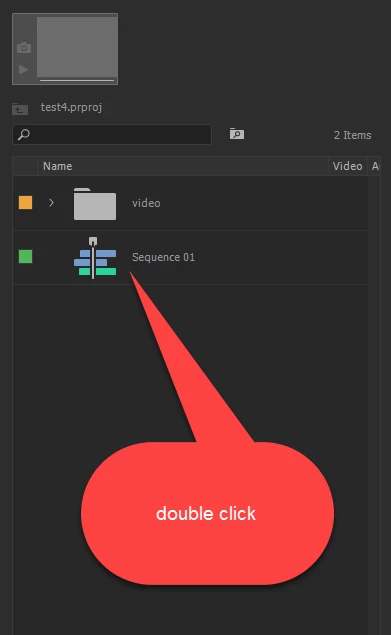
    You will find it in your Project Panel. Locate it and double click on it to re-open it.

    MtD