Participant
August 29, 2020
Answered

Accidentally closed video display window - help!

  • August 29, 2020
  • 2 replies
  • 12939 views

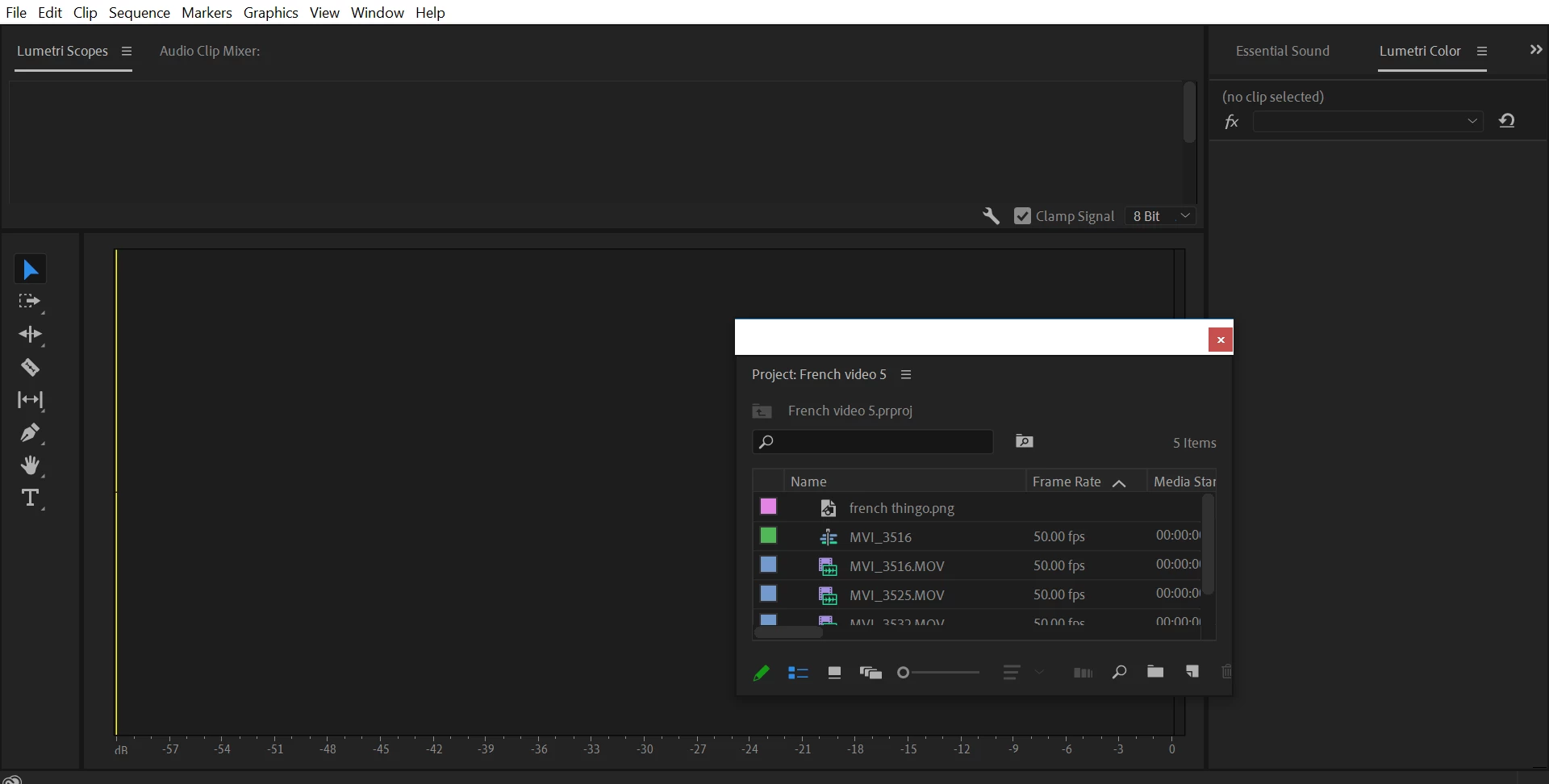
I know this is a bit stupid, but I seem to have accidentally closed the window that shows the video display, and can't get it back. I closed and reopened the project, but that seemed to have made it worse.

Please help - this project is due on Monday!
 

This topic has been closed for replies.
Correct answer Byron Cortez

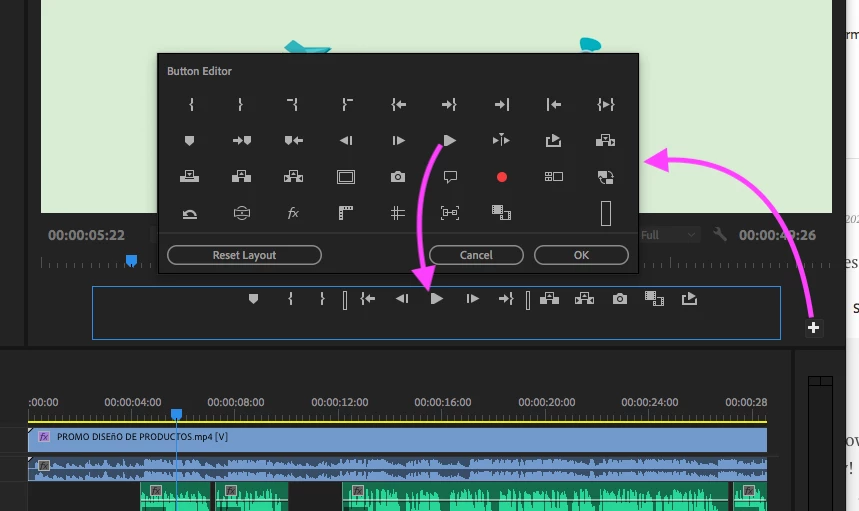
Click on the + button in the Program panel, the button window opens, then drag and drop the Play icon to the bottom of the panel. Then OK.

Look at my screenshot.

2 replies

Christian.Z
Community Expert
Community Expert
August 29, 2020

Click on the "+" on the bottom right of your video preview pannel, that should allow you to add buttons

Community Expert
August 29, 2020

Go to menu Window / Workspaces / Reset to Saved Layout

Byron.
Participant
August 29, 2020

Thank you, I can see the video window now, but now the play button is gone. How do I get it back?

Also I really appreciate the fast reply!

Byron CortezCommunity ExpertCorrect answer
Community Expert
August 29, 2020

Click on the + button in the Program panel, the button window opens, then drag and drop the Play icon to the bottom of the panel. Then OK.

Look at my screenshot.

Byron.