
Truthcall
Participant
March 3, 2018
Question

Adding beginning keyframe negates adjustment layer effect in premiere?

  • March 3, 2018
  • 2 replies
  • 972 views

I'm trying to do an exposure transition between two clips using the Levels effect applied to an adjustment layer.

When I change the (RGB) White Input Level without any keyframes (or even just one keyframe) it works just fine:
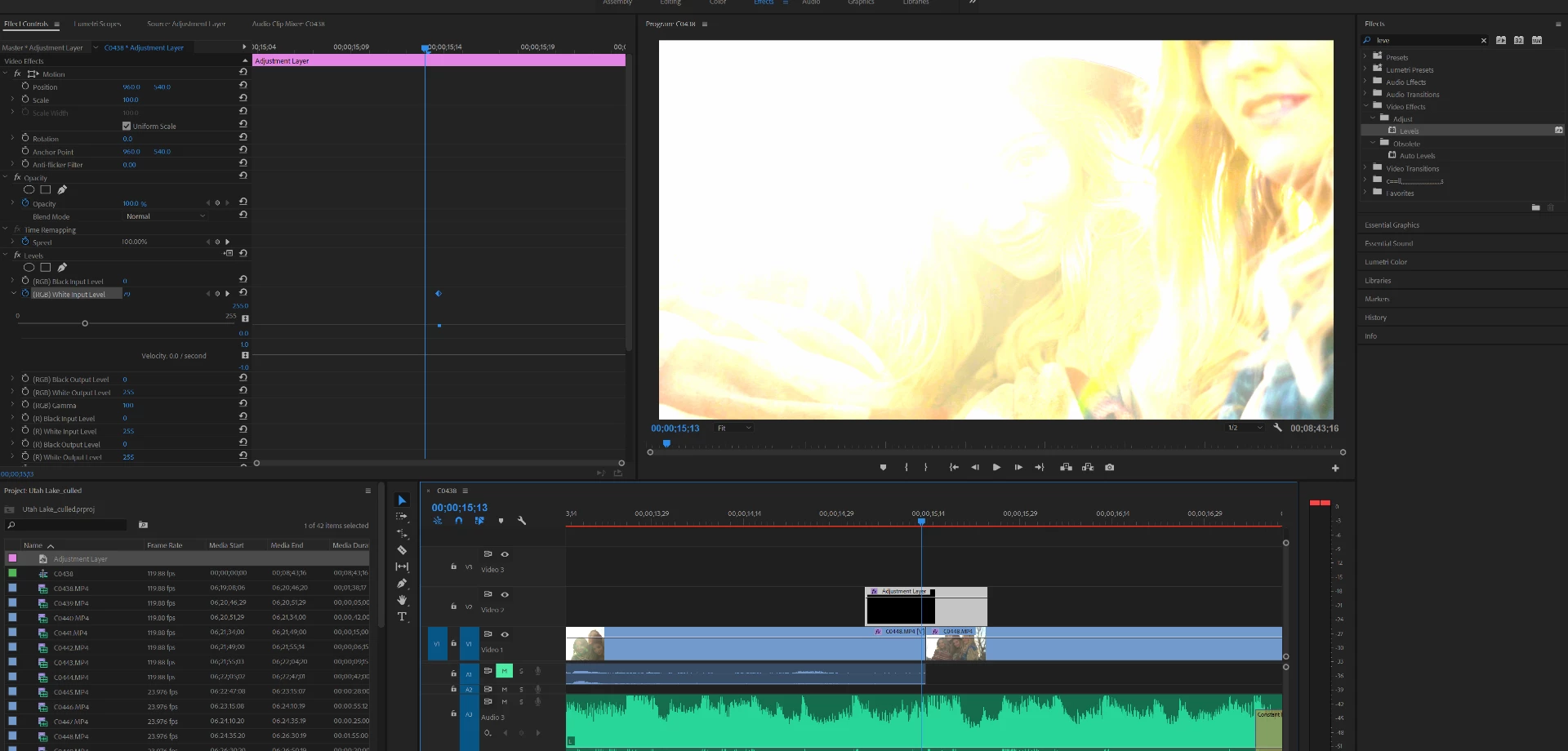
BUT as soon as I try to make the level change gradual by adding the first keyframe at the normal White Input Level (255) it negates the effect?
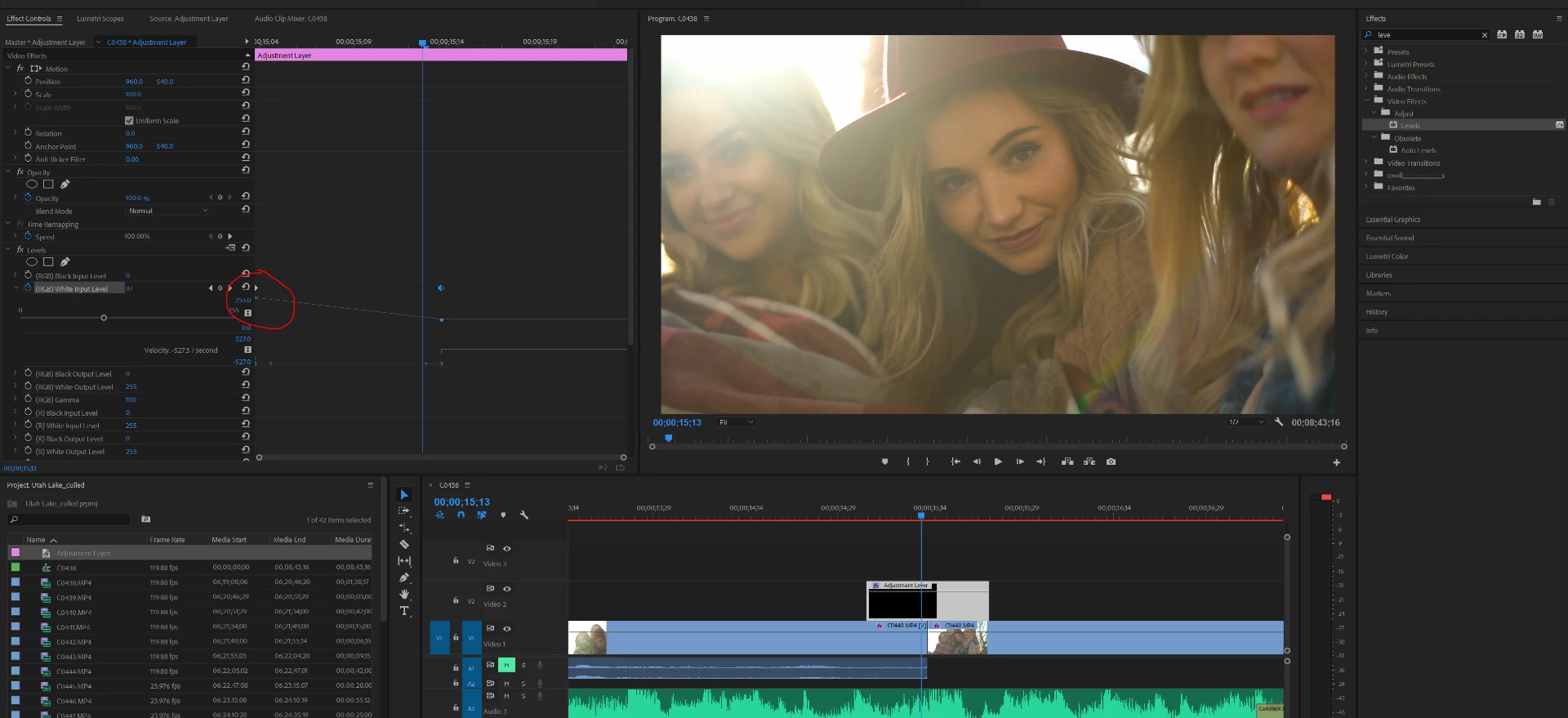
Anyone know why? Or how to fix it?

I could just apply the levels effect to the clip and go with that, but this type of transition has worked before and It's a lot easier to just duplicate the adjustment layer than to manually adjust the beginnings and ends of clips each time I want to use it.

I've tried to change the opacity blend mode, I've tried to apply it to other clips.. I've even tried it with different Level's effects (RGB levels and Black Output) and nothing is working..

thanks!

-ben.

This topic has been closed for replies.

2 replies

Legend
March 31, 2018

I can't reproduce the issue here using PP 12.0.1 on Windows 10 Pro (1709).  Everything works as expected.

Ann Bens
Community Expert
Community Expert
March 3, 2018

Cut out the length of the transition on both clips

Nest these cut clips together and apply the effect to the nest.

Truthcall
TruthcallAuthor
Participant
March 3, 2018

Great idea, and by all means it should work.

...but it didn't.

I even cleared the original level's effect and reapplied it, but it's still not affecting the clip the moment I add the beginning keyframe..

now it DOES work when applying the effect directly to the clip, as you suggested.

...but I'm still looking for a way to make this work on an adjustment layer so I can easily copy the effect instead of manually nesting each transition.

Kevin-Monahan
Community Manager
Community Manager
March 31, 2018

Hi BenF,

Are you still experiencing this issue or have you solved it? Please let us know.

Thanks,

Kevin

Kevin Monahan - Sr. Community and Engagement Strategist – Adobe Pro Video and Audio