
Participating Frequently
January 15, 2018
Answered

Adding more of the scene to the green screen

  • January 15, 2018
  • 2 replies
  • 1599 views

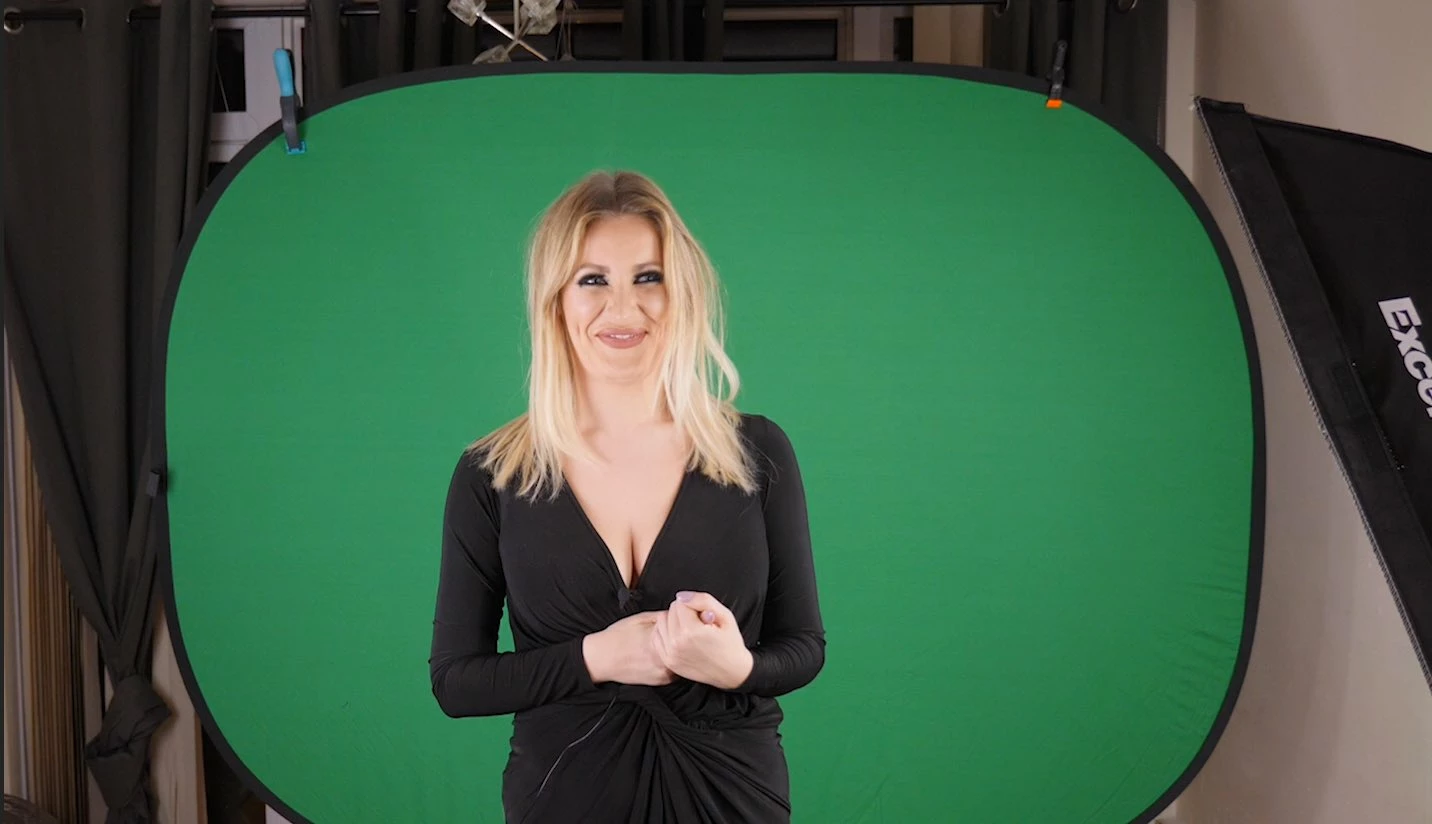
I have a scene where the green screen doesnt quite cover the whole thing. The presenter and main green is ok but I want to extend the green screen to cover the sides and top and apply ultra key on it after.

What's the best way to do this? I am also open to using After Effects.

Can someone also tell me the advantages of using After Effects for green screen over Premier in the recent versions?
This topic has been closed for replies.
Correct answer Meg The Dog

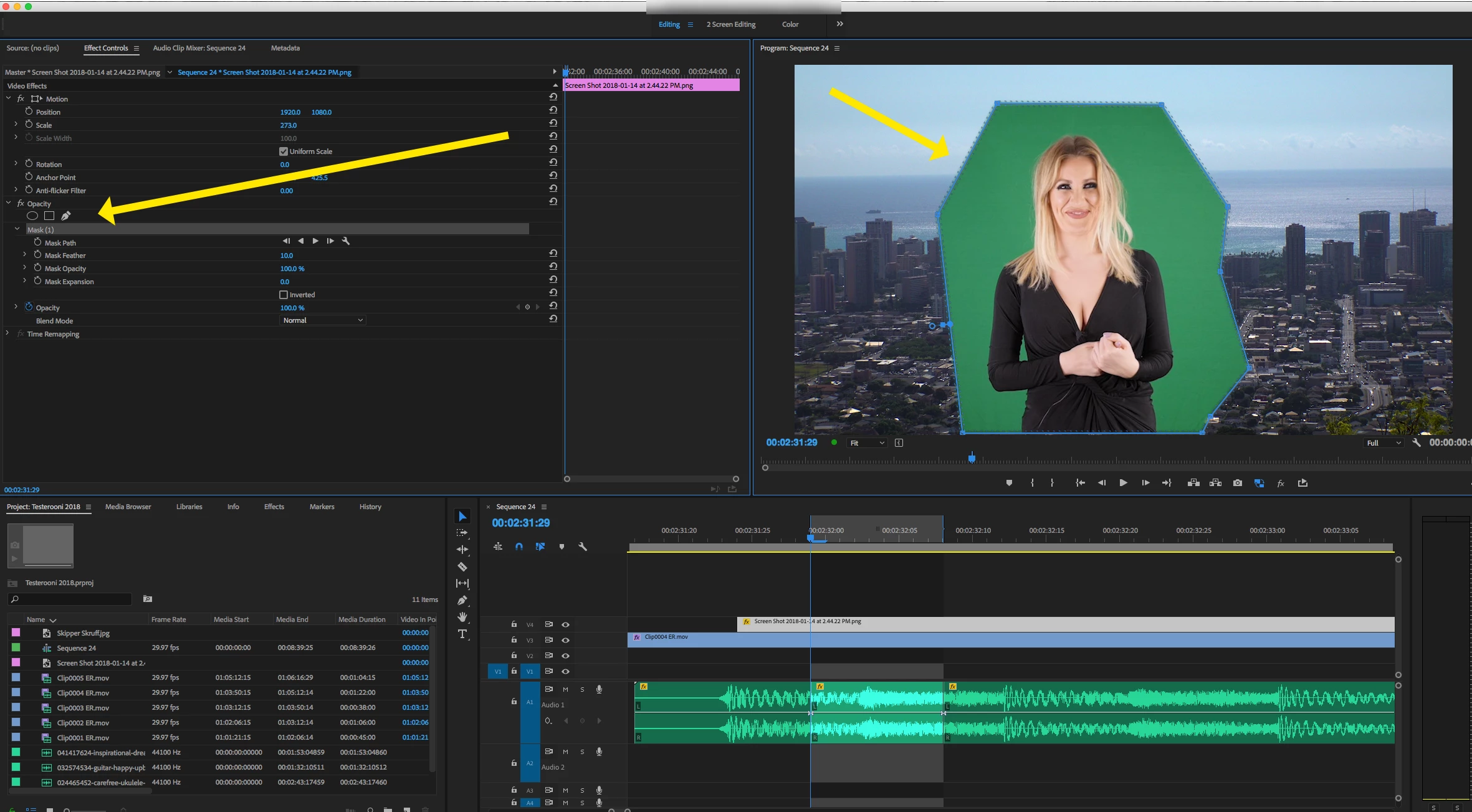
My suggestion would be to use an Opacity Mask as a garbage matte:

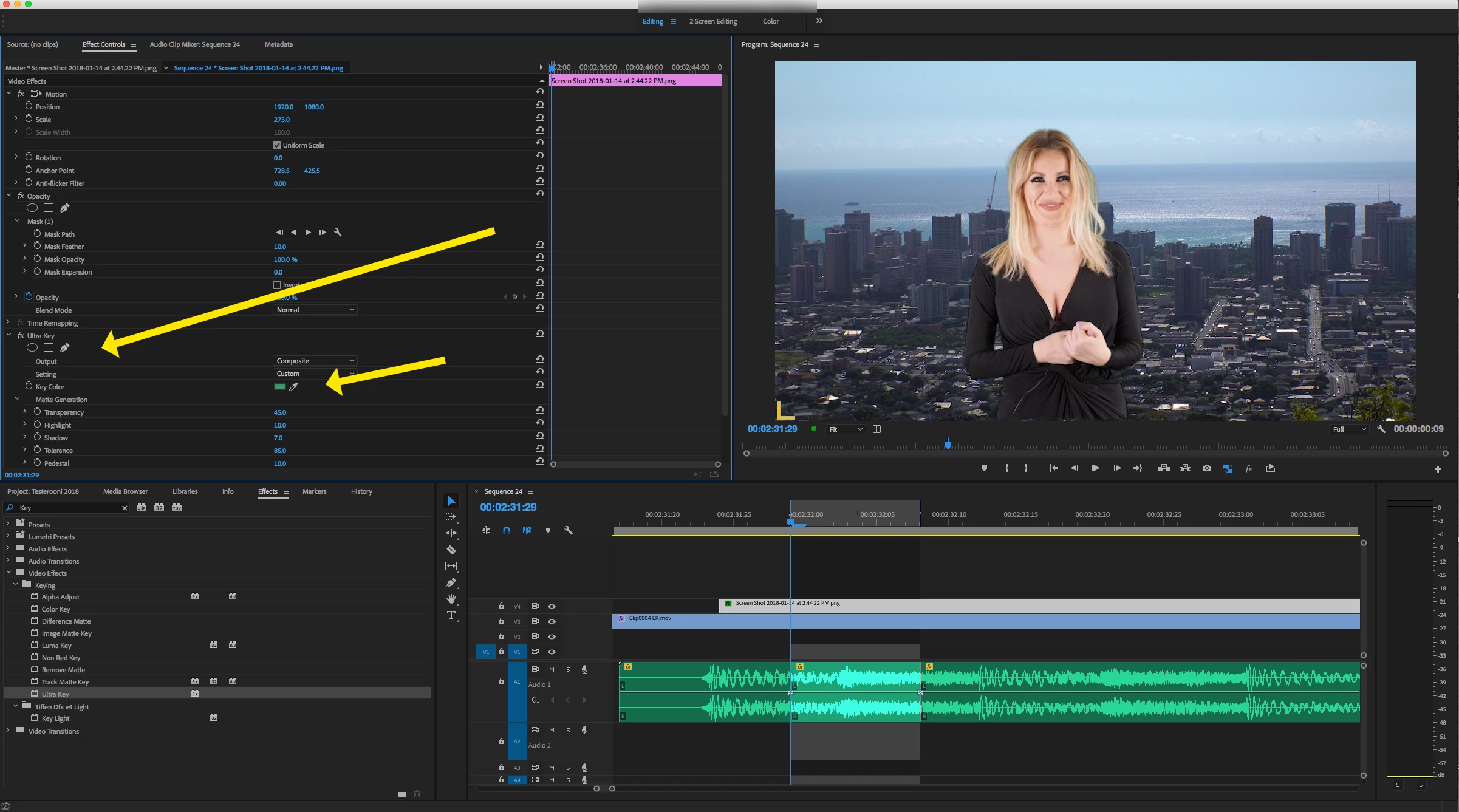
to reduce down that area that you need to key, then apply the keyer:

MtD

2 replies

Ann Bens
Community Expert
Community Expert
January 15, 2018

Gary beat me to it.

You dont extend the green screen you crop it till all non green is gone.

AE has a better keyer (keylight)  then Pr (ultra key).

Meg The DogCorrect answer
Inspiring
January 15, 2018

My suggestion would be to use an Opacity Mask as a garbage matte:

to reduce down that area that you need to key, then apply the keyer:

MtD

thiswayupAuthor
Participating Frequently
January 15, 2018

Awesome thanks, I'll give this a go!