
Participant
August 2, 2018
Question

Adjustment layer not working with transition

  • August 2, 2018
  • 3 replies
  • 6056 views

I am having a probem with my adjustment layer affecting my transition between two clips. When I transition from one clip on row V1/V2 to another clip, my ajustment layer on V4 must be cut off before the transition starts, in order for the transition to show. Without having my adjustment layer on V4 cut, the video simply cuts straight to the next clip without the fancy transition. I am completely unsure as to what to do? I have tried changing V2's blend mode to color dodge although that did not work. Does anyone have any answers? Thank you!

Below is my adjustment layer on row V5
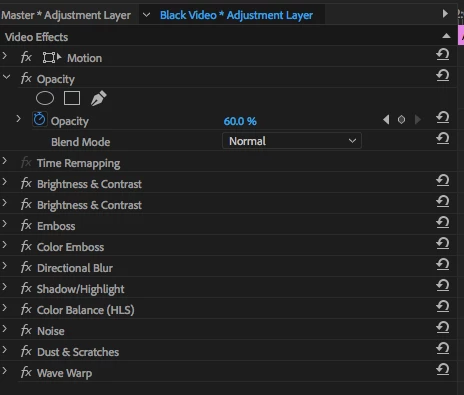
Below is my adjustment layer on row V4.
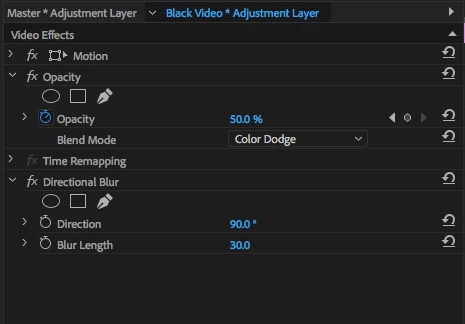
Under these two rows I have my transition in V2 and footage in V1. Below is the primary transition in V2.
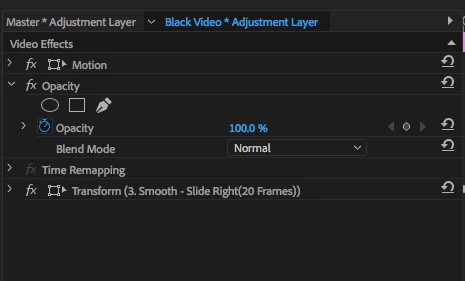
Below this is my orginal footage in V1, with the base transition preset added.
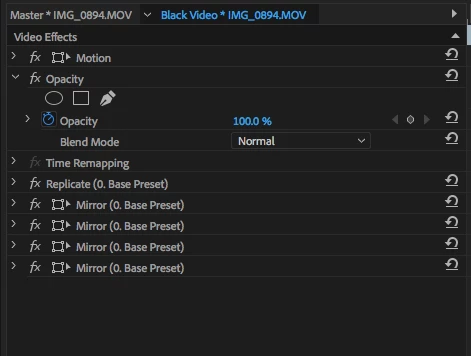
This topic has been closed for replies.

3 replies

Community Expert
August 2, 2018

Also better that you nest your original footage in V1 with those presets applied... right click - Nest

This way it would be faster and easier for Premiere to Analyse all those presets ...

Participant
August 2, 2018

Thank you for the help, I really appreciate it. I am a beginner to Premiere pro which explains this confusion. Is this timeline what you are referring to?

As you can see I have my two clips "Buddha" and "Painter" nested, which features a base transition preset as I mentioned before. Above in V2 is the transition adjustment layer which additionally has a transition preset. On V4, I have cut my adjustment layer before my clips start, that way the transition will work, although the end goal is to have that adjustment layer without the cut. V5 is another adjustment layer as stated before. Although V6 is an additional adjustment layer with the following video effects (i forgot to include that earlier)

Community Expert
August 2, 2018

okay tx for sharing your timelline, try these steps :

01. Nest V2 and V1 (cut them just on the in/out points before nesting)

02. Keep the V4 adjustment layer above them and cut at the same In/Out points then nest.

03. Cut the V5 adjustment layer at the same in/out points of the original clips then nest

04. Apply a Blending Mode from Motion - Opacity to the V6 clip (try Screen or Add)

Let me know if there are other issues to help you out

Community Expert
August 2, 2018

To add, what I can notice as a first glance, you are adjusting the Opacity on the Adjustment Layer and changing the Blending Mode in the first 2 screenshots, these will not work on adjustment layers this way. You have to apply a 'Transform' effect on the adjustment layer, then adjust the Opacity from the Transform effect. Blending Modes should be adjusted directly on the clip, not on the adjustment layers. Concerning the other presets, as I mentioned before, I need more screenshots for your timeline or if possible a short video to understand what is going on ...

Community Expert
August 2, 2018

Hi Caroline,

Can you please send me screenshots of your timeline in details so that I help you out ?

Adjustment Layers and Presets, especially when applying lots of them become complicated,

so i need to understand your workflow to solve this issue.

If you also have teamviewer and its possible to have remote access permission it would be great and faster !