
Participant
February 6, 2023
Question

Adobe Premiere 2023 file project does not open

  • February 6, 2023
  • 12 replies
  • 2723 views

Hello Everyone,


We encountered a problem because some of our prproj files does not open on our computer when we can open it on other laptop (Mac). Premiere pro start properly, but block on the loading popup when opening some project. Some other project open without any problem... 

After cancel the landing when the project tried to load, Premiere pro has to be shut down through windows because it does not respond anymore.
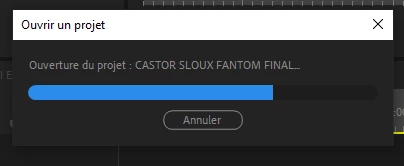


Thanks a lot in advance,

Cheers,


System specs

  • Windows 10 Professionnel 22H2
  • Version 23.1.0 (Build 86)
  • Intel(R) Core(TM) i9-10980XE CPU @ 3.00GHz 3.00 GHz
  • Memory 32 GB DDR4
  • AMD Radeon RX 6900 XT
This topic has been closed for replies.

12 replies

James Brady
Participating Frequently
September 7, 2023

I recently encountered this same problem with CC 2023 (seemingly randomly after everything worked fine just a few days earlier)...


The ONLY thing that finally worked was that I just walked away, letting the project load... came back two hours later--and VOILA!  ...at some point during that time it finally loaded and was ready to go. 


Granted, this is not a wonderful solution, but it worked for me, and hopefully will for you too. I had already tried all the suggested remedies of clearing cache, deleting pref files, launching as administrator, turning off external monitors, disabling some other random things upon launch, reinstalling graphics card driver, turning it off-and-on-agian... NONE of those worked. It just needed time. I'm not sure precisely how much time... somewhere betweeen 30 minutes and 2 hours for me. Your results may vary. Good luck!!!


*Additional info here: I believe the hang-up to be a media location issue. When my project finally did open, I must relocate almost all the media associated with it. In my case, this is because my server connection address changed since the last time the project was opened. Whether your media is on a server or other type of drive, sometimes the connection address changes (even if the drive and drive letter are the same), and then Premiere needs to know where to look. My guess is that the more footage in the project, the longer it takes Premiere to go hunting for all of it.

Participant
August 22, 2023

WHAT IS THE SOLUTION?

Participant
June 16, 2023

Thank you so much for this solution! Not ideal whatsoever given the fact being rinsed for this software

Participant
May 23, 2023

This is now happening accross all 23. versions. I've managed to open projects by downgrading them to 22 and opening them in PP2022, but having installed 23.0, 23.1, 23.2. 23.3 and 23.4 this issue remains on all versions of 2023, not a single project will open and no new project can be created. Have updated nvidia drivers, problem remains. Renamed Adobe folders to force PP to create new settings folders, problem remains. Cleared cache and files, problem remains. Stuck completely for ideas now.


Participant
May 23, 2023

Same issue, all projects, all autosaves, all previous version projects, nothing will open and freezes at the same spot of the loading bar. Absolutely tamping.


Participating Frequently
May 6, 2023
Mine was the VPN application! Just turt this off or
Check your Windows ONe Drive APp if its also online!
Participant
May 6, 2023

I have the same issue, does anyone have a solution?

Participating Frequently
April 23, 2023
I was using vpn.. was blocking to open up.. using Express vpn...
so if you have vpn installetd.. turne it off! love u guys!
Participant
April 22, 2023

I also have the same problem

Participating Frequently
March 30, 2023

Same here too.. for windows 11.. got stuck !! any help?