CMCMEDIA
Participating Frequently
May 11, 2017
Answered

Adobe Premiere Custom Keyboard Shortcut Wont Work

  • May 11, 2017
  • 1 reply
  • 1489 views

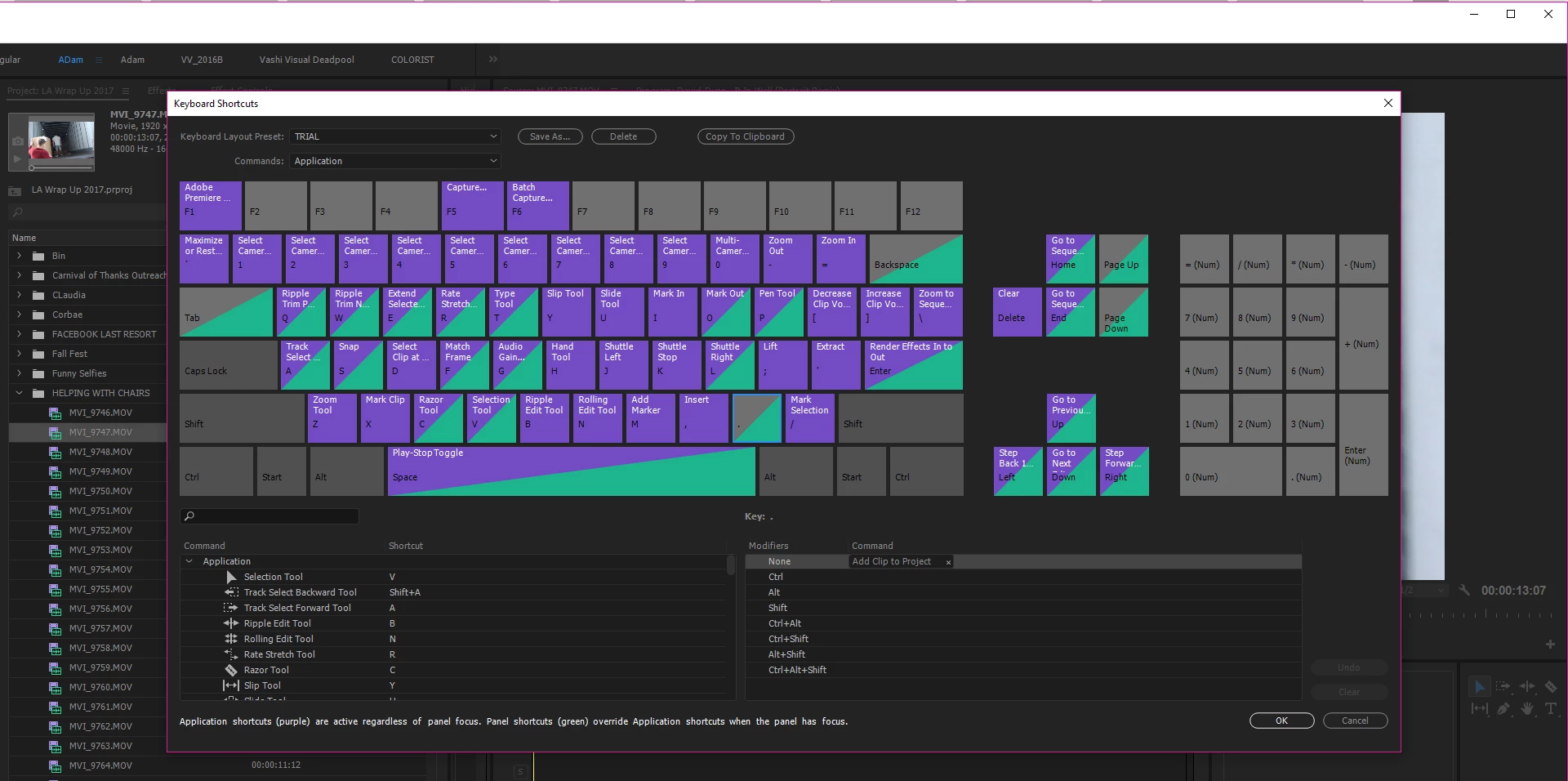
I am trying to add a keyboard short-cut to premiere "add clip to panel" I add the short-cut, I go to use the short-cut in the Source Monitor and the Short Cut will not work. How do I get this to work?  I am using the latest version of Adobe Premiere                                                       

This topic has been closed for replies.
Correct answer Horshack

This is what happens
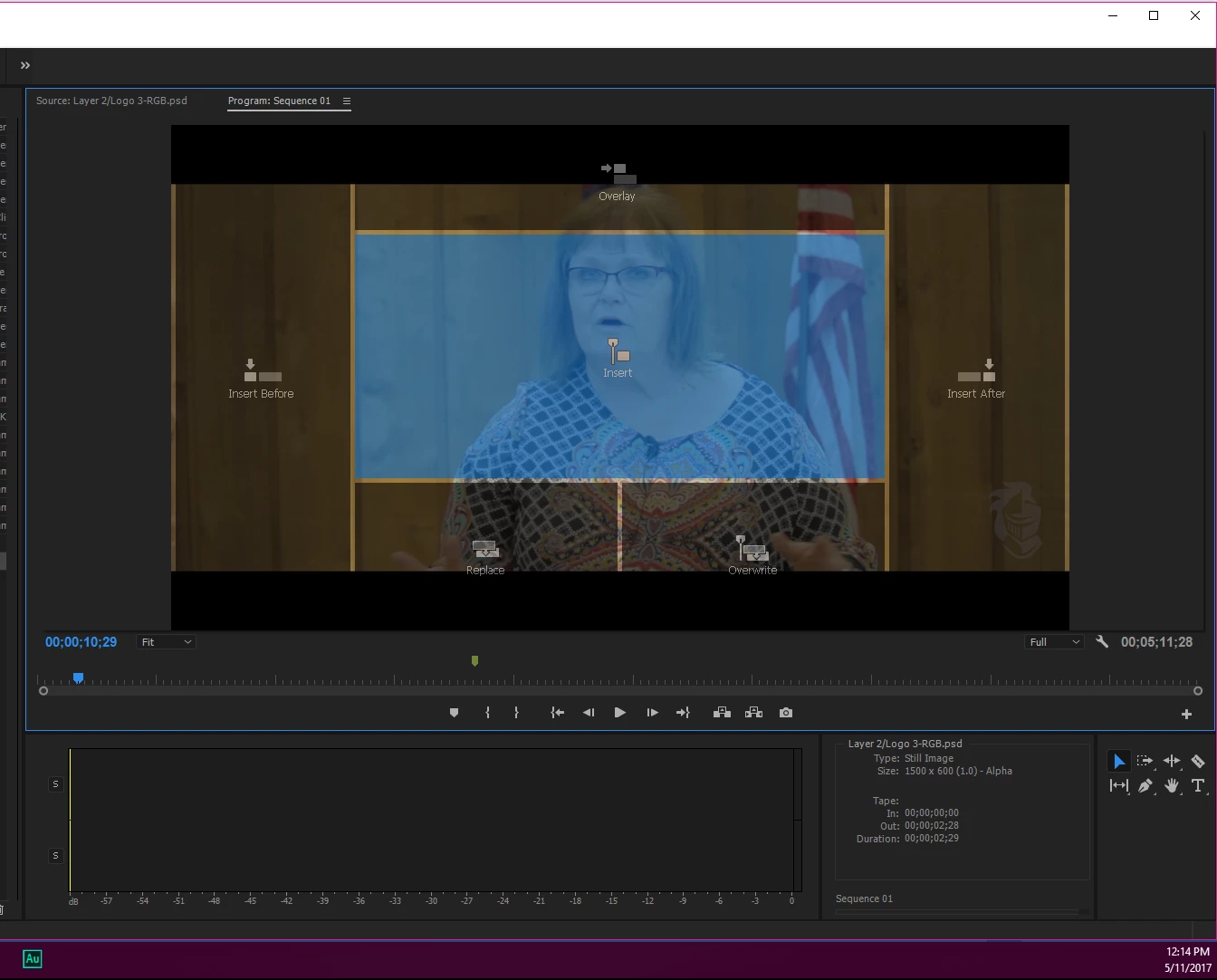

You're dragging to the Program monitor, which means you want to add the clip to your sequence. The "add clip to project" is slightly different - it adds the clip to your project without placing it on a sequence.

There are built-in shortcuts to add clips to a sequence; those are the period (overwrite) and comma (insert). I noticed in the screenshot of your OP that the period key is no longer assigned to that default overwrite function. Did you unassign it yourself? Also, I noticed your shortcuts layout preset is set to "TRIAL" - is that a preset you created? If you select the default Premiere Pro preset it should restore the period/comma key shortcuts.

1 reply

Horshack
Legend
May 11, 2017

I just tried it and it worked for me. I assigned F8 instead of the period key though - don't see why that should matter since you deleted all the built-in assignments for the period key in your layout. As a test, see if it works if you assign it to a different key, like F8.

CMCMEDIA
CMCMEDIAAuthor
Participating Frequently
May 11, 2017

I tried that and it did not work.

Peru Bob
Community Expert
Community Expert
May 11, 2017

Are you on the latest version of Premiere Pro?