
Copy link to clipboard
Copied
I have researched everywhere and not found this same issue I hope someone can help.
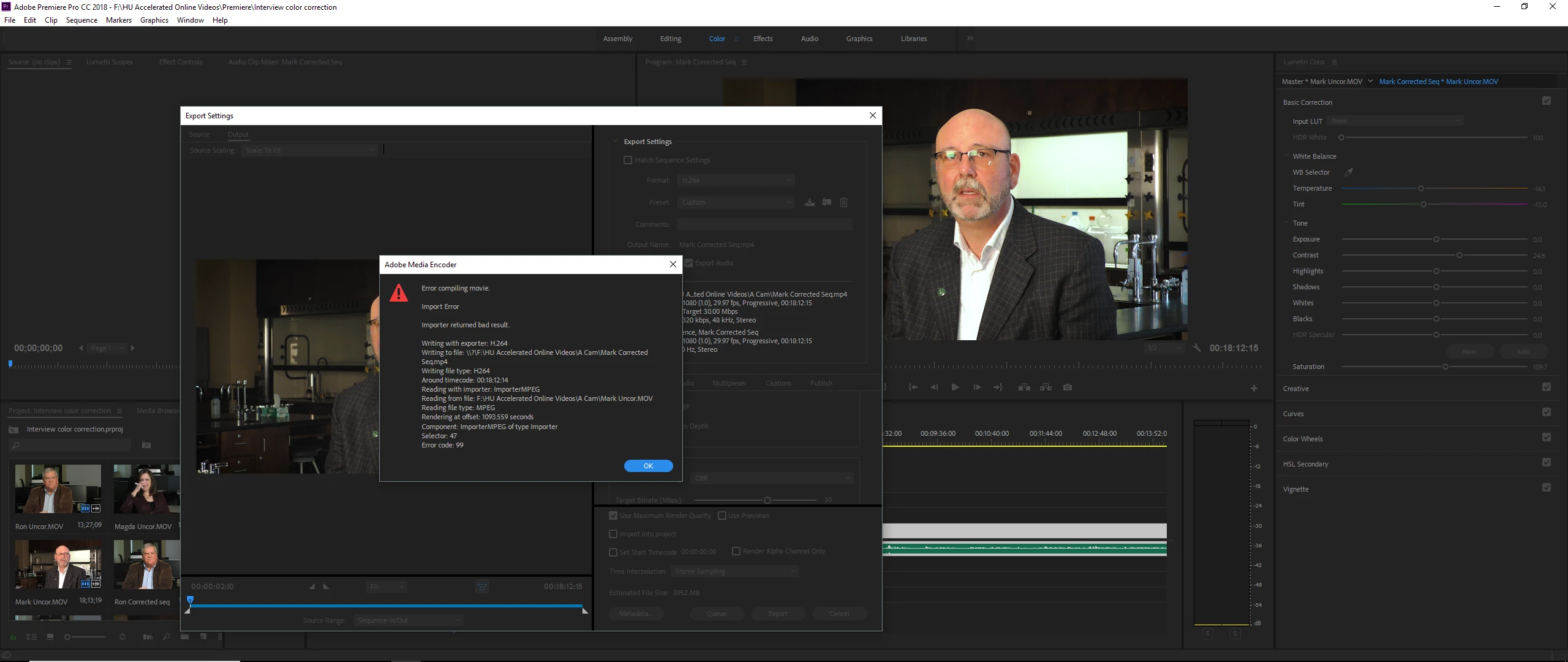
As you can tell, even the guy in the video is upset.
The original file is .MOV and I'm rendering it to h264.
Copy link to clipboard
Copied
So, what's happening at timecode 00:18:12:14?
Check around that area. Maybe there's an effect or transition that isn't working, and you need to remove & redo. You might need to clear the media cache/cache database also.
Neil
Copy link to clipboard
Copied
That is the very last frame of the sequence, lumetri color effects are the only thing applied to this videos.
Copy link to clipboard
Copied
Is it a single long clip, or is that a shorter clip at the end?
What happens if you set an in/out and export only the last clip?
What happens with an in/out export of any other spot in the clip?
And how much space is there available on the drive you are exporting to?
Neil
Copy link to clipboard
Copied
It is one clip exactly 18 min 12 sec and 14 frames (29.97 non-drop).
I have no tried setting the in and out shorter, I did however cut off that last frame and it didn't work. I have 3 clips total that this is happening, I've exported small cuts of it in another project and rendered without issue.
I'll go ahead and test what you have suggested, I don't expect much of a change.
I have 100gb+ space free to render to.
To explain the issue, I had taken original clips and started picking them apart to lay into a promo video. After the promo editing was done, I wanted to edit the original interviews in terms of color. It was my mistake to not create a sequence from the interview clips, that way I could edit the color of the original and it be applied across the board. I am at the point where I am treating it like a proxy and I added color and will overwrite the source clip with these renders.
Copy link to clipboard
Copied
Often if there's a glitch in the cache files, exporting does this sort of thing. Ergo, deleting cache files might fix it.
Neil
Copy link to clipboard
Copied
Try Step 2M below.
Copy link to clipboard
Copied
Thanks for the suggestion! However, I had used software rendering only and the same result happened. The only temporary fix is using DNX file encoding but it creates unwieldy file sizes.
Copy link to clipboard
Copied
It's not uncommon to export Master files to such a format and make all your deliverables from that. It's why I recommend very large Export drives.
Copy link to clipboard
Copied
Hi aaron,
Are you still experiencing this issue or have you solved it? Please let us know.
Thanks,
Kevin
Get ready! An upgraded Adobe Community experience is coming in January.
Learn more