
Participant
February 1, 2024
Question

Adobe premiere isn't opening properly

  • February 1, 2024
  • 5 replies
  • 578 views

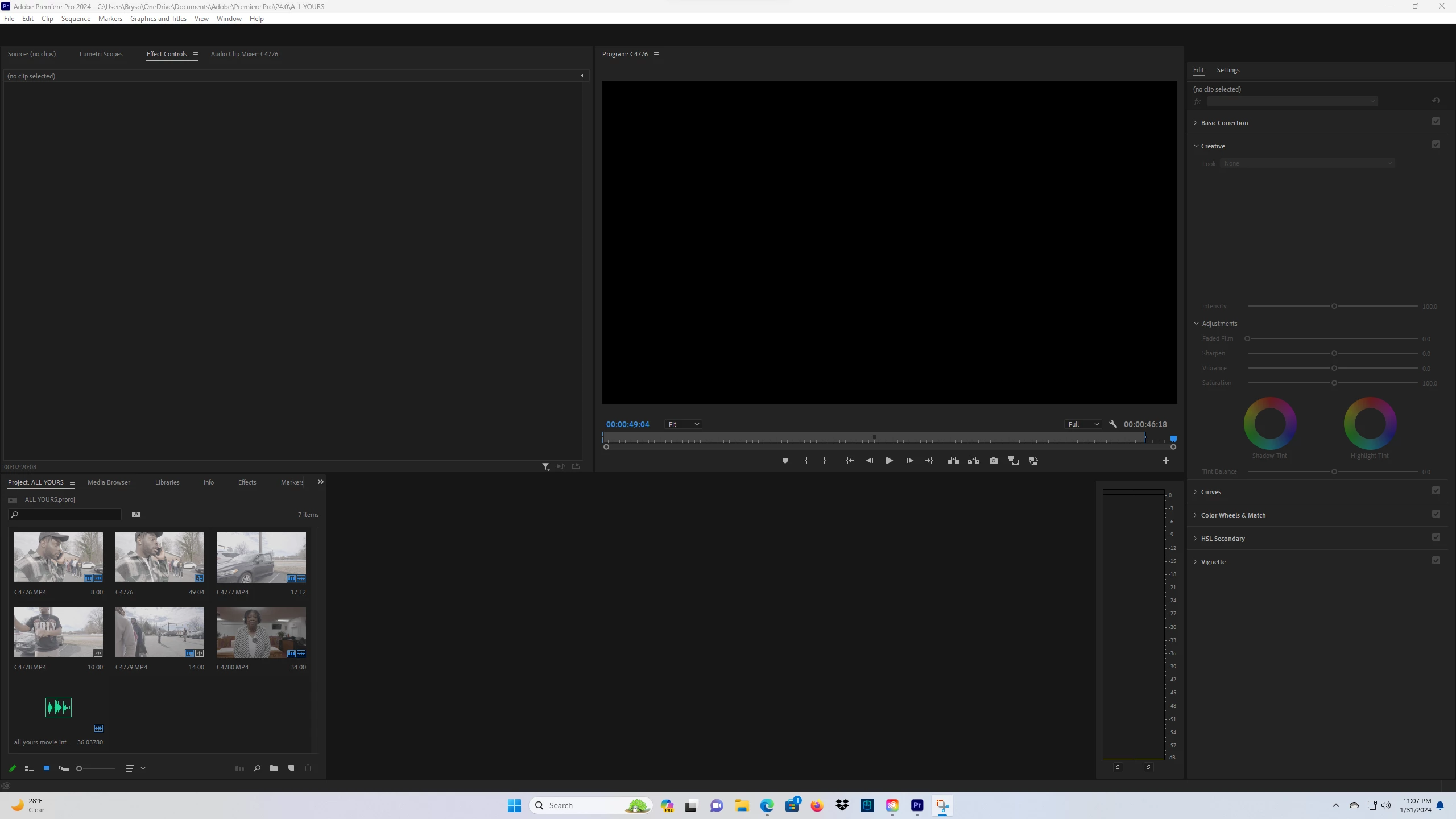
Issue is attached as a picture. My adobe premeire won't load properly on either of my computers ever since latest update. It's stuck on this screen. Both of my computers are very powerful and have plenty of space. I've watched every youtube video in attempt to help but nothing worked.
 

This topic has been closed for replies.

5 replies

MyerPj
Community Expert
Community Expert
February 1, 2024

Well, that is a wierd problem. I know you said part of it in the video, but can you specify your hardware. Also, what type of files are you using?

Have you opened Task Manager and the Performance tab and get an idea what is working extra hard. Also, your graphics driver..


Community Manager
February 1, 2024

@Bryson231173626xu5 I see you're in Premiere Pro 2024.  What exact version are you in?
And have you rolled backwards between versions at all during the course of your project?

mattchristensen
Legend
February 1, 2024

@Bryson231173626xu5 I've seen this happen before if the folder containing your Media Cache files is not writeable anymore. Go to Preferences > Media Cache and you can see the location, then go check that folder and see if it has write permissions, and if not, reset those permissions.

Participant
February 1, 2024

I tried it and it didnt work. Here's a video of the issue. https://www.youtube.com/watch?v=utZ65d0ejNc 

Ann Bens
Community Expert
Community Expert
February 1, 2024

Double-click on the top middle clip in the project window, this will open your sequence.

Or reset workspace.

MyerPj
Community Expert
Community Expert
February 1, 2024

Drag and drop a video file to here...


MyerPj
Community Expert
Community Expert
February 1, 2024

What's the problem with it? In your project panel, drag one of those clips onto the small icon on the bottom right, and it will create a sequence for you. It just looks like your timeline is not there, click on the Windows menu > Workspaces > Editing, and see if it looks more correct.

Participant
February 1, 2024