


Adobe Premiere Pro Audio File Import Failure
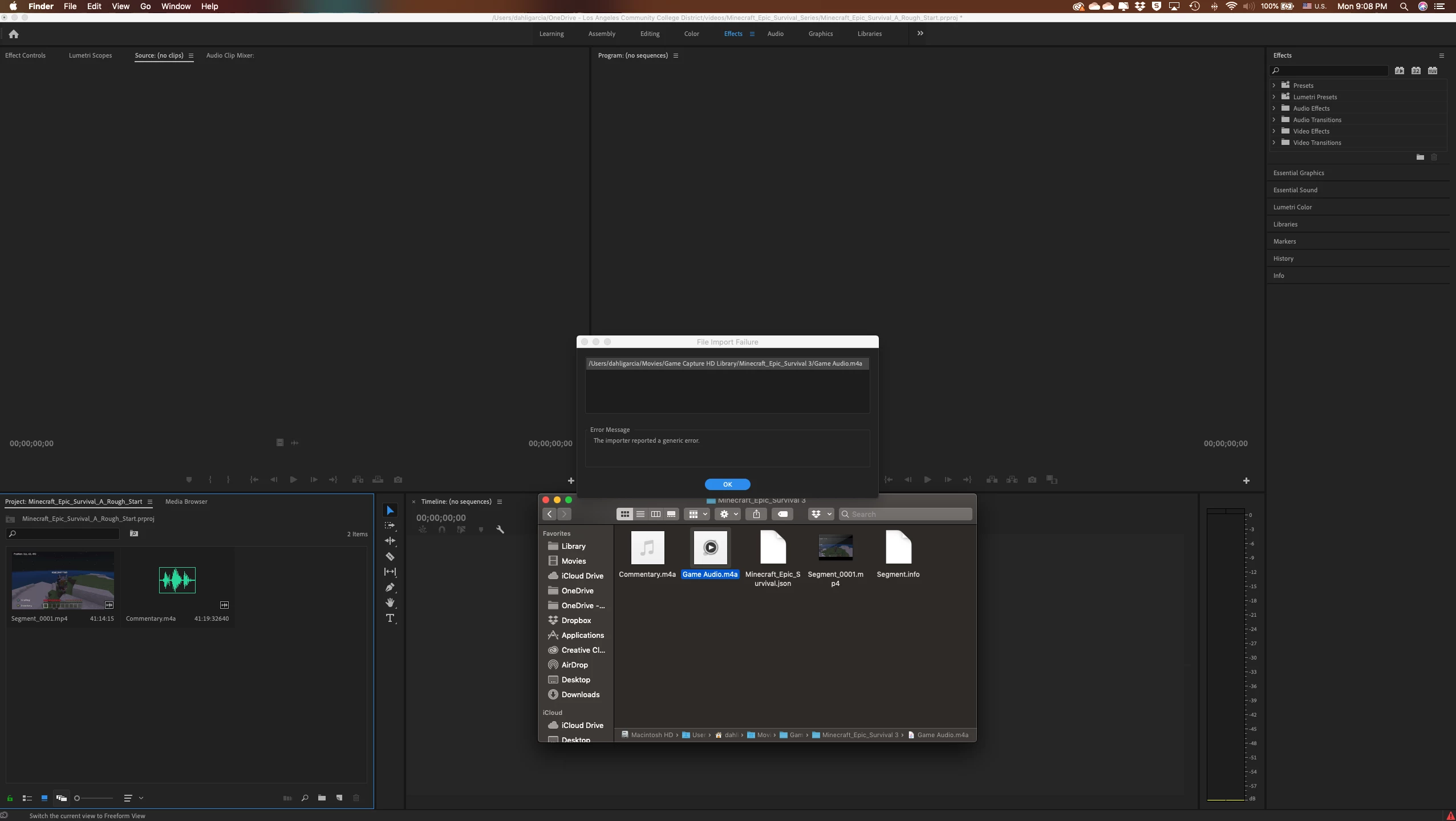
Hi, recently I recorded a gaming video for YouTube using my Elgato Game Capture Card. When you finish recording the capture card creates 3 files.
File 1 is an MP4 with gameplay video, game audio and commentary audio
File 2 is game audio only
File 3 is cmmentary audio only.
So I attempted to import the 3 files into premiere and as you can see from the screenshot, only two files were imported (file 1 and file 3). For some odd reason, file 2 (game audio) could not be imported. I really need all three files in my timeline so I can edit each audio track individually.
The game audio (file 2) is not corrupted or anything like that becasue I am able to play it without any issues using iTunes. Also, both audio files are in the same format (m4a). So there should be no issues with one (file 2) if the other (file 3) is able to be imported successfully.
Can anyone help me out?
Thanks!
 AdChoices