
Participant
June 10, 2024
Answered

Adobe premiere pro effects applied don’t work
  • June 10, 2024
  • 3 replies
  • 989 views

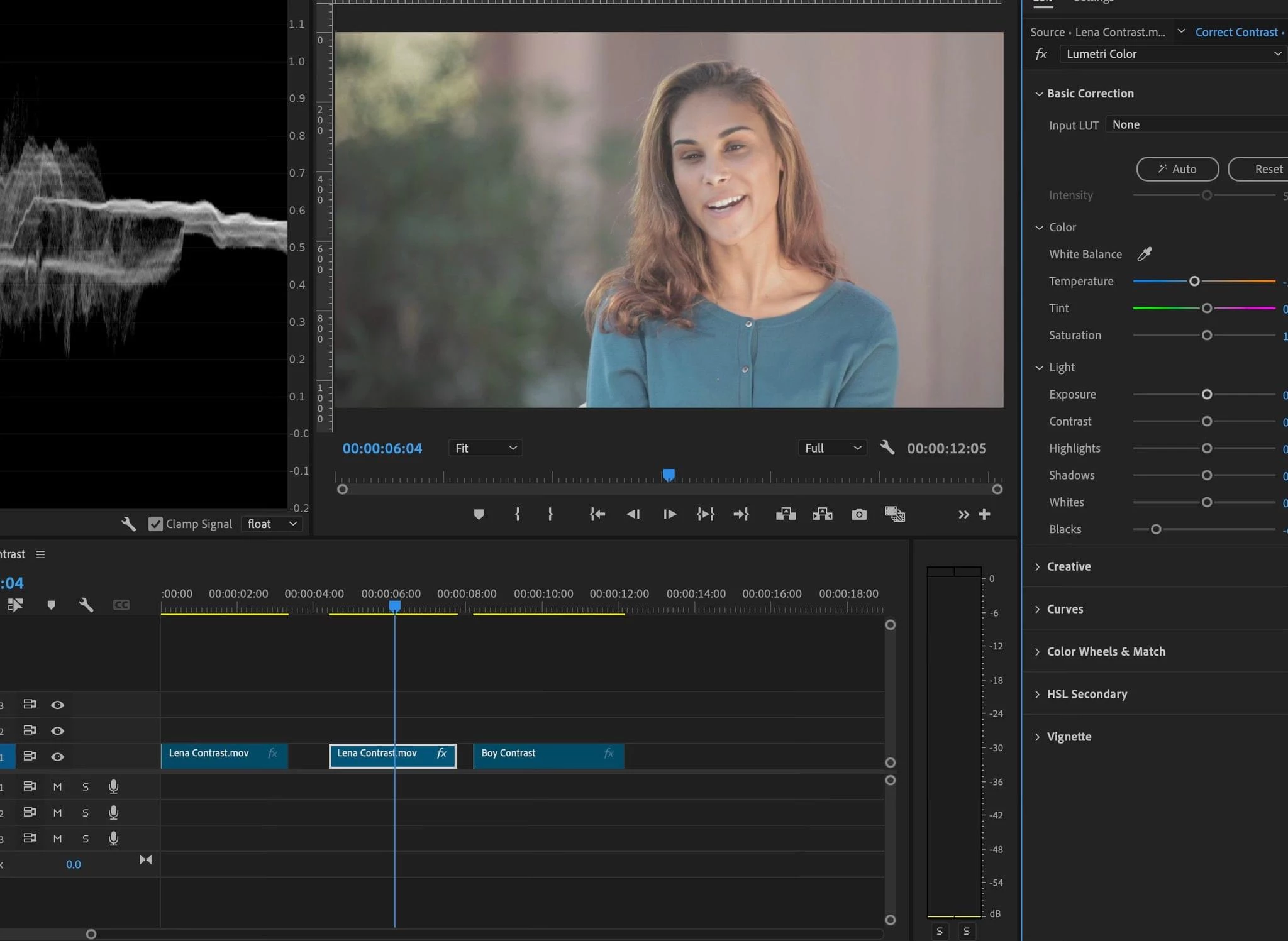
Why the effects all of a sudden stopped being applied ! When I add an effect and do modifications don't work . Nothing happening . Sometimes a red bar shows but doesn't show the effect in progress . I render selection even though can't see what am doing , nothing working . Premiere stopped accepting effects . They are applied but completely null !!! Help please . Thank you . Am new coming from FCPX which has none of this . Thanks 
This topic has been closed for replies.
Correct answer Ali Jaber

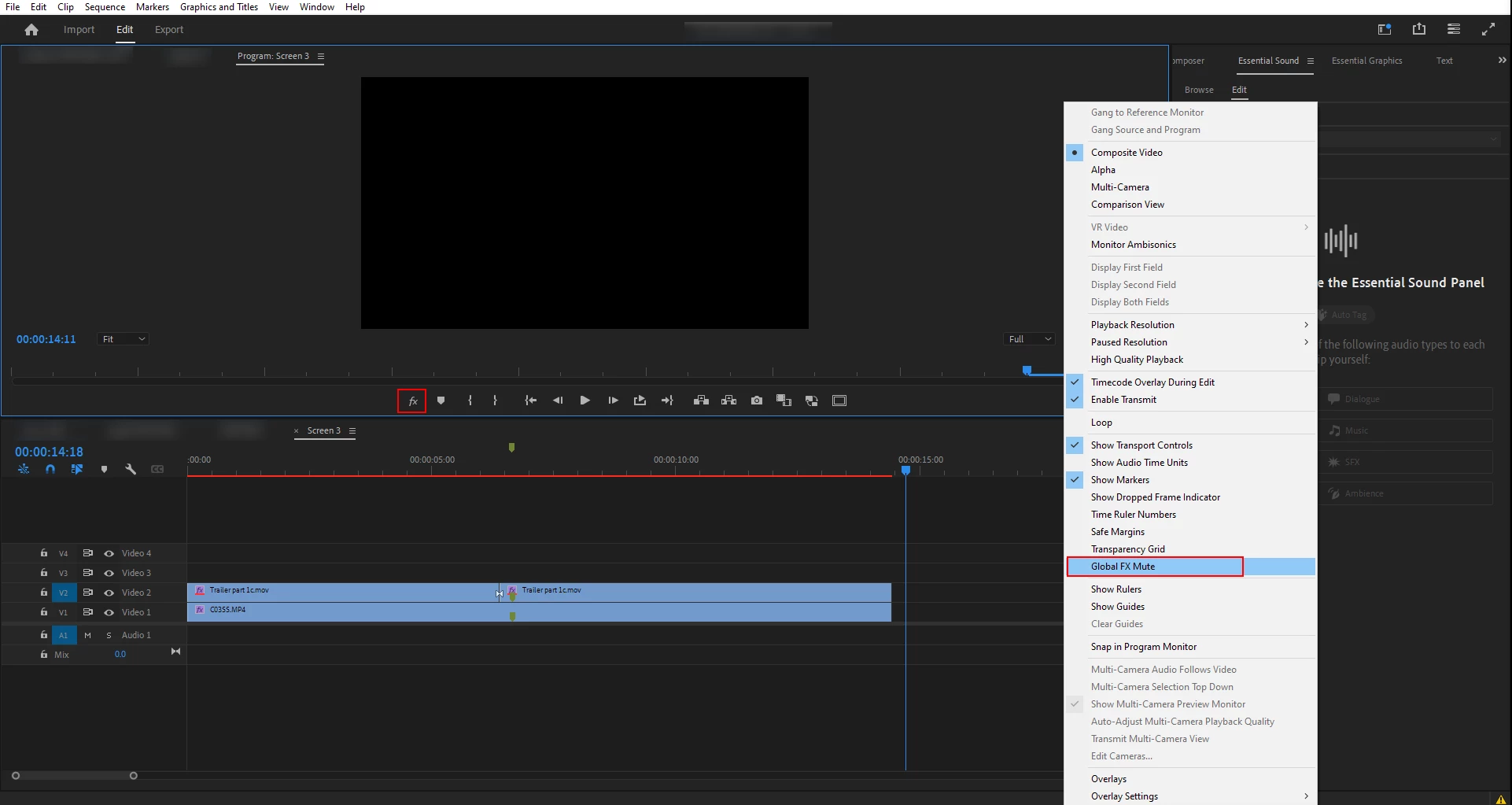
As Myer said, it's a good idea to add the global fx mute button to your program monitor's buttons. Also, you can turn on-off Global fx Mute from the wrench menu of the program monitor:


3 replies

Participant
June 10, 2024

Thank you . Was glbal fx  muted . Just added it to the menu . Never knew abiut it . Am learning . Thanks again 

Community Expert
June 11, 2024

It's a life saver switch if you want to concentrate on editing while having heavy effects applied to your clips or adjustment layers, turn on that switch and you a have super fast editing workflow.

Ali JaberCommunity ExpertCorrect answer
Community Expert
June 10, 2024

As Myer said, it's a good idea to add the global fx mute button to your program monitor's buttons. Also, you can turn on-off Global fx Mute from the wrench menu of the program monitor:


MyerPj
Community Expert
Community Expert
June 10, 2024

There's a global FX mute button, that, well, mutes all effects. You cut of some of the best stuff on your screenshot. Please include the full UI. You can add the FX Mute button, but using the + sign button, then add various extra buttons to your program monitor.