
Participant
September 10, 2023
Question

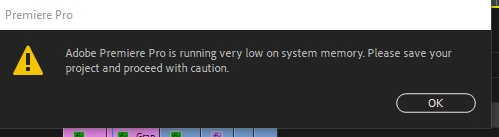
Adobe Premiere Pro is running very low on system memory and importer level exception

  • September 10, 2023
  • 1 reply
  • 549 views

Hello, 

My premiere pro is keep showing this popup and i have no idea, why.
 

My system specification is :

Win 11 Pro

i7-8700K @ 3.70ghz

32 gb Ram

Nvidia RTX 3060 

It suddenly pops up and premiere stops working, also using system memory upto 90% to 95%.

Please provide the best solution if anyone has, i have tried all other solutions available on internet but no one is working.

This topic has been closed for replies.

1 reply

Known Participant
October 18, 2023

I'm getting the same error message and then it crashes hard.... sometimes wiping out my Windows session where I have to reboot. I can't tell if the latest version is having issues playing back my nested sequences or if it's lost it's mind on the video files. The files themselves are fine. But we all know sometimes PP sometimes acts like they aren't.

I've done all kinds of different thigns to get this moving, working through the night on multiple days: clearing the cache, deleting and replacing files, deleting rendered files, changing clip length, unnesting SOME sequences, deleting audio from the time line and replacing, resetting Premiere Pro, trying the beta verson, reducing playback resolution in the Program monitor... even going into BIOS and discarding my optimized settings for default "safe" basic settings for memory and CPU.

I have 64 GB of DDR5 memory, an i9-13900KS 3.20 GHz CPU and recommended Motherboard, ZOTAC Gaming GeForce RTX 4070 Ti Trinity OC DLSS 3 12GB Video Card (clean install of latest drivers).

I edit with three monitors. I've even shut down two of them to make sure having more than one monitor wasn't freaking PP out. (I often have to move Program window to Monitor with the application for it to recognize some visual Effects changes).

I would pull my hair out if I had any... this is a dam shame.