
Participant
June 28, 2020
Question

Adobe Premiere Pro Launch Fails to launch

  • June 28, 2020
  • 4 replies
  • 6945 views

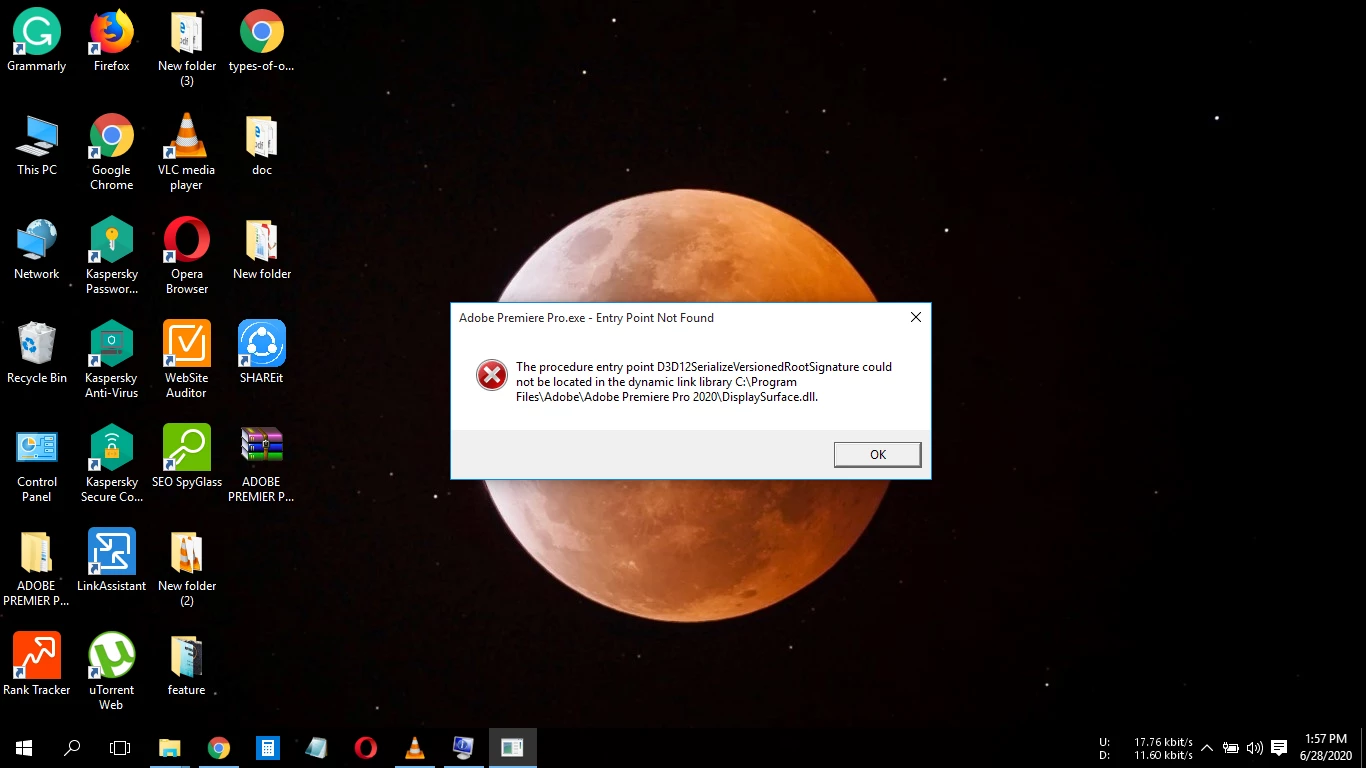
After installing the APP when I try to launch it. It is showing an error. Which is ' The procedure entry point D3D12 Serialize Versioned Root Signature could not be located in the dynamic link library C:/Program Files/Adobe/AdobePremierePro2020/DisplaySurface.dll.'

Which try to solve it.
This topic has been closed for replies.

4 replies

Participant
March 24, 2022

Same issue here whenever Premiere Pro is updated beyond version 22.0, which is why this version is reinstalled each time an updated version shows the same error, including the latest version 22.2.  Therefore, this is newest version that seems to work correctly.  Hopefully, Adobe will pick up on this issue, and resolve it within the next version after 22.2.

Peru Bob
Community Expert
Community Expert
November 14, 2021

Two additional posts, but nobody has answered the questions asked by Ann Bens

Participant
November 14, 2021

How to solve?


Ann Bens
Community Expert
Community Expert
June 28, 2020

If you want help:

FAQ: What information should I provide when asking a question

Does your machine meet Adobe Premiere Pro CC System Requirements 


Sorry have to ask: is this a legit version?


Participant
September 8, 2020

same problem please reply me how to solve?