
paolor53559479
Inspiring
November 29, 2017
Question

Adobe Premiere text afther rendering in the wrong position

  • November 29, 2017
  • 4 replies
  • 1475 views

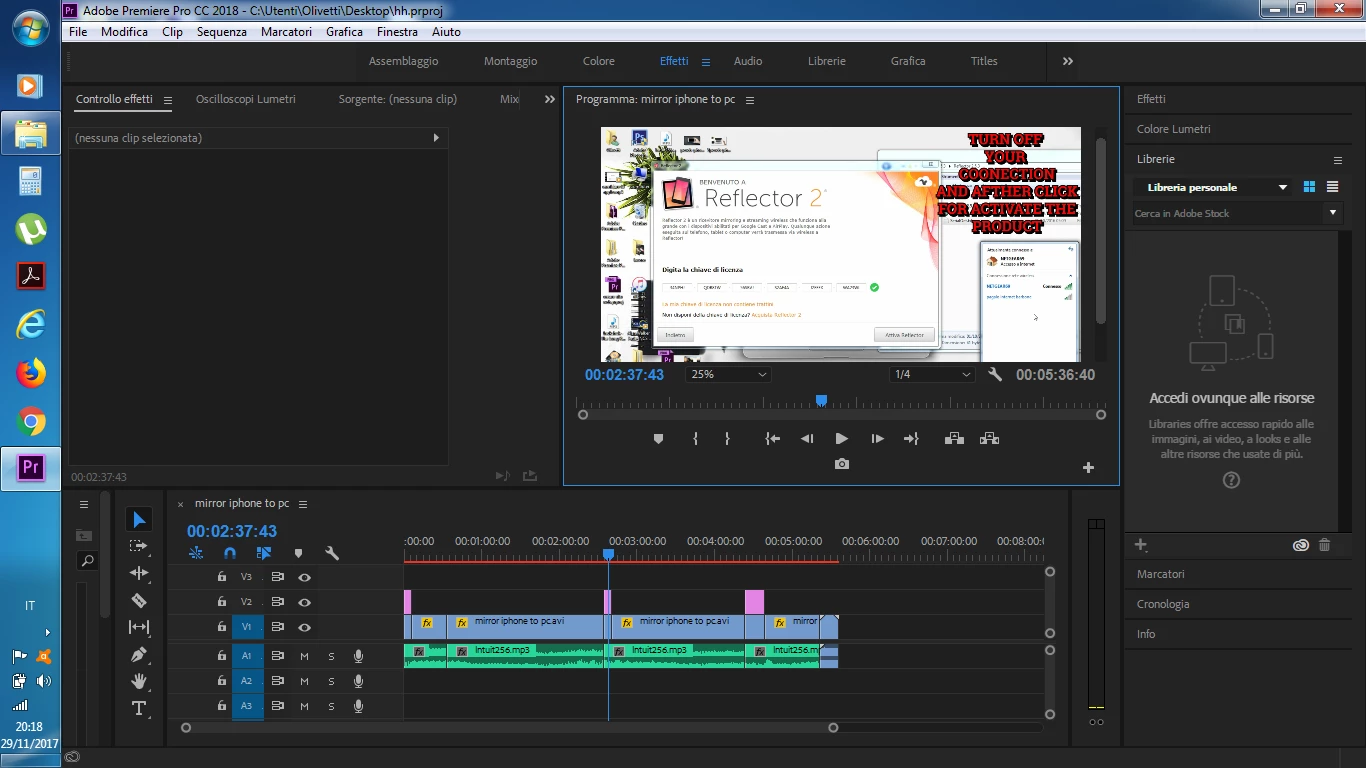
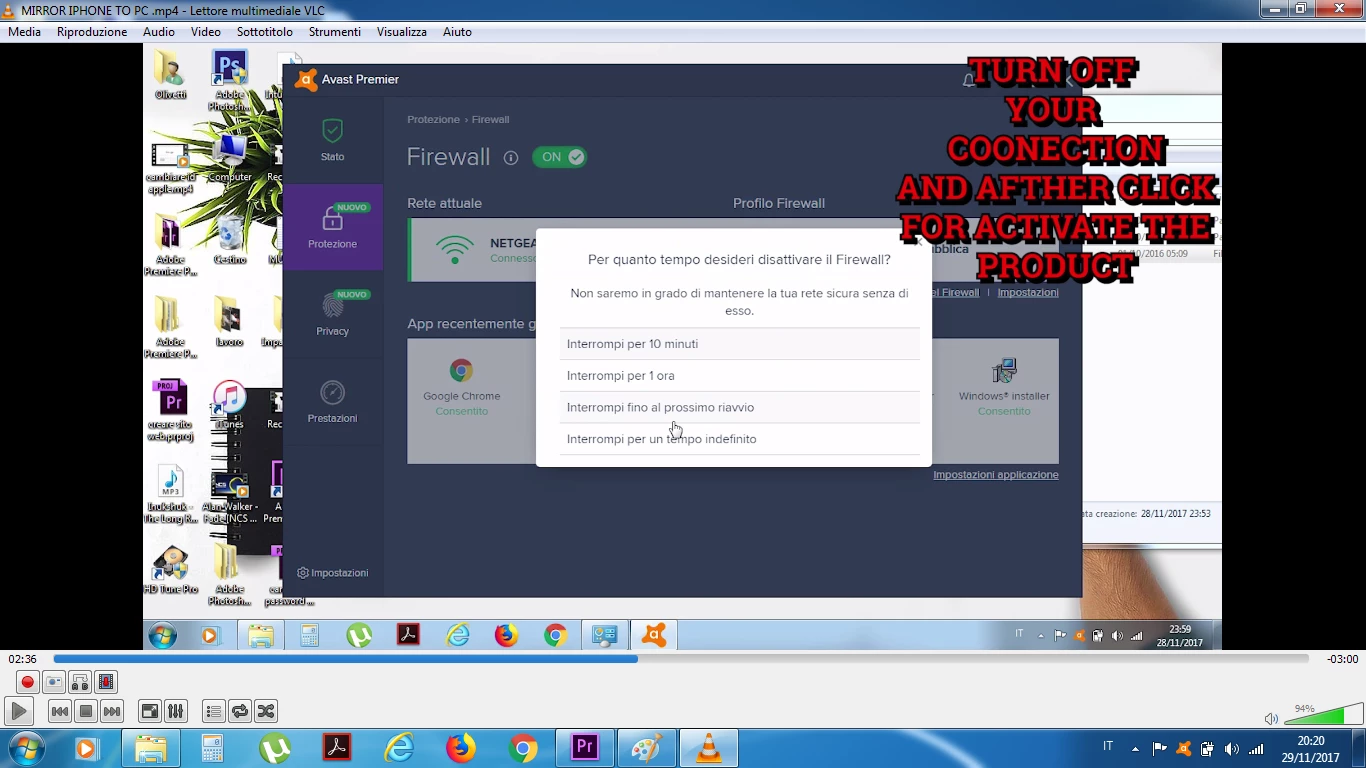
Hi i have 2 problem with Premiere the first is afther the rendering the position of my text is on different position look it
And this is afther the rendering the output file
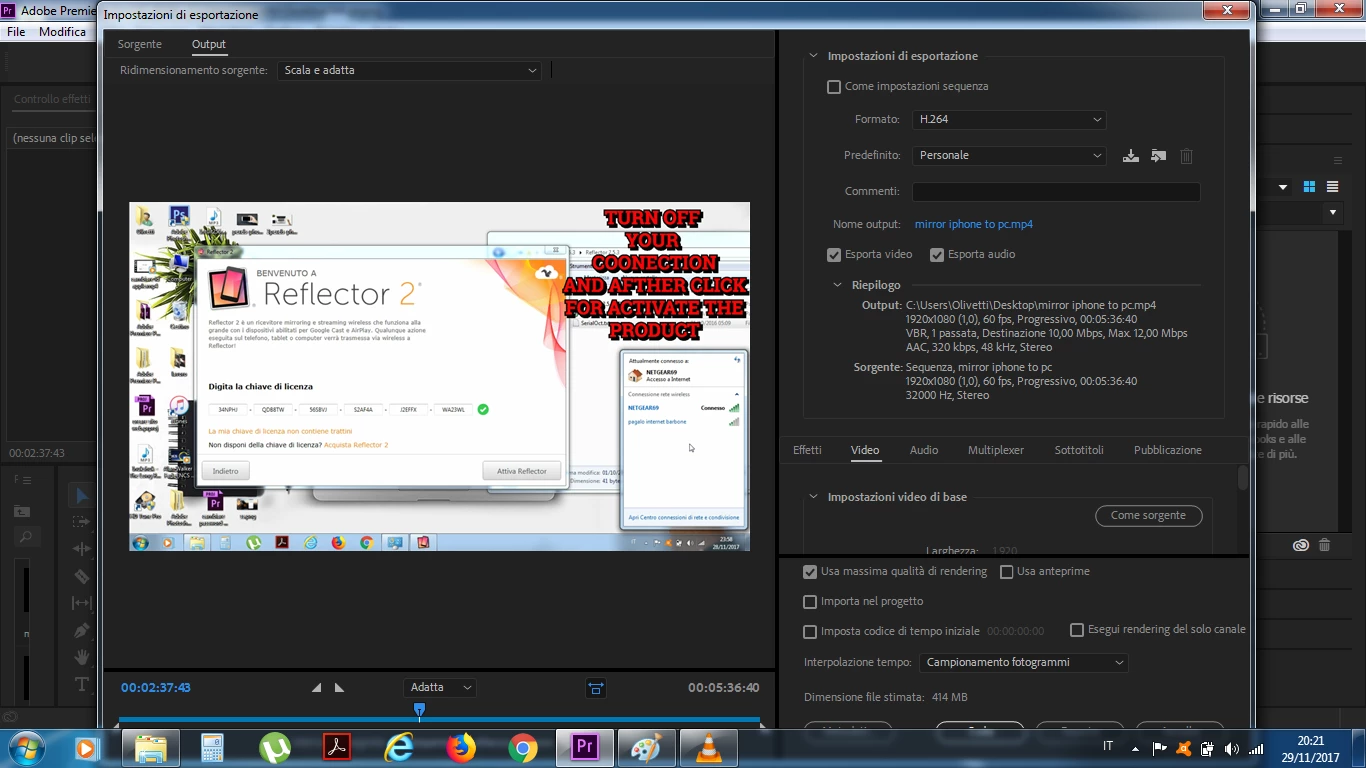
The 2 issue is the bar of windows cover a large part of premiere
This topic has been closed for replies.

4 replies

Ivo Cimmino
Participating Frequently
December 25, 2017

I might have found a workaround to this issue. As I have mentionned before, in my case this happens when I have more than one text in the same title.

So, what I did, is to cut (ctrl x - PC) (command X - mac) the text that is problematic, and then I paste it again (in the same title). When I do this, the freshly pasted text appears in the wrong position; so I correct this position, and now it remains where I wanted, even after the rendering. I hope I have been clear, but if anybody requests it, I can post some screenshots.

paolor53559479
Inspiring
January 2, 2018

This problem is about the codec of video original, you first try to converter the video original with xilisoft or other player afther add it on premiere and edit , afther you can see that work good , this issue about wrong text to me happen when i have use program for recorder desktop. Update me if work.

Ivo Cimmino
Participating Frequently
December 23, 2017

I have the same problem. Very annoying. What I have noticed is that I have two text in the same layer. One is positioned fine, and the othe not. I suspect this happens when two text on the same layer have different positions.

paolor53559479
Inspiring
December 8, 2017

bug

paolor53559479
Inspiring
November 29, 2017

The video was record of my desktop and the resolution was 1366x768 i have edit the sequence with 1920x1080  at the beginning

And the codec of output at the end as you can see on the preview post is

paolor53559479
Inspiring
December 1, 2017

Anyone have one good answer