
Question
Adobe Premiere Text Issue
Not sure what happened to my last post. I'm doing a video with text of what that person says underneath.
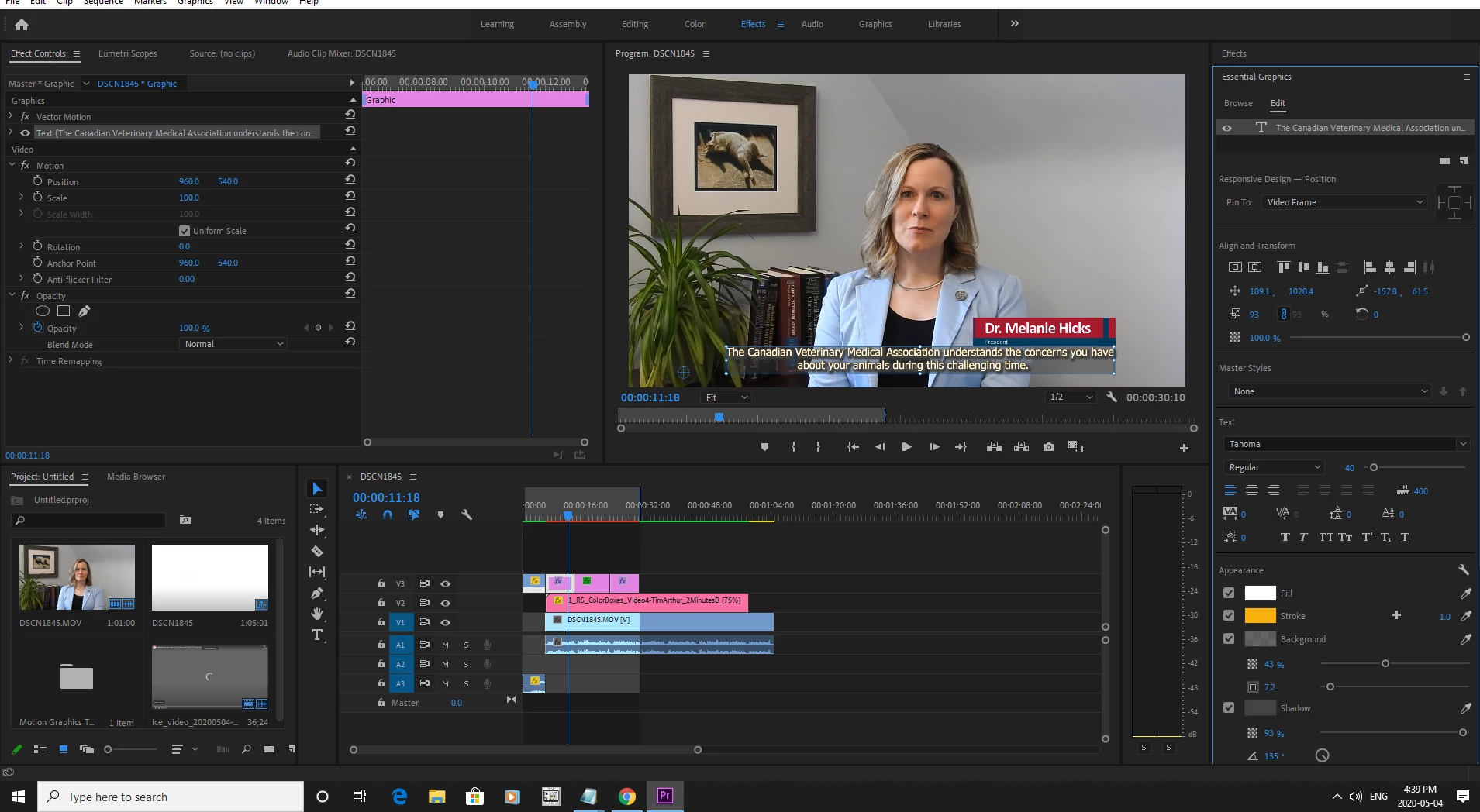
I added text, chose the font/style/background, etc. When I got to the next sentence, I got stuck on how to get another separate text box on the timeline so I could write another sentence. Anyway, you can see between the two images all the alignment, size, shadow, etc. are the same - but for some reason when it moves to the 2nd text box, as you can see it's not flush, and the drop shadow is gone.
PS: I have no idea why, for me anyways, when I click on each image on this post they both look identical.
Thanks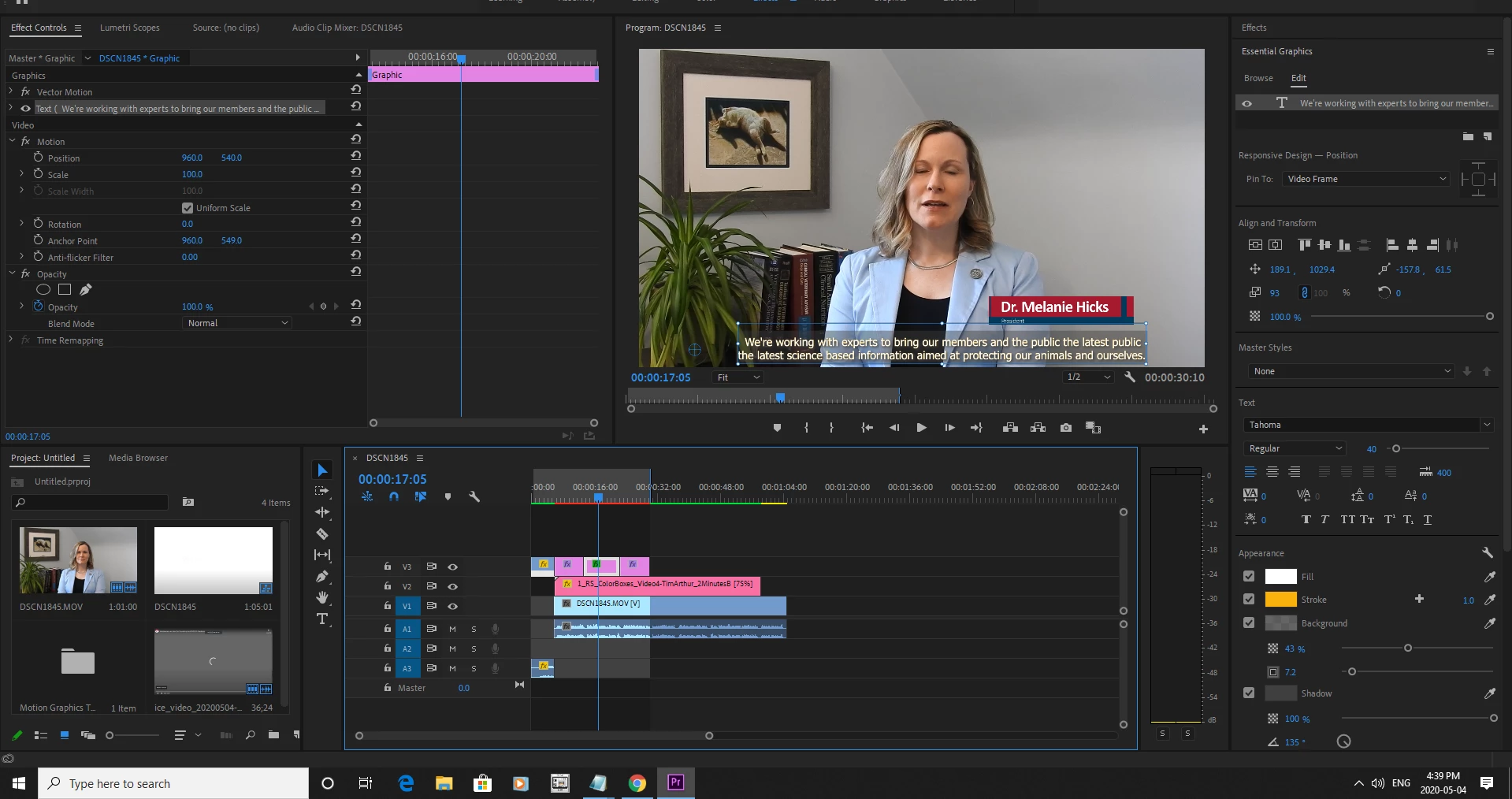
 AdChoices