
Participating Frequently
April 20, 2022
Question

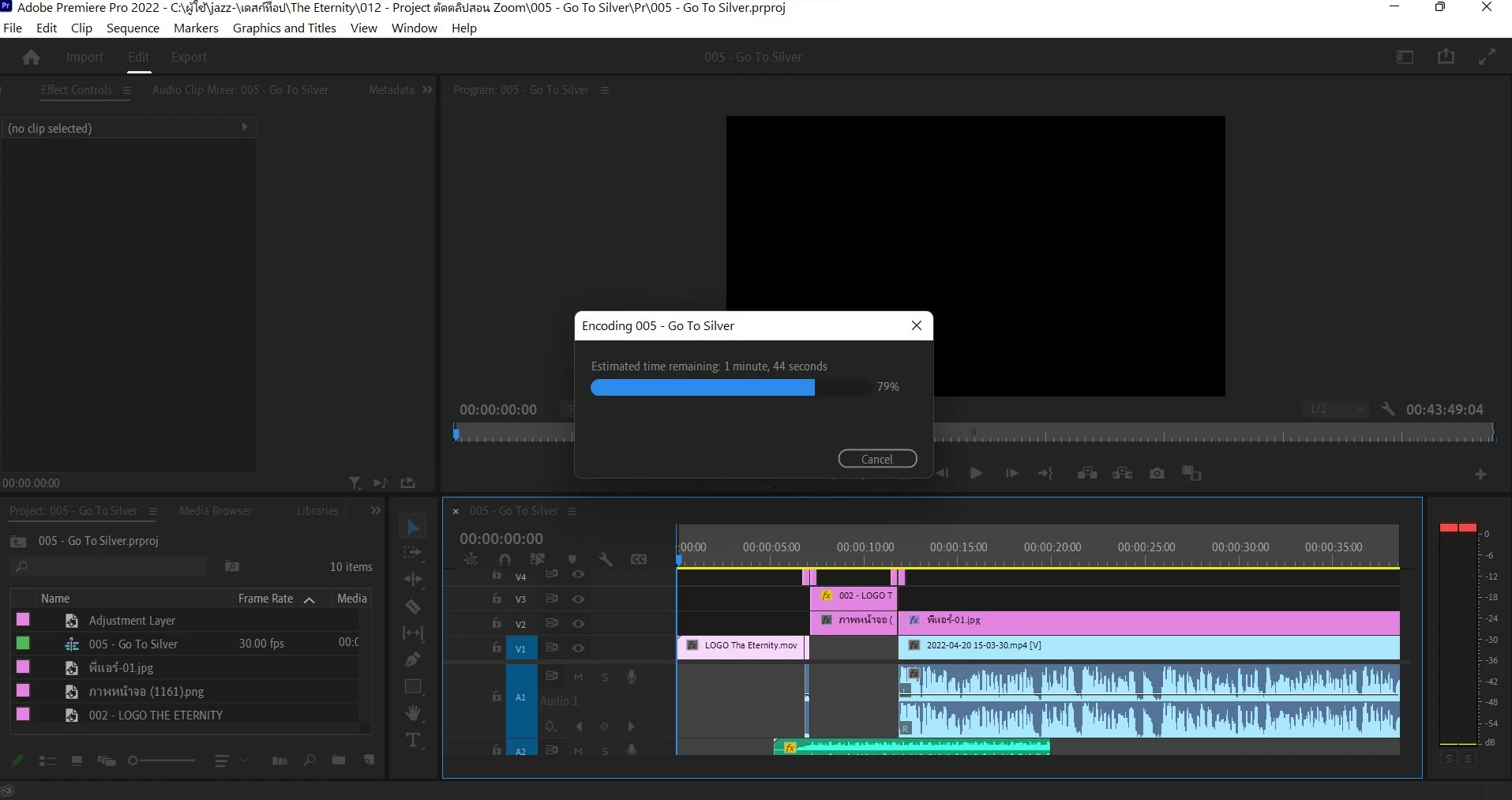
After I update Premiere Pro 22.3, Export hangs at 79%, is there a solution?

  • April 20, 2022
  • 6 replies
  • 1395 views
After I update Premiere Pro 22.3, Export hangs at 79%, is there a solution?
Even though I tried exporting the file in the media encoder, it still hangs at 79%, what's the reason?

P.S. file exported per hour 1 hour
 

This topic has been closed for replies.

6 replies

Participant
April 23, 2022

I am having this same issue. Has this been resolved yet?


Averdahl
Community Expert
Community Expert
April 23, 2022
quote

I am having this same issue. Has this been resolved yet?


By @rsdrumm


The issue has been identified and has been fixed in the beta version that you can download from the Creative Cloud app. There will be an official update later on. No dates yet.

EDIT:
I just re-read that it was fixed for when the playback hangs at around 34:46. It´s still worth trying the beta since this probably was what triggered the export to hang.

More info: Known issue: Premiere Pro stops playback at around...


Participating Frequently
April 20, 2022

Thank you very much everyone. Now export can be done by way of backing version to 22.2.

Participating Frequently
April 20, 2022

However, we would like adobe to fix the aforementioned errors. It might happen to some people.

thank you

Kevin-Monahan
Community Manager
Community Manager
April 20, 2022

Hi,

Sorry! Can you try exporting using Software Encoding? If that is still an issue, try exporting to another codec, like ProRes 422 LT or similar? Let us know if that works.


Thanks,
Kevin

Kevin Monahan - Sr. Community & Engagement Strategist – Pro Video and Audio
Known Participant
April 20, 2022

No. I don't have time to try other solutions that don't work. I am rolling back to a previous version. There really needs to be more rigorous testing and better communication with customers during new rollouts and updates.

Mohammad.Harb
Community Expert
Community Expert
April 20, 2022

Did you try expoting as image sequence ? 

one more note, did you try exporting directly to folder named in English ONLY  ?


Participating Frequently
April 20, 2022

Thank you very much everyone. Now export can be done by way of backing version to 22.2.

MarekMularczyk
Community Expert
Community Expert
April 20, 2022

Hi,

Have you tried making another sequence and try to export it to see if the same happens?


Adobe Community ExpertAdobe Certified Professional
Known Participant
April 20, 2022

Yes. I've tried it with two separate sequences and restarted a new project from scratch. This seems to be an issue related to latest update.

Known Participant
April 20, 2022

Loads of people are having problems with Premiere since the last update.

Roll back to previous version for now until this gets fixed.


Thanks Marek. That's what I am doing.

Kartika Rawat
Community Manager
Community Manager
April 20, 2022

Hi there!

Sorry to hear that. Could you share your system details (OS, CPU, RAM, GPU)? Can you post your export setting?


Let us know.

Thanks,

Kartika

Known Participant
April 20, 2022

Hello,

I am having the exact same issue with my iMac. This also happened after I updated to the latest version of Premiere Pro. I had no issues with the previous version of Premiere Pro.


Please advise on how to troubleshoot or when this bug will be fixed by the tech team.


Joe