
damonbiv
Inspiring
October 6, 2018
Answered

Align greyed out under Graphics

  • October 6, 2018
  • 4 replies
  • 9515 views

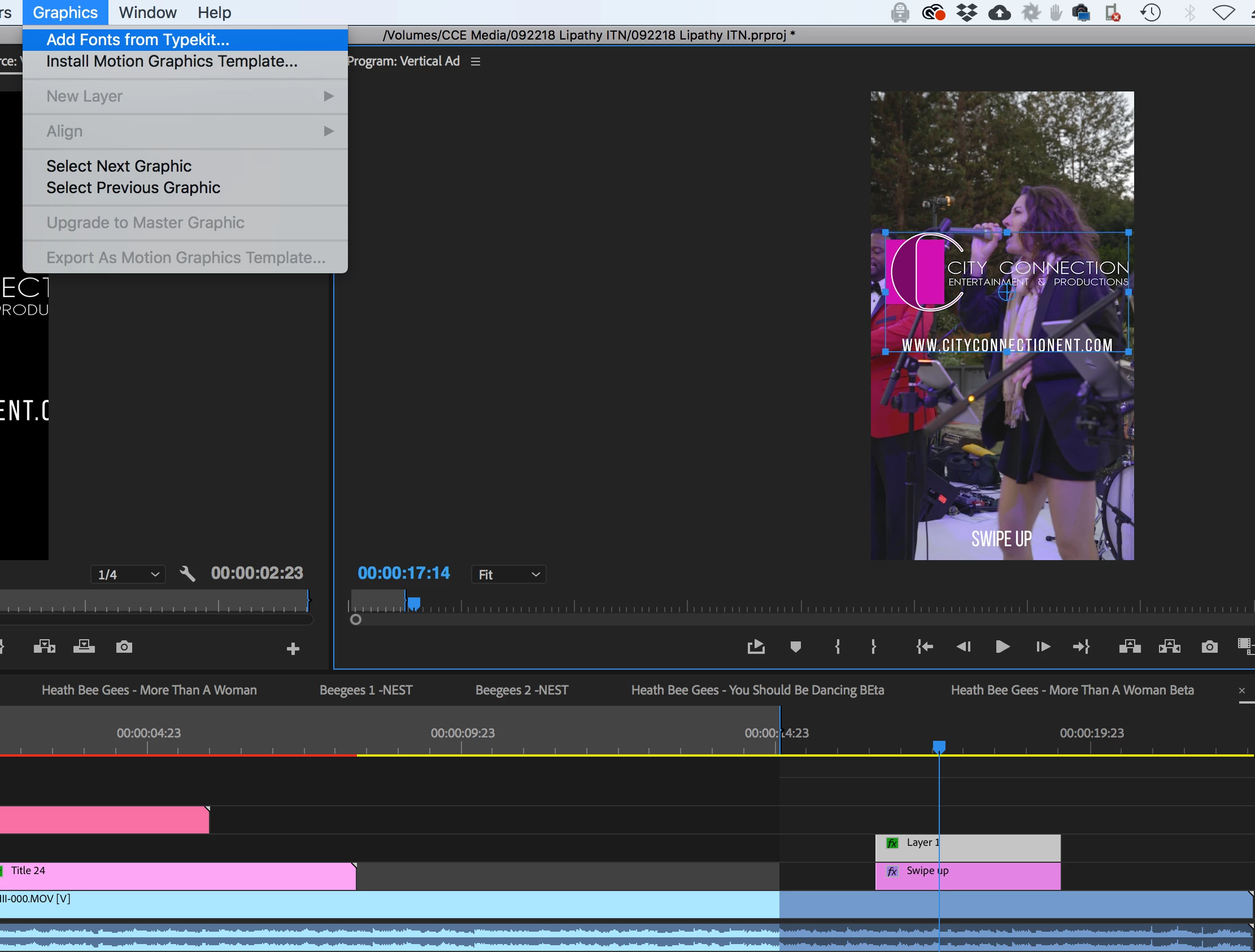
I am trying to align an object on the program monitor (png to be specific) from the timeline.  I want to center it.  For some reason align is greyed out and is also greyed out for texts.  I can use the align tool in essential graphics, but that doesn't apply to other assets other than text?  I have snapping on, I can't even hold shift for it to snap to the grid.  I must be missing something. Are there other ways to center things horizontally and vertically? Thanks
    This topic has been closed for replies.
    Correct answer Kevin-Monahan

    Hi damonbiv,

    I am trying to align an object on the program monitor (png to be specific) from the timeline.  I want to center it.  For some reason align is greyed out and is also greyed out for texts.  I can use the align tool in essential graphics, but that doesn't apply to other assets other than text?  I have snapping on, I can't even hold shift for it to snap to the grid.  I must be missing something. Are there other ways to center things horizontally and vertically? Thanks

    Drag the .png file directly in the Essential Graphics panel's layer stack or choose Graphics > New Layer > From File to import the logo into the stack. Then, you'll have the opportunity to align it with other text and graphics items. Hope that helps.

    Thanks,
    Kevin

    4 replies

    Inspiring
    January 15, 2021

    Hi. Can you do that with the Legacy Title items as well?

    Kevin-Monahan
    Community Manager
    Kevin-MonahanCommunity ManagerCorrect answer
    Community Manager
    November 8, 2018

    Hi damonbiv,

    I am trying to align an object on the program monitor (png to be specific) from the timeline.  I want to center it.  For some reason align is greyed out and is also greyed out for texts.  I can use the align tool in essential graphics, but that doesn't apply to other assets other than text?  I have snapping on, I can't even hold shift for it to snap to the grid.  I must be missing something. Are there other ways to center things horizontally and vertically? Thanks

    Drag the .png file directly in the Essential Graphics panel's layer stack or choose Graphics > New Layer > From File to import the logo into the stack. Then, you'll have the opportunity to align it with other text and graphics items. Hope that helps.

    Thanks,
    Kevin

    Kevin Monahan - Sr. Community and Engagement Strategist – Adobe Pro Video and Audio
    Richard van den Boogaard
    Community Expert
    Community Expert
    October 8, 2018

    It appears that you have a non-graphics object selected, probably an imported logo?

    Although the logo is a graphical object, it was not created as such from within PPro, meaning that it has to anything under the menu Graphics > New Layer other than an imported image (From file...).

    So your best bet is to gauge its appropriate place, nudging it with the arrow keys. You can use the Broadcast Safe guidelines to help, but it's still not very accurate. If you want to do it very accurately, replace the clip with an After Effects composition and make your adjustments in Ae.

    IMHO, this truly is a half-baked solution that Adobe has created here. After introduction they have never thoroughly implemented and optimized this feature. I, for one, would *really* like to have magnetic rulers, which can be used under so many other Adobe apps: you can use CTRL/CMD+R in Ae, Ps, Ai, Id, but not in PPro.

    Please do file a feature request for this: Feature Request/Bug Report Form

    Hope this helps!

    damonbiv
    damonbivAuthor
    Inspiring
    October 8, 2018

    Thanks for the reply.  You are correct, I am working with a png.  I was afraid there wasn't really an adobe implemented solution.  I'm always off when I have to eyeball it.  I was hoping that after using premiere for 15 years I might have missed a magnetic ruler or some other tool that already existed. 

    It's strange though, even I select an essential graphic or text that I made in premiere, the align function under the graphic pull down is still greyed out.  But then in the essential graphic dialogue box, the alignment tools work.  To think about it, I've never been able to use those tools.

    Alternatively, I suppose I could use a PSD file, make it 1920 x 1080 and do all initial aligning in photoshop and it'll update in the timeline if I need to make changes, it's just another step in something that should be super easy. 

    R Neil Haugen
    Legend
    October 7, 2018

    If you have something on the timeline selected you should be able to use position and scale in the motion effects control area of the Effects Control Panel.

    Neil

    Everyone's mileage always varies ...
    damonbiv
    damonbivAuthor
    Inspiring
    October 7, 2018

    Thanks for the reply, but those aren't going to be absolutes, correct?

    R Neil Haugen
    Legend
    October 8, 2018

    Sorry, by absolute I mean, absolute center, horizontally or vertically. 


    Ahh ... now I understand.

    Animating items in the mogrts/EGP is still something that can puzzle at times. When to use the controls of the EGP, when the ECP, and when ... you have to fudge something else.

    Looking forward to the next release to see is some of this is sorted better.

    Neil

    Everyone's mileage always varies ...