
All MP4s have red frames during playback and export?!
I'm in the middle of a project and this has happened multiple times now. I'm working with MXF and MP4 files, I edit Youtube videos, and have no problems with the MXF, however all my mp4 files have red frames during playback and export. Closing and re opening premiere does not help. I've uninstalled and reinstalled premiere, I have tried clearing the media cache and neither seems to help. Sometimes I'll look at a video and there will be no red frame, and then a minute later a red frame will appear and it will not go away. This happens on every mp4, and there is no problem with the MP4 files themselves. All of the audio seems to be fine.
I'm using adobe premiere pro CC 2017.1.1, and 11.1.1 (15) Build.
I'm running microsoft Windows 8.1
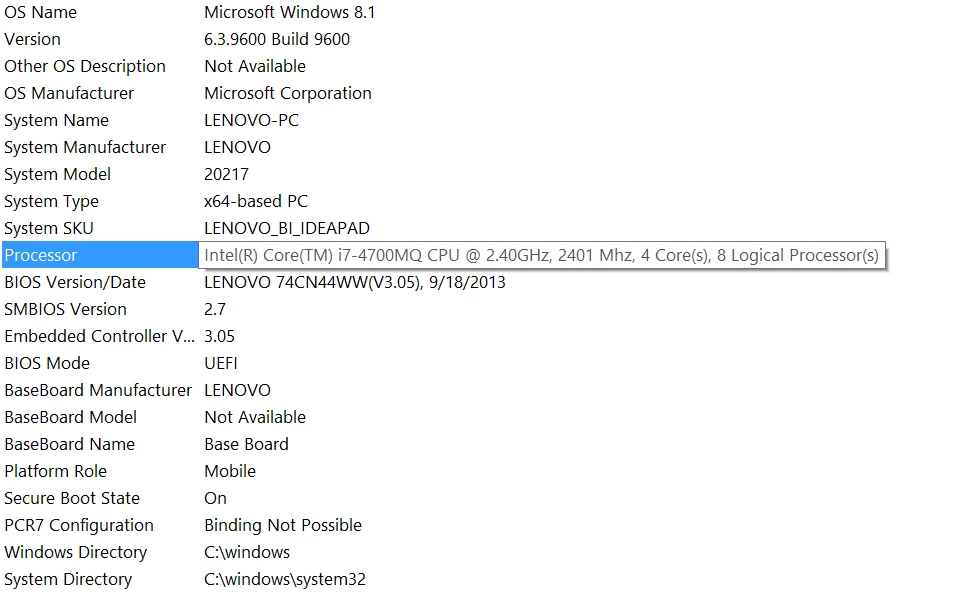
Here is my system information. I also have an Nvidia graphics card however that is currently disabled because when I had it enabled I could not open Adobe Premiere.
Any help on the matter would be greatly appreciated, this is driving me nuts.
 AdChoices