Participating Frequently
December 6, 2020
Answered

Animated borders / bars in animated video Adobe premiere

  • December 6, 2020
  • 2 replies
  • 776 views

Hello,


How to create and animated bars/ borders to appear in the same time of the vidéos.  I have  done split screen (3 vidéo )  with animated videos and they don't arrive in the same time .

thanks 

This topic has been closed for replies.
Correct answer Warren Heaton

 and the last screen


2 replies

Warren Heaton
Community Expert
Community Expert
December 6, 2020

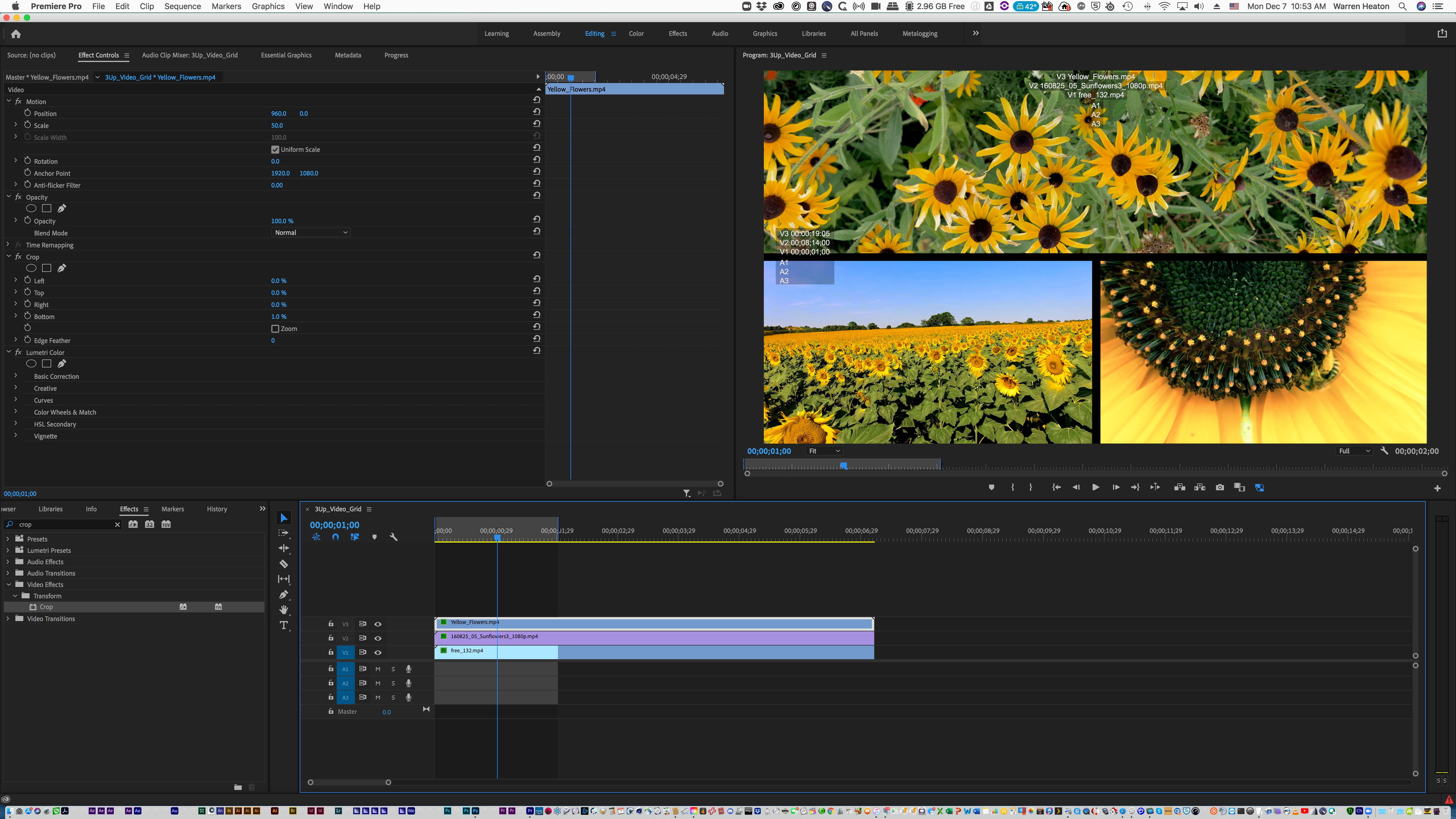
As far as arriving at the same time, you just need the Position keyframes and Scale keyframes to be in sync.  It's a little tricky to do in that you use the Effects panel for this, but the mini-timeline in that panel along with the full Timeline should help.  Also, place Clip Markers in the Source Clips.


For a border, try cropping each video a little bit.  This will show through to the Sequence background which defaults to black.  You could put a Color Matte below the superimposed clips for a color boarder instead.


All that said, how are your After Effects skills?  While Premiere Pro is good for this sort of thing After Effects is ideal.  Stack your clips in the Sequence, select them, right-click and choose Replace with After Effects Composition.  


Participating Frequently
December 12, 2020

thanks for help , this method works . Sorry for late reply

Ann Bens
Community Expert
Community Expert
December 6, 2020

Participating Frequently
December 7, 2020


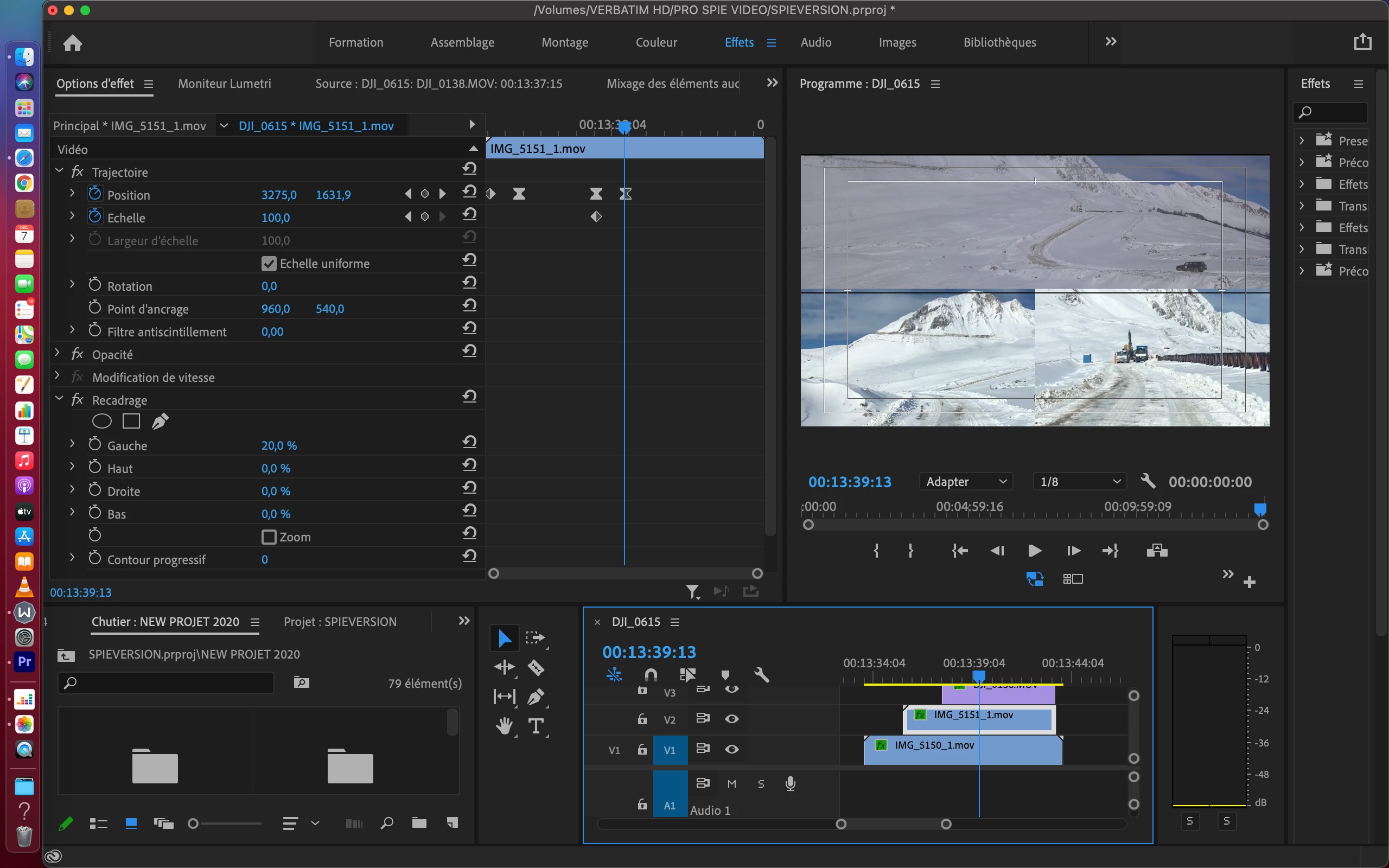
    hello, please find attached the screen shot of my sequence :


i want to create black borders bars for the video 1,2,3 (for video one and two will be the same i think),


Thanks,


Fred

Participating Frequently
December 7, 2020

 and the last screen