
deanr78548626
Inspiring
October 10, 2020
Answered

Any way to add buts to a square shape in Essential Graphics? Like TikTok title boxes?

  • October 10, 2020
  • 4 replies
  • 4355 views

I'm editing and adding text for TikTok through premiere and I'm trying to emulate the text boxes and font used in Tik-Tok. I created an Essential graphics preset but couldn't add the buts to the square box. ANy suggestions? Does anybody know of any presets that can do this? I use Premiere Composer but I cannot get rid of the intro/outro animation. 
This topic has been closed for replies.
Correct answer Ann Bens

Thanks Neil.


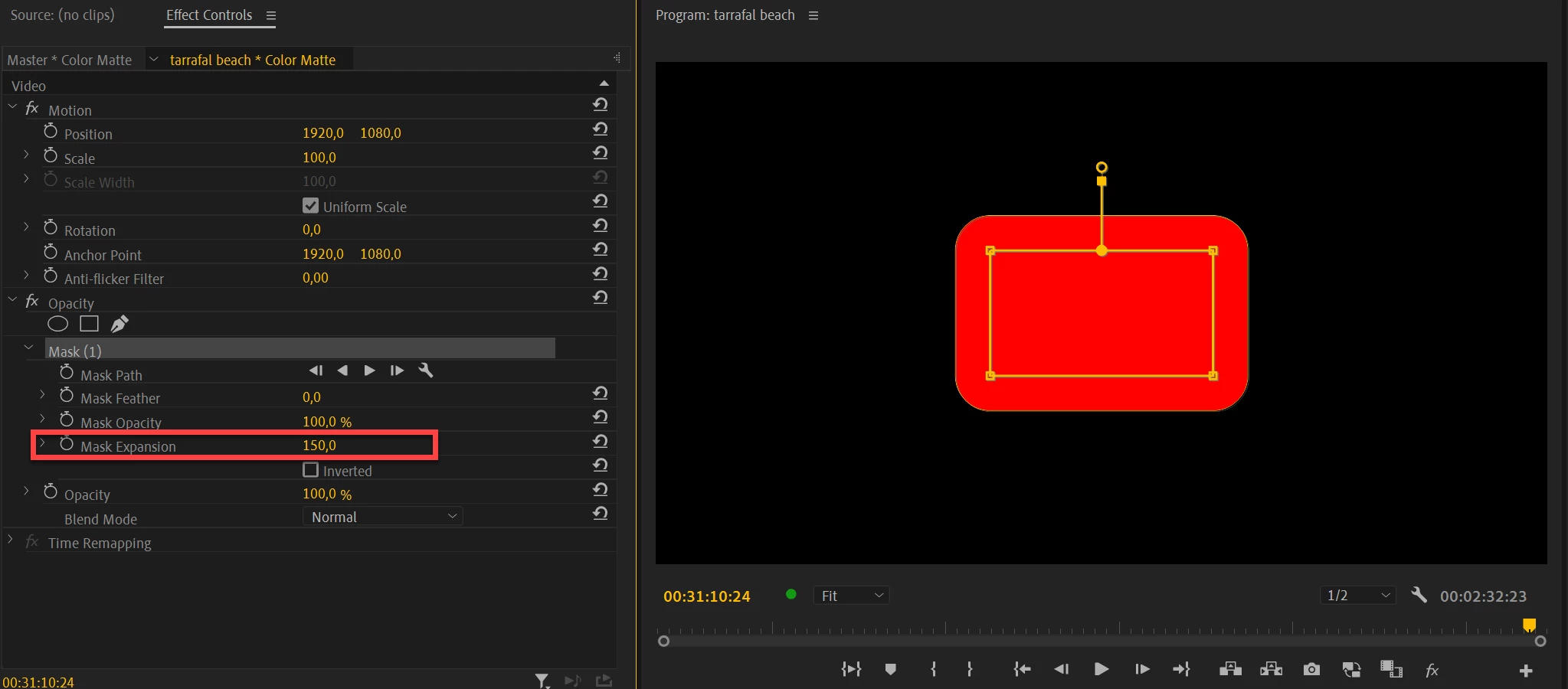
Expanded mask on a color matte.


4 replies

Participant
November 19, 2021

Here is a tool created to match the look of TikTok text exactly. Fonts are all listed.
https://www.tiktoktexttool.com/

deanr78548626
Inspiring
October 10, 2020

How can I add this to my EG panel? I want to make a preset out of this. 

Ann Bens
Community Expert
Community Expert
October 15, 2020

You can save it as a preset from the effect controls but I would save it as a mogrt.


R Neil Haugen
Legend
October 10, 2020

@Ann Bens  just posted how to do that here a couple days ago. Let's see if she pops in again.


Neil

Everyone's mileage always varies ...
R Neil Haugen
Legend
October 10, 2020

No clue what you mean here ... non at all. A bit more explanation or a sample of the shape you want would have been helpful.


Neil

Everyone's mileage always varies ...
deanr78548626
Inspiring
October 10, 2020

Haha Neil, 


I'm guessing you maybe haven't used Tik-Tok, so I understand the confusion. Attached is a picture of what I mean. See how the outer corners on the text box are round (or butted), I'm trying to do that with a rectangle shape in the Essential Graphics panel to make a text preset.