Inspiring
March 5, 2022
Answered

Are These Horizontal Lines Interlacing or Something Else?

  • March 5, 2022
  • 2 replies
  • 2147 views

Hello,  I am working on a project to capture and convert all of my old home videotapes (Video8 and Digital 😎 from 1990-2006 to H.264 .MP4 videos. 


I captured them using DV Capture on Premiere Pro on an older firewire Mac as large .MOV files. 

When I preview the original .MOV files, the video looks good, without any horizontal "interlacing". 


When I bring the video into the Premiere timeline to resync audio, and add audio compression, I end up with horizontal "interlacing" in the program window. It also shows up when I export as a "Match Source - High Bitrate" .MP4 encoded with H.264. 


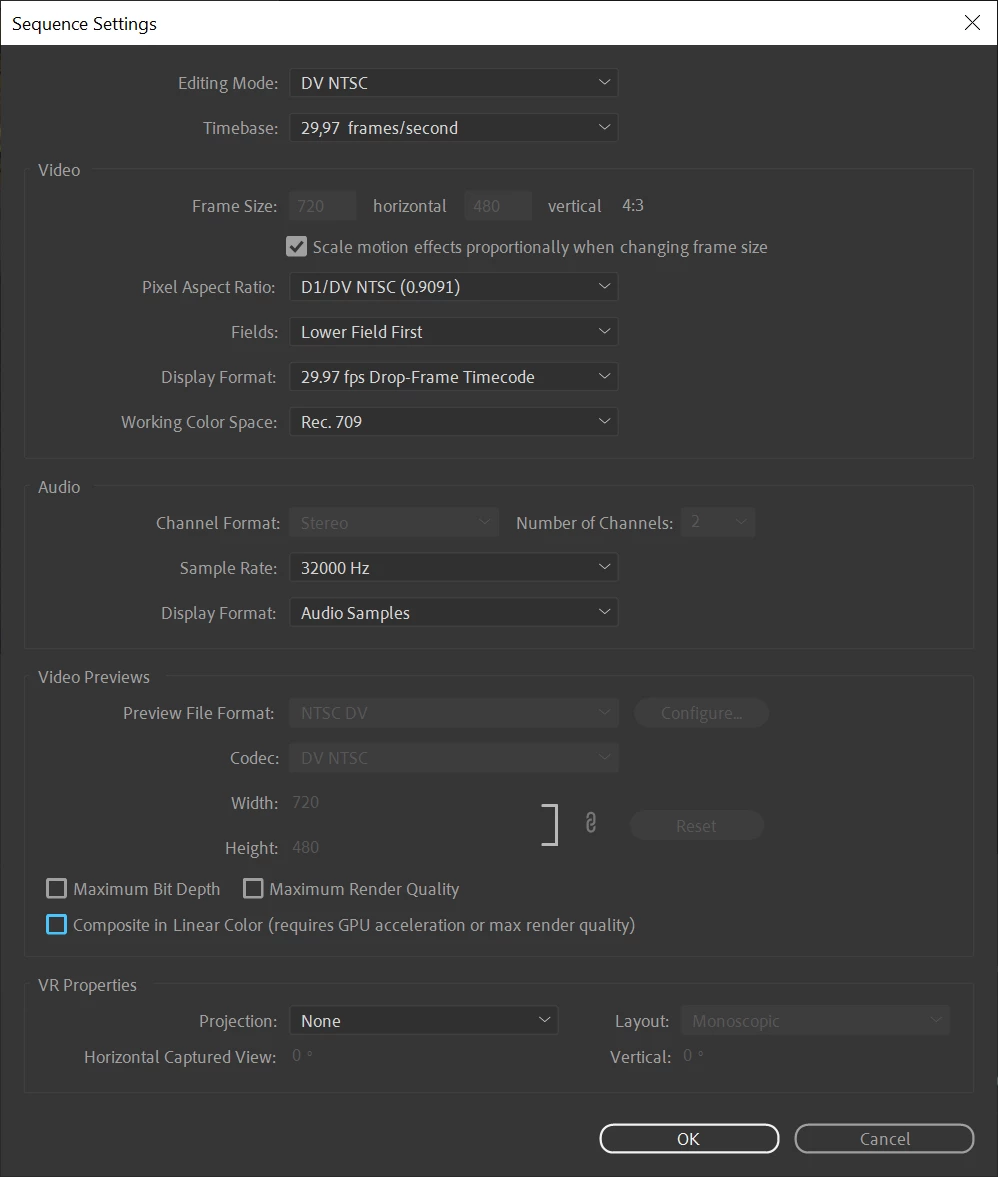
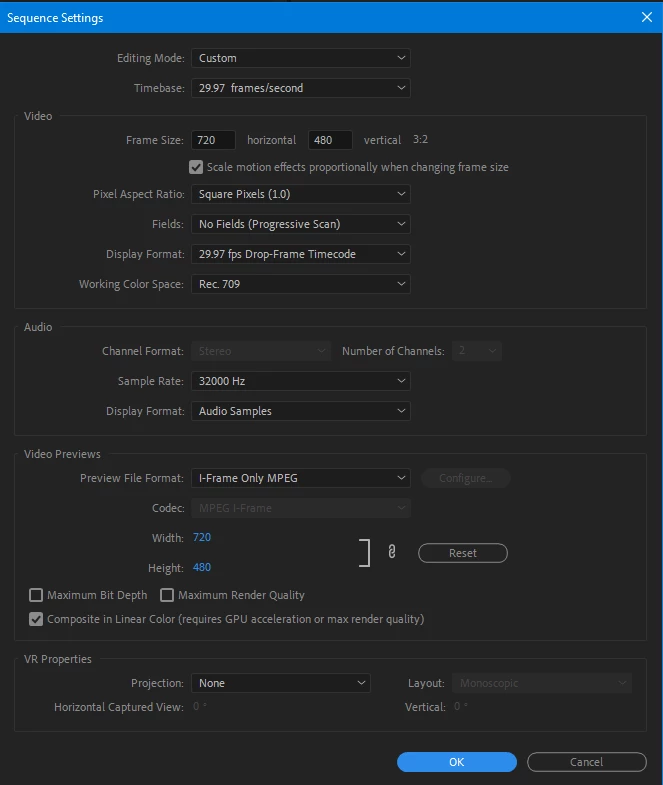
Here are my sequence settngs. This particular video is a Video8 tape from 1991 with a captured resolution of 720x480.
 

Here is what it looks like zoomed in at 400% in the timeline (top) and the original .MOV zoomed in at the same frame (bottom). 
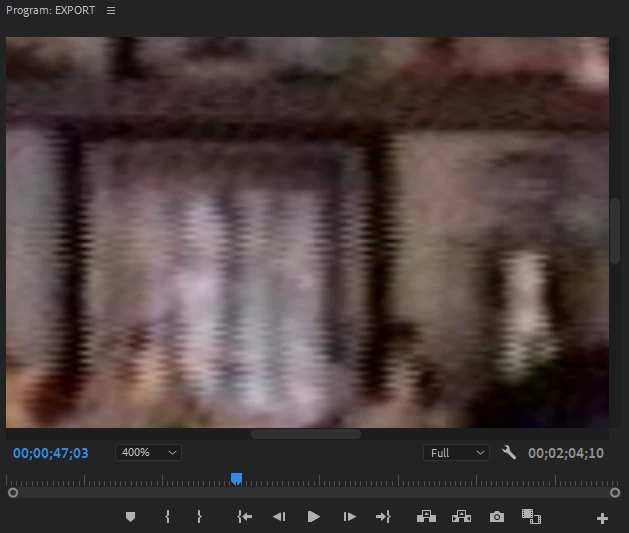
 

I have tried to deinterlace by going to Field Options - Always Deinterlace, but it doesn't make a difference.


"Flicker removal" under Field Options smooths the lines out and makes the video look better but I don't want to lose quality since I think that effect essentially just blurs the image.


Any suggestions? Thanks! 


This topic has been closed for replies.
Correct answer Ann Bens


These settings are the correct ones.

Set playback in Program monitor on first field.

2 replies

chrisw44157881
Inspiring
March 5, 2022

what do you have for the clips under interpret footage? and your sequence settings should also be interlaced.

Inspiring
March 5, 2022

Interpret footage for the clip just shows that the frame rate from the file is 29.9700

I'm not seeing any setting for interlacing in Sequence settings.

Inspiring
March 5, 2022

When I go into "Interpret Footage" and select "Conform to Lower Fields" under Field Order, the Interlacing goes away and the video looks clear.


Is this the right way to go about it or do I need to choose Upper fields instead, or modify the sequence any other way? Thanks.

Ann Bens
Community Expert
Community Expert
March 5, 2022

They are interlaced artifacts.

If original SD footage is use the timeline settings is incorrect.

Settings need to be set to lower and PAR dv ntsc

Post screenshot properties of the SD clips used in the project.

Inspiring
March 5, 2022

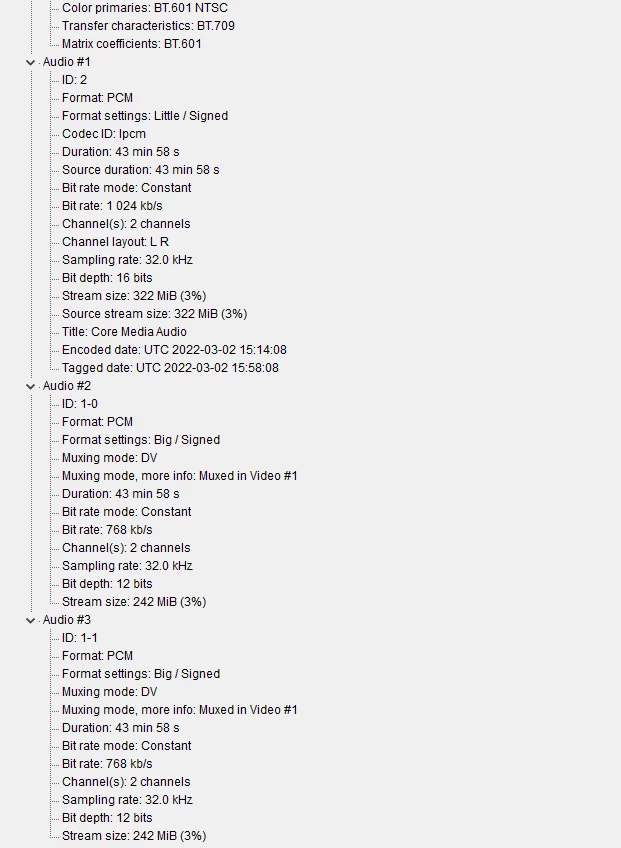
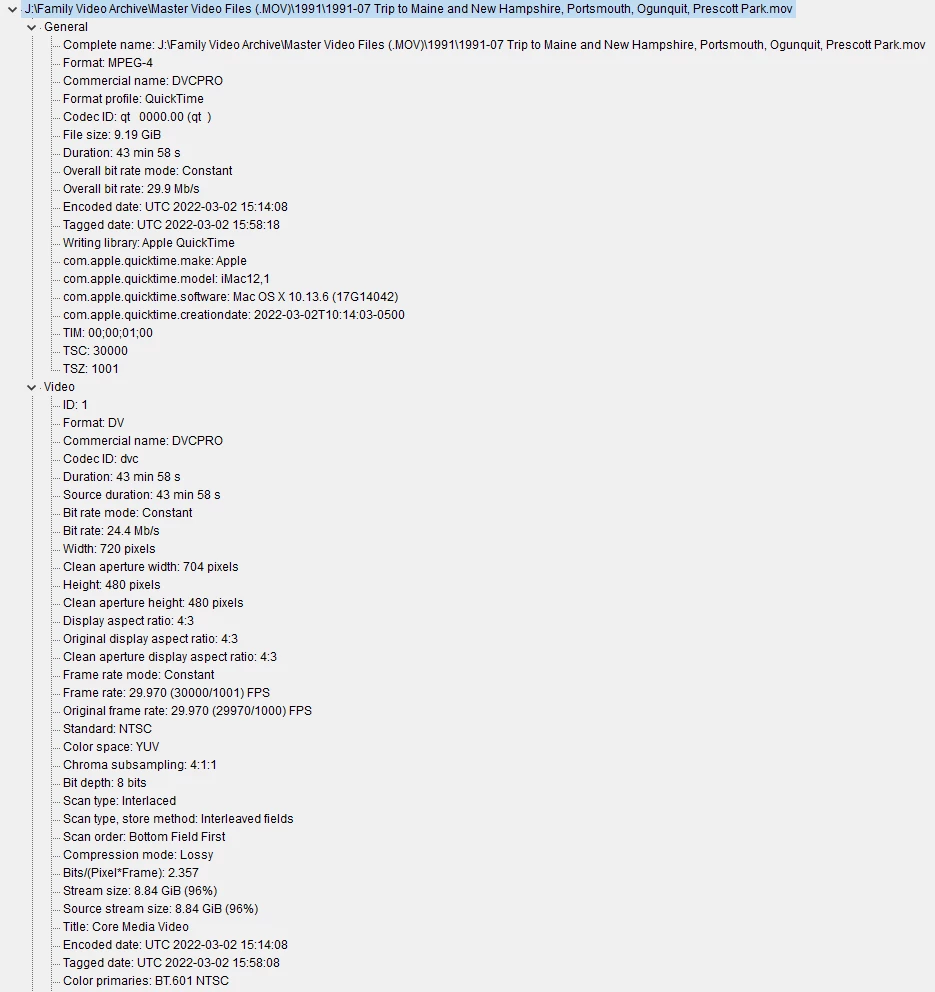
Here are the properties tab of the original .MOV file I'm working on.

As far as I can tell, the sequence properties match the clip properties.

When I imported the clip I allowed Premiere to match the sequence settings to the clip

Ann Bens
Community Expert
Community Expert
March 5, 2022

No not Windows, but Properties as shown in Premiere.