
Answered
Audio crossfade shows only one of my clips; Alignment disabled
I'm relatively new to Premiere Pro. I searched the forums for this issue but came up blank. Hope someone can tell me what I am doing wrong!
I'm trying to apply an audio crossfade between two clips but only one clip appears in the Effect Controls window:
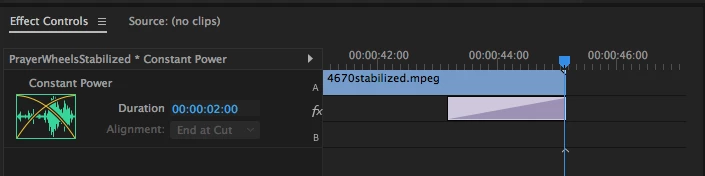
Notice that the Alignment control is disabled.
There is a second clip in my timeline:
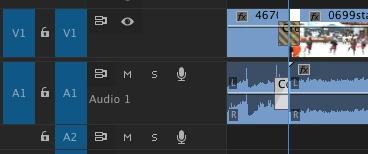
and the video dissolve works just fine across the clips:
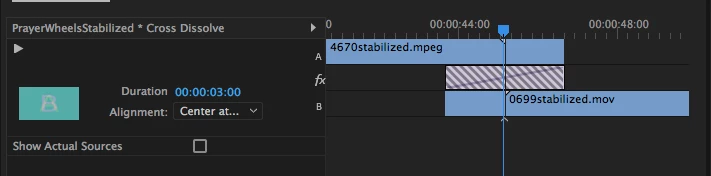
I've tried applying two fades -- one at the end of the first clip and the other at the start of the second but that really doesn't accomplish what I want, which is to sync the video dissolve and the audio fade.
 AdChoices