
shahannneda
Participant
October 20, 2017
Answered

Audio has disappeared from the timeline

  • October 20, 2017
  • 2 replies
  • 26603 views

Over the last few hours i've been struggling because my audio tracks are playing fine but i can't edit or even see them in the timeline.

My audio is still playing fine.
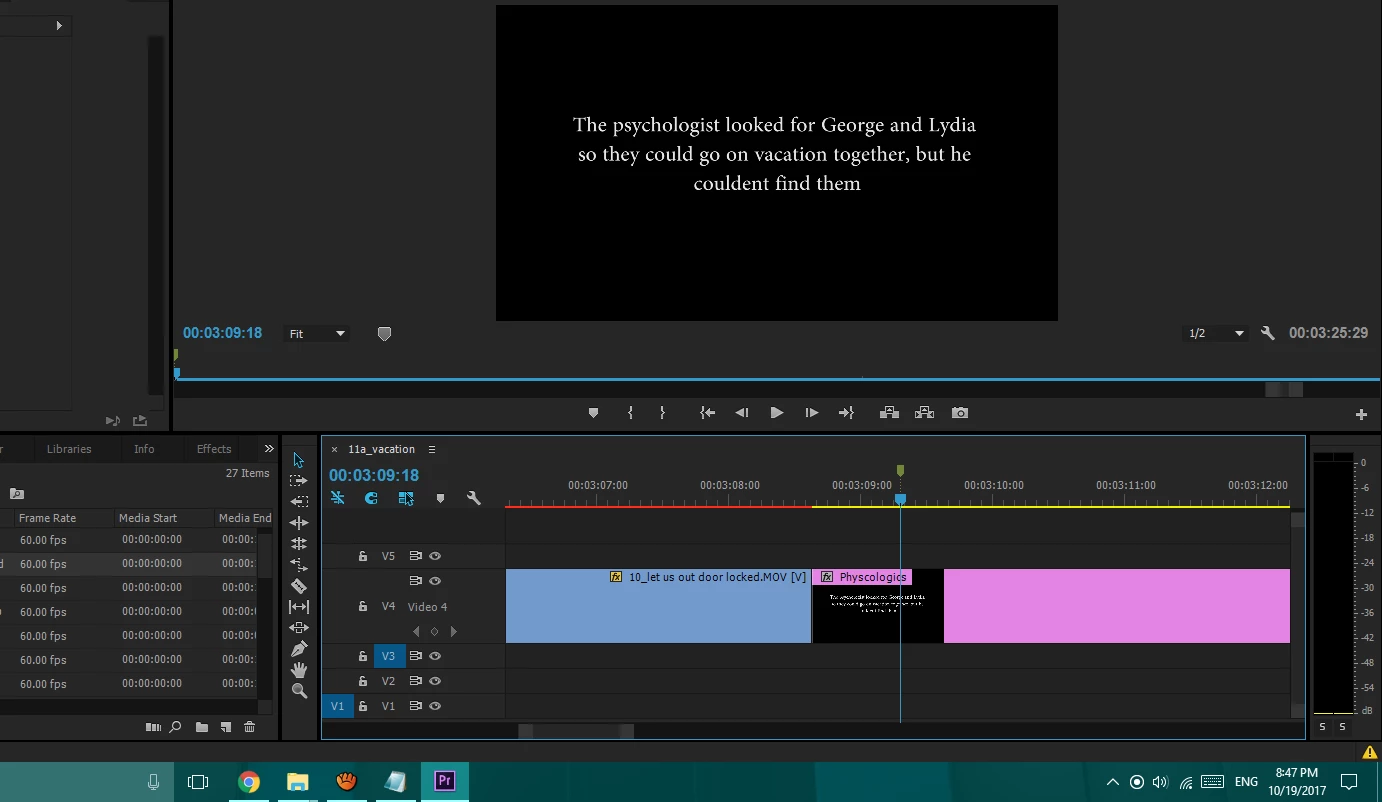
Can anyone let me know what i need to do?
    This topic has been closed for replies.
    Correct answer Meg The Dog

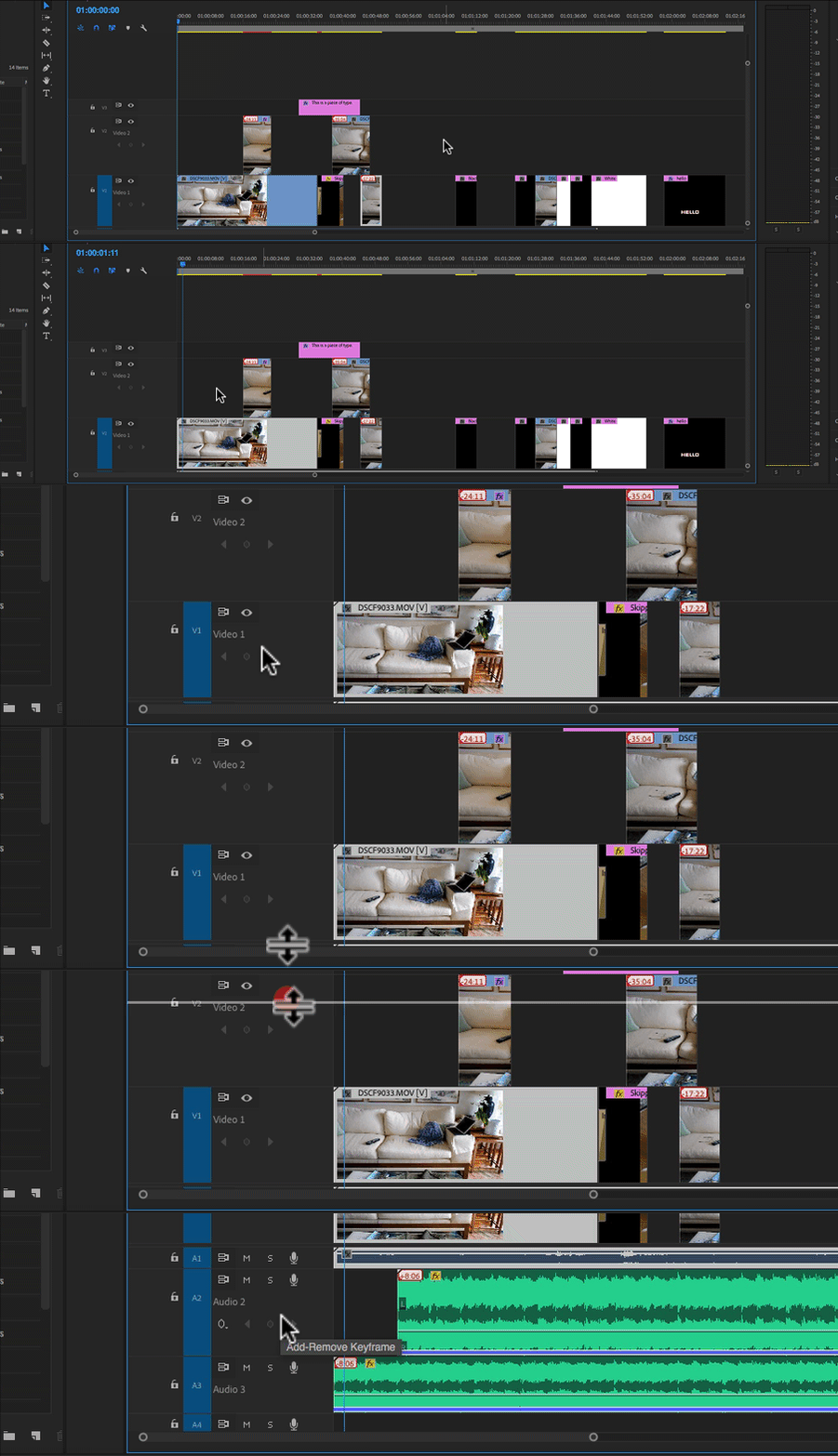
    Move you cursor so that it hovers over the bottom of track V1, near the track targeting buttons. When you see the cursor change to a line with an up and down arrow, click down and drag the line upwards to reveal the audio tracks:

    MtD

    2 replies

    edmund Sumner
    Participant
    October 28, 2022

    thanks this is really helpful


    Inspiring
    October 20, 2017

    Click on this wrench and choose Minimize All Tracks.

    Once you have all your tracks in view, you can expand the track heights of the tracks you want to work with.

    MtD

    shahannneda
    Participant
    October 20, 2017

    still none of the audio tracks are showing up

    Meg The DogCorrect answer
    Inspiring
    October 20, 2017

    Move you cursor so that it hovers over the bottom of track V1, near the track targeting buttons. When you see the cursor change to a line with an up and down arrow, click down and drag the line upwards to reveal the audio tracks:

    MtD