Participant
May 10, 2022
Answered

Audio Meters won't dock

  • May 10, 2022
  • 4 replies
  • 3574 views

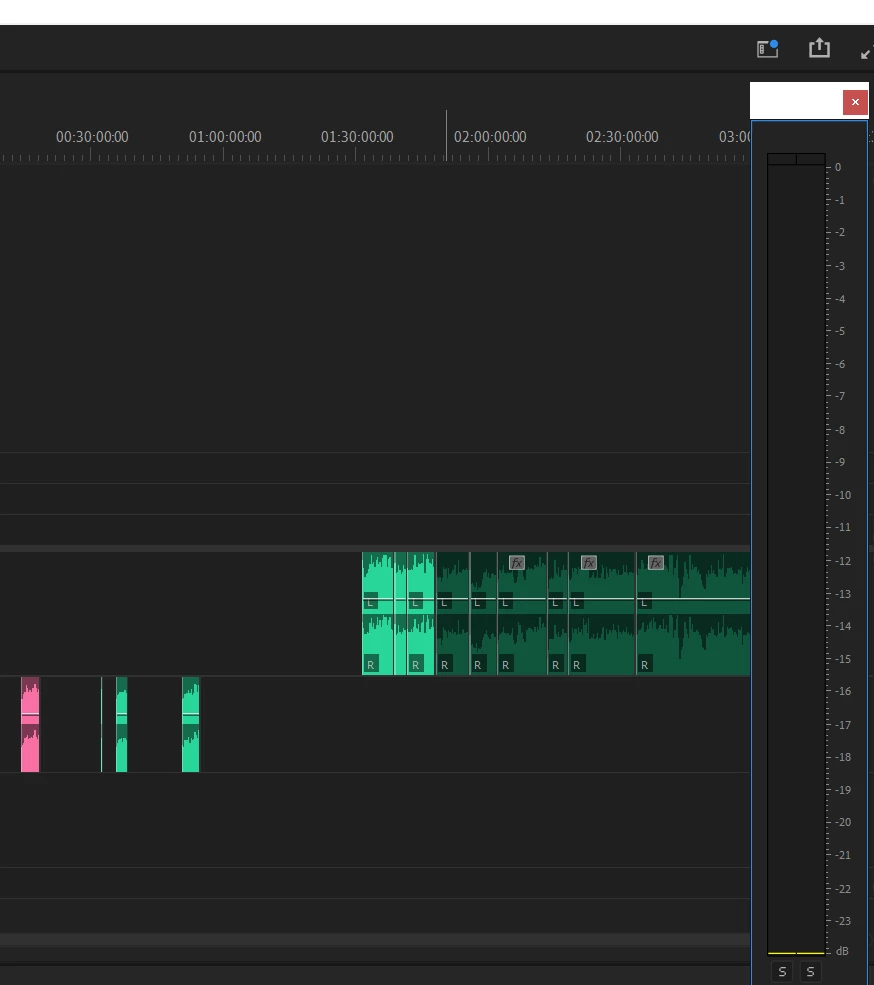
Since upgrading to version 22.3.1 (Build 2) I am unable to drag and dock my Audio Meter into my layout. No matter where I drag it to, I never get the blue prompt to dock. Any thoughts please?

 

Correct answer Ann Bens

Enlarge the window and go with your mouse along the top to get the cursor.


4 replies

Participating Frequently
June 20, 2023

I finally got this.  I had to grab it on a tiny little horizontal line that lies where the window header and the window content meet. At that precise spot your cursor should change. Grab there. It literally feels like a 1 pixel tall line... easy to miss.

Participating Frequently
February 1, 2024

Sure when I get home


Michael Farese

[personal info deleted by mod]

Participant
September 18, 2024

The meters have to be in vertical arrangment for this to work - so make the window taller than it is wide.

Participant
June 6, 2023

Flagging for follow as I have the exact same problem and can't find a workable solution to it.

Participating Frequently
June 20, 2023

You should upvote the main post so we can get some traction on this problem.

Participating Frequently
January 25, 2023

Did you find a solution in the end? I have the same problem.


R

Participating Frequently
June 20, 2023

You should upvote the original question so we can get some traction on this problem.

Ann Bens
Community Expert
Ann BensCommunity ExpertCorrect answer
Community Expert
May 10, 2022

Enlarge the window and go with your mouse along the top to get the cursor.