
Audio Playback Issue: Audio Loss AFTER Making Cut in Timeline
Greetings,
I've come face to face with a problem that I can't resolve.
I've created a multi-camera sequence in Adobe Premiere Pro 2023, having 3 different camera angles and 2 microphone outputs. Both mic's are connected to the same receiver.
I get a good sequence, nothing wrong. However, after some editting (cutting away some clips, adding default transitions between clips, and increasing audio gain of every audio track, nothing else, nothing special), I get to a point where I have to, again, make a cut in the timeline to cut away another clip. However, I can't even get to the stage of adding a second cut to delete the clip inbetween. That's because the audio of one of the mic audio tracks gets lost both BEFORE and AFTER that "first" cut. The audio waveform is still there however.
So, before making the "final" cut, everything before and after that cut is hearable, but after making that cut, a specific audio track gets lost both BEFORE and AFTER that cut; you can't hear it. The other one is still audible though.
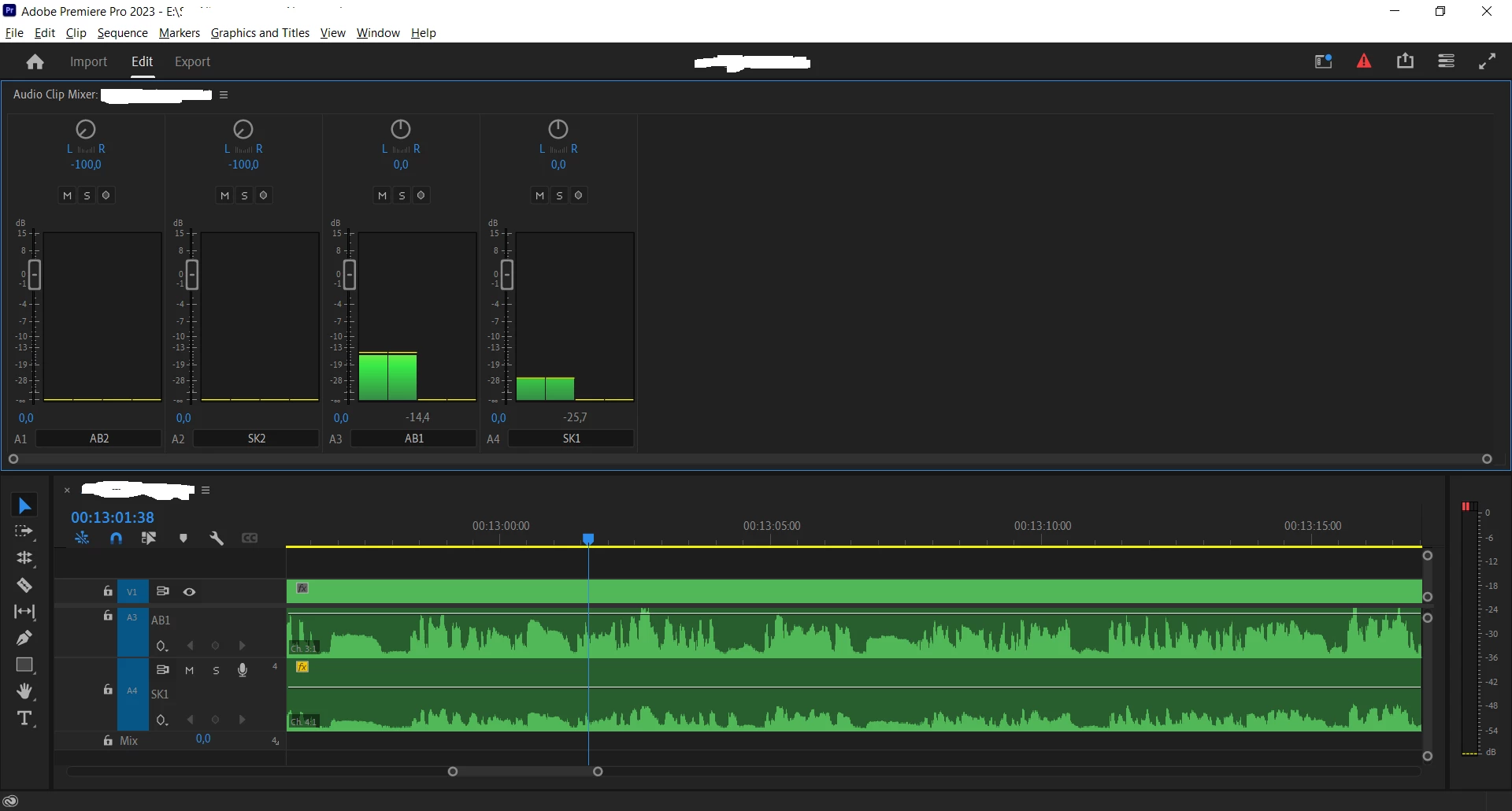
In the figure above, you can see my timeline along with the audio clip mixer. As you can see, A3(AB1) and A4 (SK1) produce sound. This is BEFORE making the "final" cut.
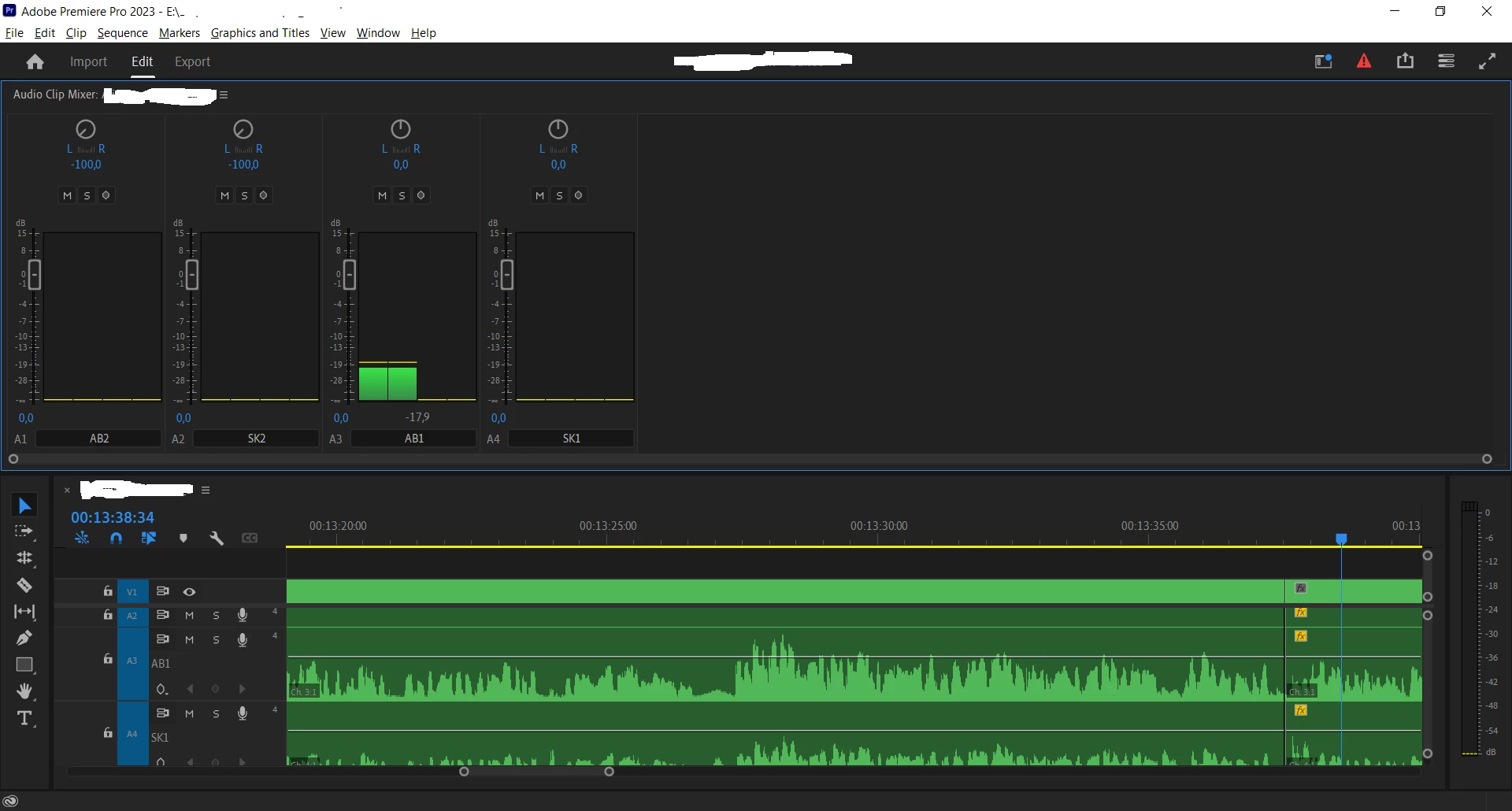
In the figure above, you can see that A3(AB1) produces sound. A4 (SK1), however, doesn't produce sound. This is AFTER making the "final" cut. Note, it doesn't matter wheter the playhead is before or after the cut. The sound is gone either way.
Can someone please help me. I've looked in the forum, and I even asked a certain AI chatbot, but nothing worked.
 AdChoices