Inspiring
January 16, 2025
Question

Audio recording/playback into Premiere only Mono in left speaker

  • January 16, 2025
  • 3 replies
  • 540 views

Hello Community!


I am new to Premiere (I usually use AE,PS,AI) and I've been encountering a recurring issue that is driving me insane.


I have Premiere 25.1.0 installed. I am using a Focusrite Scarlett 212 with my Shure Beta 87a microphone. I want to record stereo audio into Premiere using this audio interface and I can not, for the life of me, figure out why I am still only getting mono recording/playback. 


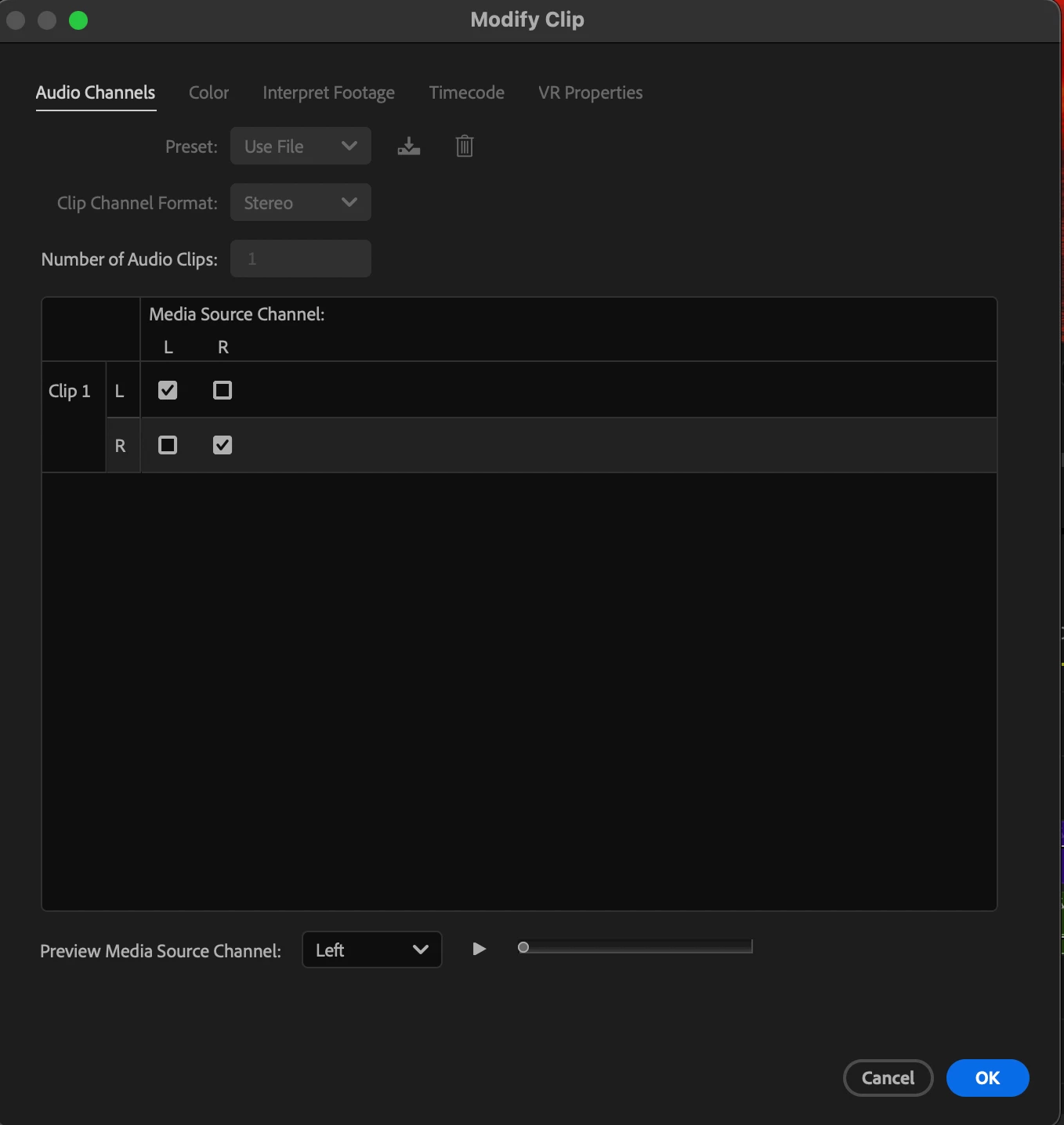
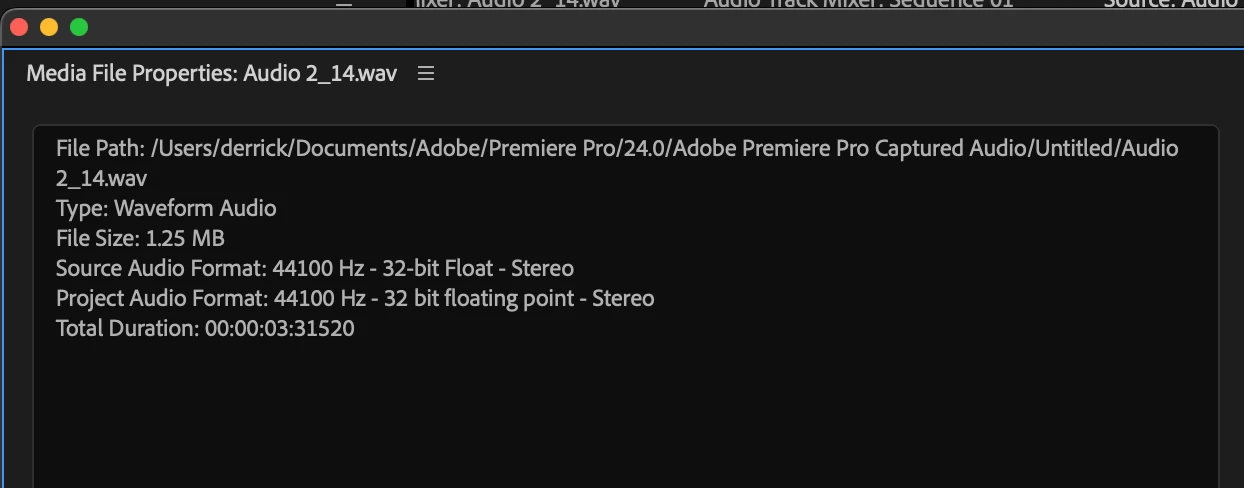
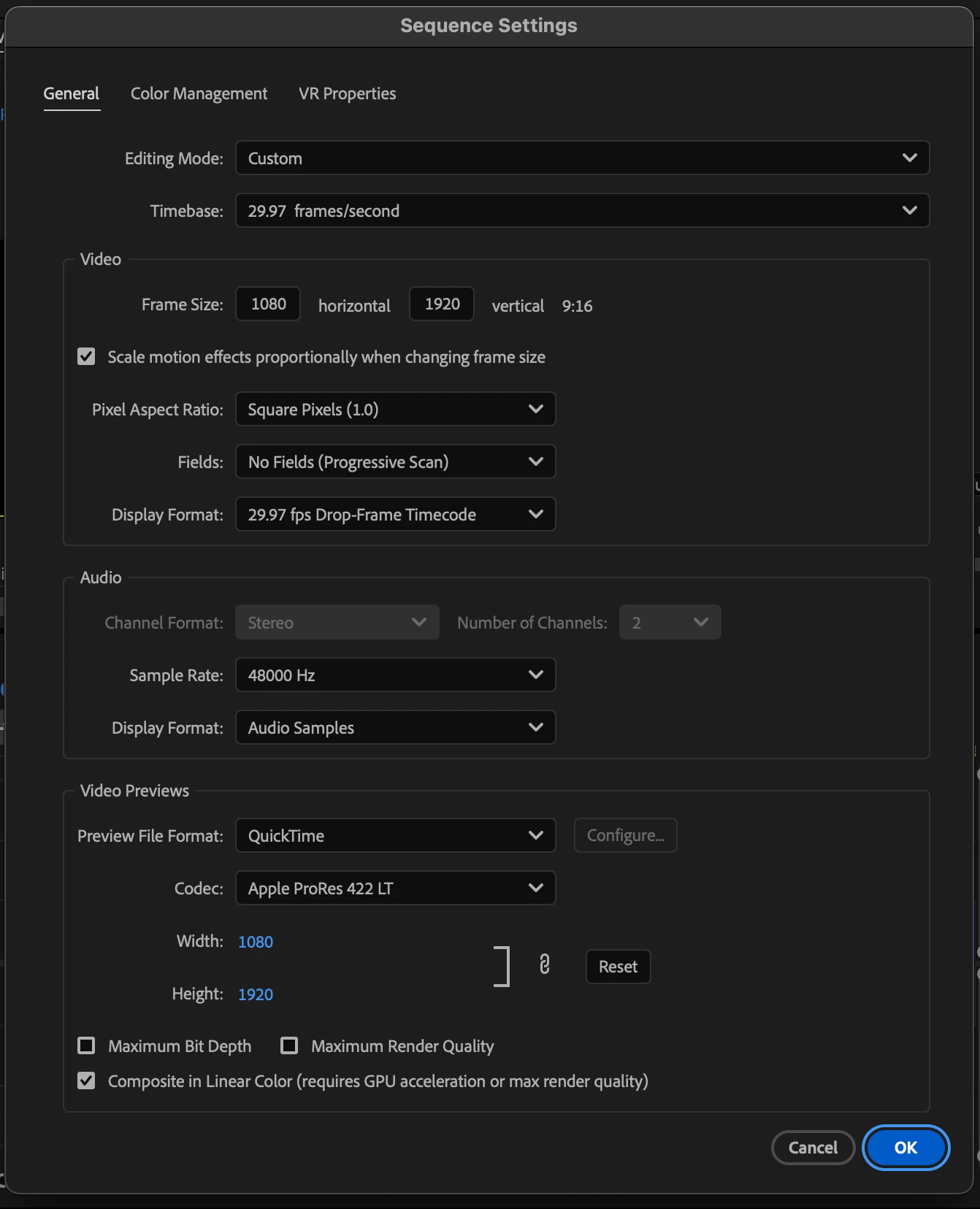
I've attached some photos showing my audio channels are set to stereo (at least as far as I can tell) and I don't know what I'm not doing right. Can someone please educate me on this problem?


Any other info needed I'll gladly provide.


I'd really appreciate it!
3 replies

Kevin-Monahan
Community Manager
Community Manager
January 21, 2025

Hey @mynameiso_8710,

And thanks @PaulMurphy!

Paul's right. However, is this a project that has been updated from an earlier version or is this a new project. If updated, test in a new project. I think it's possible you are experiencing a bug. Sorry for the problem I hope we can help you with it.


Cheers,
Kevin


Kevin Monahan - Sr. Community and Engagement Strategist – Adobe Pro Video and Audio
Community Expert
January 17, 2025

Why do you need a stereo file if you're only recording with one microphone, i.e., one audio channel?

In Premiere Pro, when you add a mono audio clip to a stereo sequence, it will automatically pan the mono channel to both the left and right speakers.

Inspiring
January 27, 2025

So sorry for the delay here!! 


I assumed mono recording meant I can only hear it in the left or right channel. From what I recall, stereo clips play through both ears? Which is why I thought I needed to record in stereo.


From what I recall, my sequence settings are in Stereo. 


When I record in Premiere and look at my audio wave, I see its only recording mono. And I can also just hear the recording through one headphone/speaker..


So the automation of the mono channel being panned to the left and right speakers together isn't happening for some reason.


Thank you!

Community Expert
January 27, 2025

Can you share a screenshot of your timeline?

Kevin-Monahan
Community Manager
Community Manager
January 16, 2025

Hi @mynameiso_8710,

Thanks for the question. Are you able to hear stereo audio in the Source Monitor or just the clips in the Program Monitor? Has this setup worked in the past? Do any other mics work, like from a webcam or a built in one? I hope we can assist you. Sorry for the problem.


Cheers,
Kevin


Kevin Monahan - Sr. Community and Engagement Strategist – Adobe Pro Video and Audio
Inspiring
January 27, 2025

So sorry for the delay here, Kevin!


That's a good point regarding if I can hear stereo in both monitors. I will try shortly!


It has worked in the past - however, I discontinued my cloud membership for some time and just recently renewed. It hasn't worked since renewing. 


I will also try using my laptop speakers to see if they come through in both headphones.


Thank you for tips! I'll be updating here shortly