
Inspiring
October 26, 2023
Question

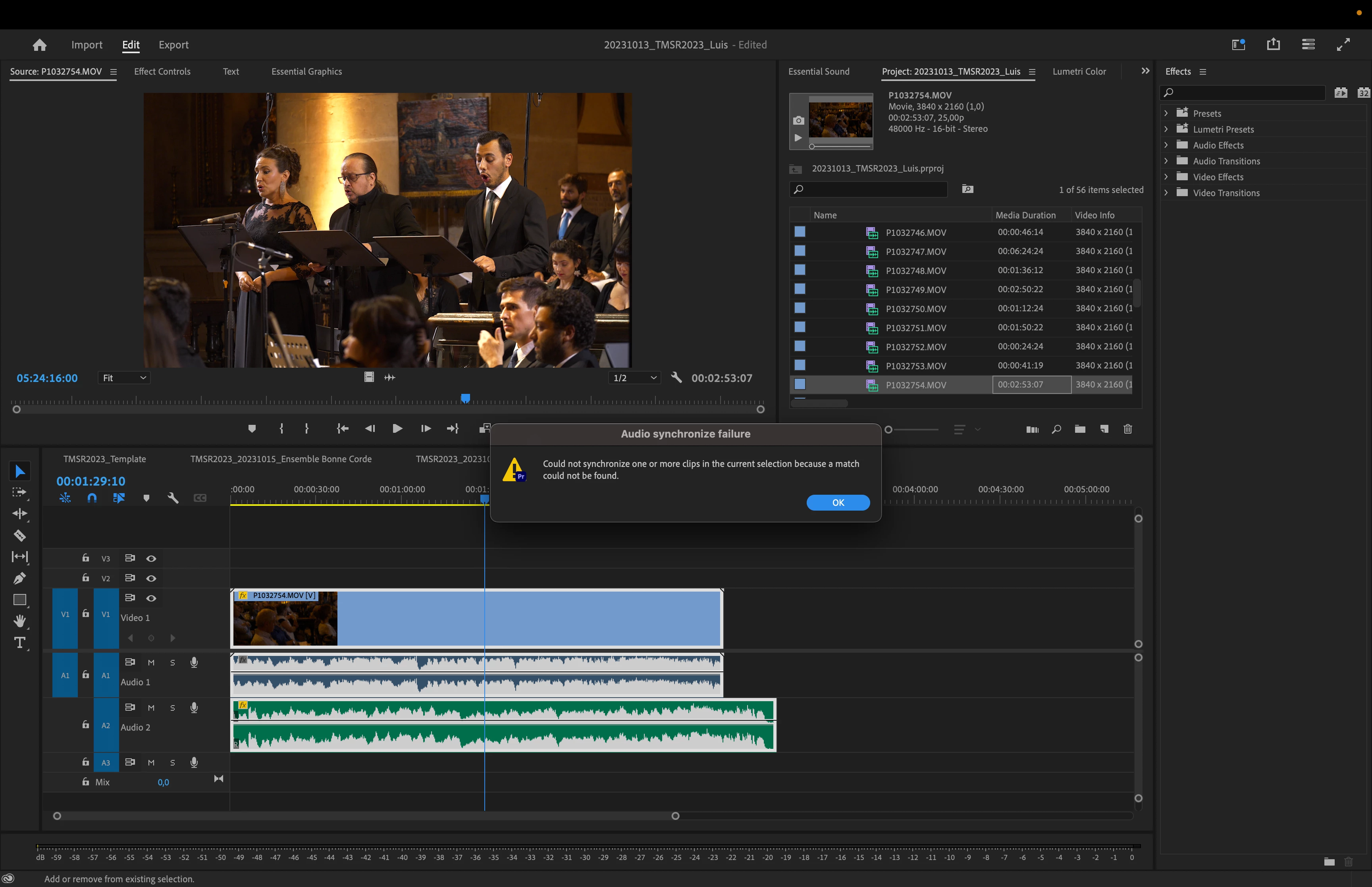
Audio Synchronization failure

  • October 26, 2023
  • 3 replies
  • 1332 views

Hi there!

I keep getting this "Audio Synchornization Failure" message, when I try to sync the audio capture by my field recorder and the footage from my camera.
Both have audio set to 48000Hz, 16 bit stereo, as well as the timeline.
I've boosted the gain from the audio recorder by 16 dB (it's now at 6dB).
The captured sound is complex (choir, solo singers and orchestra), and some of the audio captured by the camera (for reference) is a bit distant.
Still, I can't understand why this Auto-Sync function is not working.
Is it a bug? Is it me being dumb? Both?
Thanks in advance for any help!
3 replies

R Neil Haugen
Legend
October 26, 2023

The "multicam" term is somewhat of a misnomer. As that is the main intended process for joining vide and audio files no matter the number of cameras involved. So yea, confusion is kind of expected.


For example, you can take ten takes with one camera, one external audio device. Put the media in a bin. Select all, "create multicam", and you'll get 10 different "multicam sequences" ... so each pair will be it's own 'sequence' ... essentially, a clip.


It does need to have similar gain levels ... so again, selecting the say lower level clips in the bin, raising gain, then doing the "create multicam" will work.


So you need to select the elements ... audio and video files ... in  the project panel bin.


Then "create multicam".

Everyone's mileage always varies ...
Inspiring
October 26, 2023

I'm only using one camera, but I tried a multicam timeline after reading your tip.
Synchronize is greyed out.
Moving back to the normall timeline, I now have + 19 dBs on the A2 track.
It synched the first clip, then it showed the same message again.
The audio is clear on both tracks. Can't understand this.

By the way, I forgot to mention:
Premiere Pro V 24.0 (build 58), running on a MacBook Pro 16", Apple M2 Max, 32 GB, Ventura 13.4

R Neil Haugen
Legend
October 26, 2023

Premiere needs the audio to be relatively close in gain. Your A1 and A2 tracks have different waveform levels. Make one closer with gain applied in the Project panel, then it should work.


And you're using multicam to do the join, I hope? It's the 'correct' process in Pr for this work.

Everyone's mileage always varies ...