
Participant
September 28, 2023
Question

Audio waveform disappears when using Remix

  • September 28, 2023
  • 7 replies
  • 1608 views

Hello, 

i have some issues with the Remix-Tool in Premiere. I love working with it because it makes my life ten times easier, but sometimes while using it the waveforms just disappear. Most times they are not showing again as long as I am using the remix effect still. 
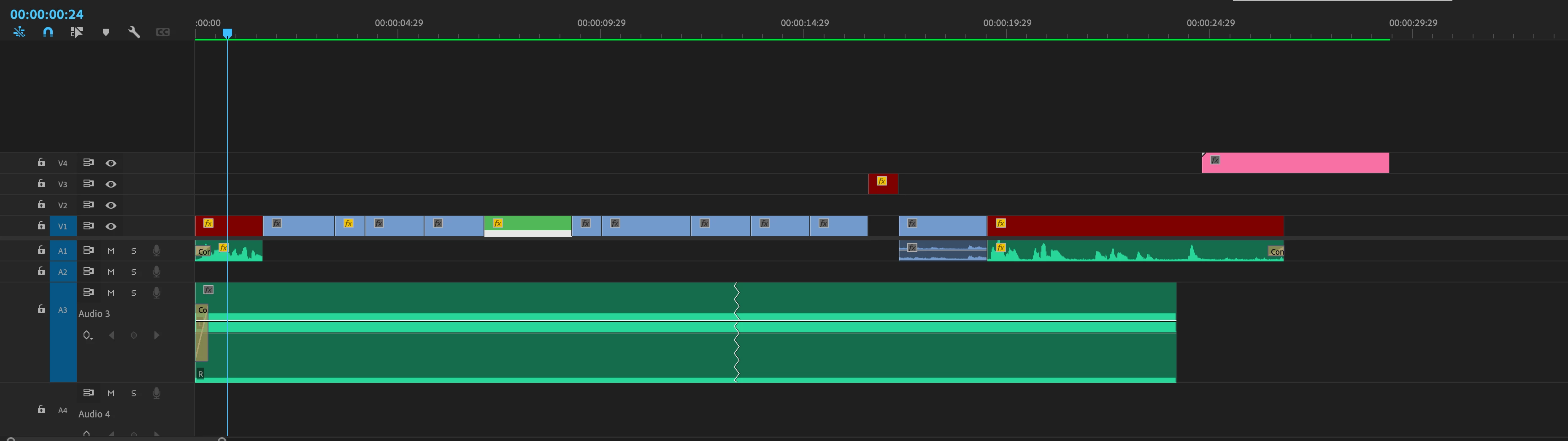
Rendering audio does not help at all. It comes back when I disable Remix, but as soon as I remix again to the wanted lenght its gone again (you can see it in the screenrecord.)

Is there any solution to it? This is not the first project where that is happening


Specs: 
Premiere Pro 23.6

MacBook Pro 16" 2019

2,3 GHz 8-Core Intel Core i9

64 GB 2667 MHz DDR4

AMD Radeon Pro 5500M 8 GB
macOS Monterey

This topic has been closed for replies.

7 replies

Participating Frequently
April 11, 2024

Not sure if it's the same, but everytime I apply the remix and close Premiere, it disappear the next one. What is going on Adobe? 

marco.busacca
Participant
November 23, 2023

Same problem here, the first part of the track is not remixed, the second one yes

Any news? 

mac studio m1 ultra and premiere 24.0.3 ventura 13.6.1

Inspiring
December 12, 2023

This bug happens pretty often. I think Premiere team is working on overhauling waveforms? Or maybe just a rumor I've heard....


Windows 11

24.1 

GTX 2080ti

3960 Theadripper

256gb ram. 


Community Manager
November 2, 2023

I've not been able to reproduce this on my end, but we do have an open bug right now where clips that are panned in the Audio Clip Mixer will have the Waveform disappear when remix is applied.

You don’t state if this something that you are doing or not.  The workaround for the bug I see is to simply change the pan in the Clip Mixer AFTER you have set your Remix length.

R Neil Haugen
Legend
November 2, 2023

Matt,


Thanks for jumping in so fast!


And I hope those with the issue reply soon also ... 

Everyone's mileage always varies ...
R Neil Haugen
Legend
November 2, 2023

@Matt_Stegner  ... are you free? Any ideas?

Everyone's mileage always varies ...
Community Expert
November 2, 2023

You could try Sequence-Render Audio, this often redraws the wavwform.

Participating Frequently
November 2, 2023

unfortunally that doesn't work for me.

Even if I nest the audio and then render, its stil flat-lined.

Participating Frequently
November 2, 2023

I have the same issue for a long time of releases. As wel on my Mac M1 as on my Windows 11 machine

W11 / Premiere 24.0


Participating Frequently
November 2, 2023

It's also flickering when playing the timeline... Depending how far you zoomed in.

Community Manager
September 29, 2023

Moving it to Discussions for troubleshooting