
Norvells
Known Participant
January 3, 2019
Answered

Auto Blur behind a graphics template?

  • January 3, 2019
  • 2 replies
  • 7383 views

Howdy! 

Is it possible to build a motion graphics template that includes a text field and a semi-transparent solid, which **AUTOMAGICALLY BLURS THE BACKGROUND VIDEO**?
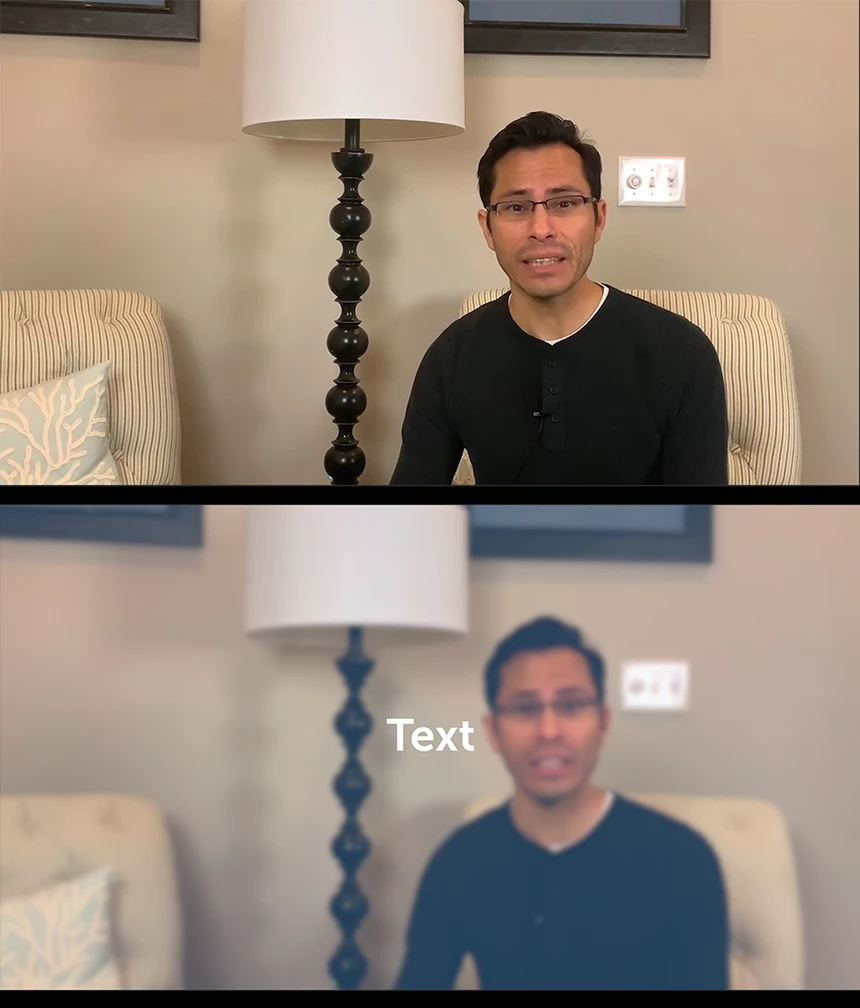
I *DON'T* want to have to slice up the background video and add gaussian blur every time text pops up -that'd just be such a hassle to do every time, and even bigger hassle every time I had to change the duration of the effect.   Thanks for considering!  (o:

cheers n' blessings,

G

youtube.com/GarrettNorvell

This topic has been closed for replies.
Correct answer R Neil Haugen

Just thinking ... I think this should be doable in Pr, but ... it would definitely be doable in Ae. Make your mogrt in Ae with that layer of gaussian below the text ... then export the mogrt to your library.

Neil

2 replies

kirk9944
Inspiring
January 3, 2019

You can drop the blur effect on the clip and use the animation effects settings to have it come in or go out as you like. Or you can put an adjustment layer just above the video with the blur effect on it and use the opacity animation settings to fade in or out effect on the adjustment layer. So if your text is all the same lengths you can create one adjustment layer and duplicate it. (select - then [ALT key] + [Drag] )

Norvells
NorvellsAuthor
Known Participant
January 4, 2019

“put an adjustment layer just above the video with the blur effect on it and use the opacity animation settings to fade in or out effect on the adjustment layer“

sounds promising -I’ll give it a try in the morning!

R Neil Haugen
R Neil HaugenCorrect answer
Legend
January 3, 2019

Just thinking ... I think this should be doable in Pr, but ... it would definitely be doable in Ae. Make your mogrt in Ae with that layer of gaussian below the text ... then export the mogrt to your library.

Neil

Everyone's mileage always varies ...
Norvells
NorvellsAuthor
Known Participant
January 3, 2019

Awesome Neil -I’ll give it a try!