
Norvells
Known Participant
January 3, 2019
Answered

Auto Blur behind a graphics template?

  • January 3, 2019
  • 2 replies
  • 7380 views

Howdy! 

Is it possible to build a motion graphics template that includes a text field and a semi-transparent solid, which **AUTOMAGICALLY BLURS THE BACKGROUND VIDEO**?
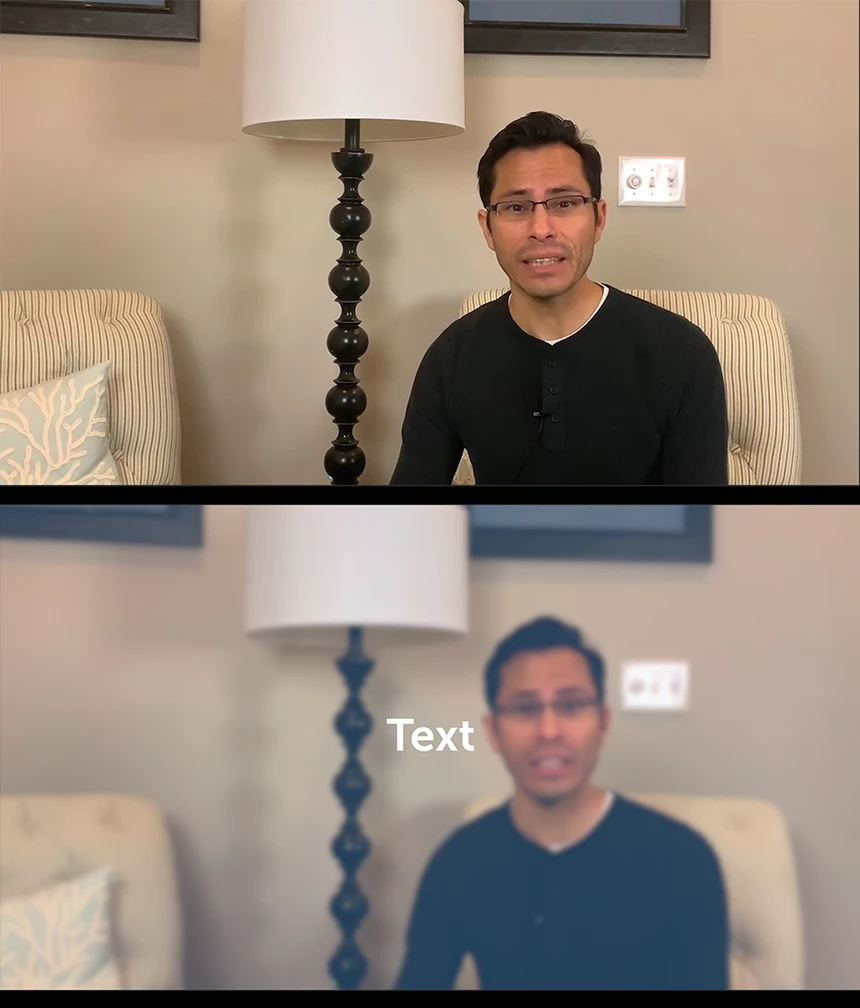
I *DON'T* want to have to slice up the background video and add gaussian blur every time text pops up -that'd just be such a hassle to do every time, and even bigger hassle every time I had to change the duration of the effect.   Thanks for considering!  (o:

cheers n' blessings,

G

youtube.com/GarrettNorvell

This topic has been closed for replies.
Correct answer R Neil Haugen

Just thinking ... I think this should be doable in Pr, but ... it would definitely be doable in Ae. Make your mogrt in Ae with that layer of gaussian below the text ... then export the mogrt to your library.

Neil

2 replies

kirk9944
Inspiring
January 3, 2019

You can drop the blur effect on the clip and use the animation effects settings to have it come in or go out as you like. Or you can put an adjustment layer just above the video with the blur effect on it and use the opacity animation settings to fade in or out effect on the adjustment layer. So if your text is all the same lengths you can create one adjustment layer and duplicate it. (select - then [ALT key] + [Drag] )

Norvells
NorvellsAuthor
Known Participant
January 4, 2019

“put an adjustment layer just above the video with the blur effect on it and use the opacity animation settings to fade in or out effect on the adjustment layer“

sounds promising -I’ll give it a try in the morning!

R Neil Haugen
R Neil HaugenCorrect answer
Legend
January 3, 2019

Just thinking ... I think this should be doable in Pr, but ... it would definitely be doable in Ae. Make your mogrt in Ae with that layer of gaussian below the text ... then export the mogrt to your library.

Neil

Everyone's mileage always varies ...
Inspiring
March 30, 2019


hat is a motgrt = motion graphic template?! What is that?

I wasn to do bottom third titles with a frosted glass effect and I don't know if a dynamic link from Premier Pro AE will apply a Gaussian blur to the video footage on the layer(s) below the Dynamic Link in Premier Pro.

Is a 'mogrt; the same thing as a Dynamic Link or something different that can do what a Dynamic Link cannot.

I can generate this effect in other programs (mimoLive has it built in as a Lower Third Animation) but if I render to proRes4444 obviously it won't be able to blur video it cannot see. Layer the effect from imported video on top doesn't have the same effect (obviously). 

Inspiring
March 31, 2019

First, here's the link to Jarle's ebook ...

Leirpoll ebook, Making Mogrts: https://adobe.ly/makemogrts

And ... maybe Jarle Leirpoll​ could pop in ... I'm spacing on how to do this at the moment.
Neil

Thanks for the replies and link R Neil Haugen!

I worked out how to do this in Premier, animating a mask for a Gaussian Blur applied to my source video track, adding a rectangle of 50% opacity white to sit on top with the same path animation, animating the text to come in over the top. To do it once is not onerous, fun even, but to copy all those dozens of key points to another lower third elsewhere seems onerous (short of writing a script to do it!).

If anybody knows how to apply a AE effect like Gaussian Blur to the source video in PremierPro via a Dynamic Link, that would be great because it's a method I know and can be repeated by reusing a copy of the AE file. Such as I want to, I won't have to read the Morgts book.

I know FCP X can accept Motion files as templates, or you can convert Quartz Composer files to plugin files for FCP and Motion, that's a workflow I'm more familiar with. It seems like MOGRTs are Adobe's attempt to replicate that level of convenience without requiring people to write C++ plugins for custom effect templates.

I'll try to read enough of the book today and with a couple of hours of reading/playing I can get this nailed! I'll report back with results!