
Participant
August 19, 2025
Question

auto transcript : impossible to delete pauses and other silences from the audio

  • August 19, 2025
  • 5 replies
  • 188 views

Hello, i juste update PP to the v25.4 and i had a big video to edit,

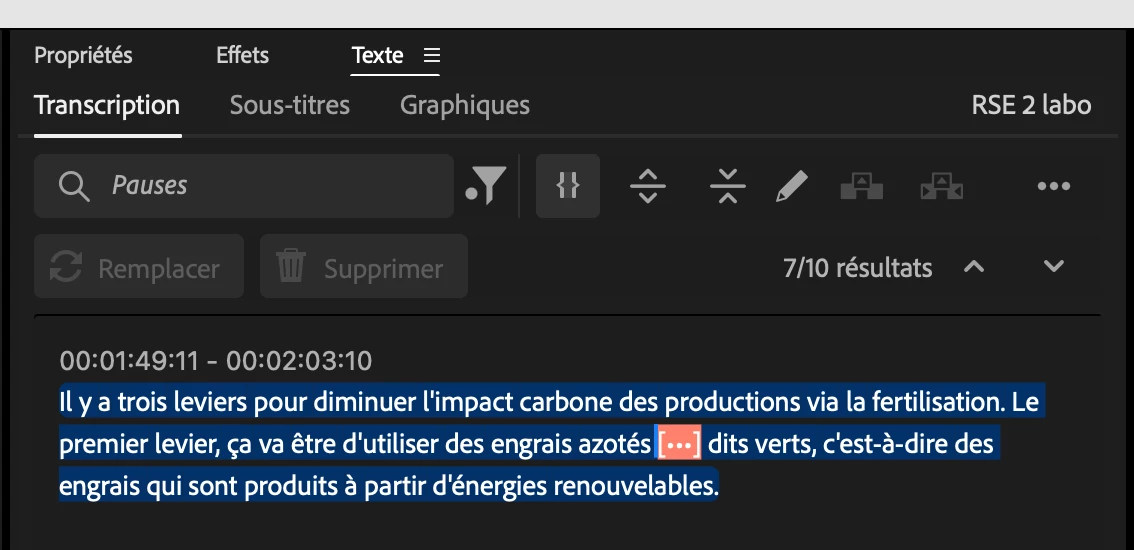
Usually, the transcription panel helps me a lot to cut all the pauses in my audio with dialogues only.

But this time, there are less options and i cant even delete all the pauses that are detected. Im on a macbook 3pro 14"with macos 15.6 on it.

Thanks a lot !! It helps a lot so i really need this for my upcoming projects
5 replies

Alexander_DVA
Adobe Employee
Adobe Employee
August 19, 2025

It might be that the language auto detection is either not enabled in the prefs or it was just detected incorrectly - if you open the incorrectly transcribed clips in the source monitor you can retranscribe them individually overriding the language (and channel setup if needed). That way you can leave the sequence in the "text based editing mode"

Participant
August 19, 2025

Ohh okay very weird, never happened to me before, it has created an english transcript so i've just cmd+z and it was all back in french with the "erase all" option possible ! Thanks a lot, i dont fully understand but its fixed i guess ! Have a great day

Alexander_DVA
Adobe Employee
Adobe Employee
August 19, 2025

If you press the "..." drop down menu in the top right of the text panel - is there an option to "Generate text based editing transcription" - you might have created a "static" transcription which does not support text based editing?

Participant
August 19, 2025

Hi Alexander, yeah i have the option checked here, you can see on the screenshot ! (its in french sorry)

Alexander_DVA
Adobe Employee
Adobe Employee
August 19, 2025

Thank you for your feedback,


Make sure you have the "follow active monitor" option checked in the lower part of the text panel and you have your sequence active in the program monitor as you can only edit sequences - not original clips.

Best regards,
 Alexander