Automating Video Editing in Adobe Premiere Pro with ExtendScript
Hello everyone,
I'm currently working on a project in Adobe Premiere Pro and am looking for some guidance on how to automate a specific editing process using ExtendScript.
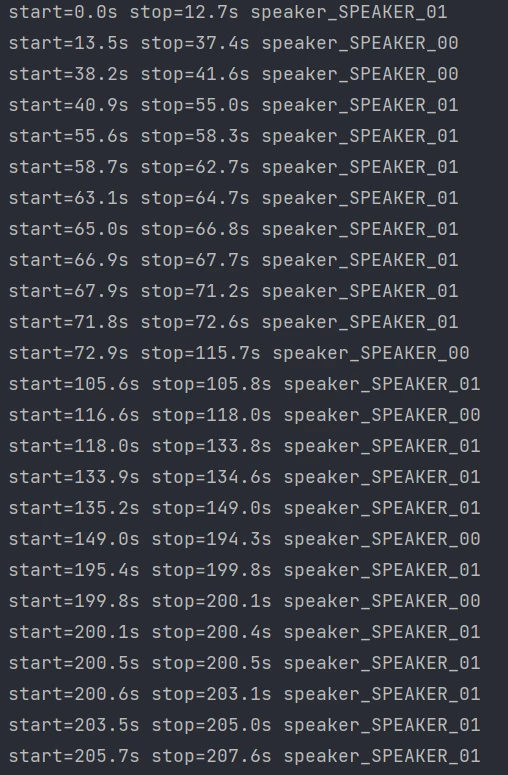
Here's the scenario: I have two video tracks (from two different cameras) for a podcast, and a single audio track. I also have a detailed list specifying the exact times each speaker talks. For example:
start=0.0s stop=12.7s speaker_SPEAKER_01
start=13.5s stop=37.4s speaker_SPEAKER_00
and so on. The goal is to automatically cut between the two video tracks based on who is speaking at any given moment.
Interface for Input: A simple user interface where I can select the two video tracks. This is to ensure I am working with the correct tracks.
Processing the List: The script should read the timecodes and speaker identifiers from the input list.
Automating Cuts: Based on the input, the script should automatically cut between the two video tracks at the specified times. For instance, if SPEAKER_01 starts at 0.0s and stops at 12.7s, the script should cut to the track corresponding to SPEAKER_01 during this interval.
I'm not sure how to start with such a task in ExtendScript, particularly with the aspects of reading the input list and controlling the cuts in the timeline. Any pointers, code snippets, or references to similar projects would be immensely helpful.
Is there a straightforward way to create such an automation, or any tools/plugins that might simplify this process? I feel that there's a lack of detailed resources or guides on the internet for such specific tasks in ExtendScript.
Thank you in advance for your help!
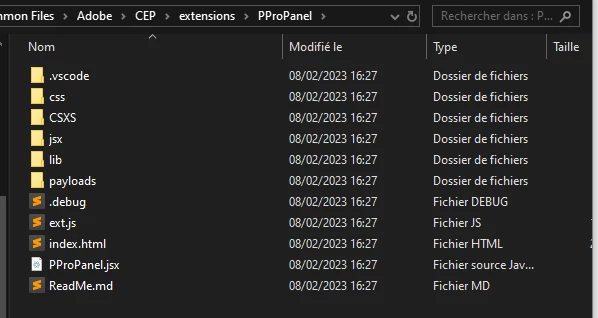
I've already looked at this, but to be honest I'm lost ^^
https://github.com/Adobe-CEP/Samples/tree/master/PProPanel
Premier Pro 24.2.1
Windows 10
 AdChoices