

Answered
Autosave in Premiere Pro CC 2019?
Hello,
I recently upgraded to Premiere Pro CC 2019. I am working at a new Computer (A Mac) and I can't find the "autosave" preference anymore. Can someone help?

Hello,
I recently upgraded to Premiere Pro CC 2019. I am working at a new Computer (A Mac) and I can't find the "autosave" preference anymore. Can someone help?
Preferences > Auto Save:
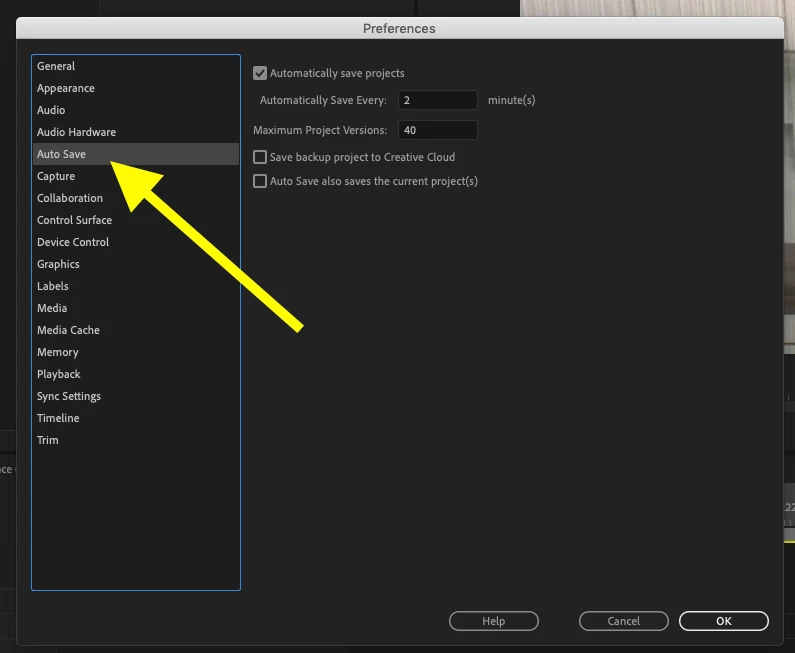
or did you mean the location of the Auto Save files?
Go to the menu File > Project Settings > Scratch Disks > Project Auto Save
MtD
Already have an account? Login
Enter your E-mail address. We'll send you an e-mail with instructions to reset your password.
 AdChoices