Participant
November 18, 2019
Question

AVI files act as if they're audio files

  • November 18, 2019
  • 1 reply
  • 252 views

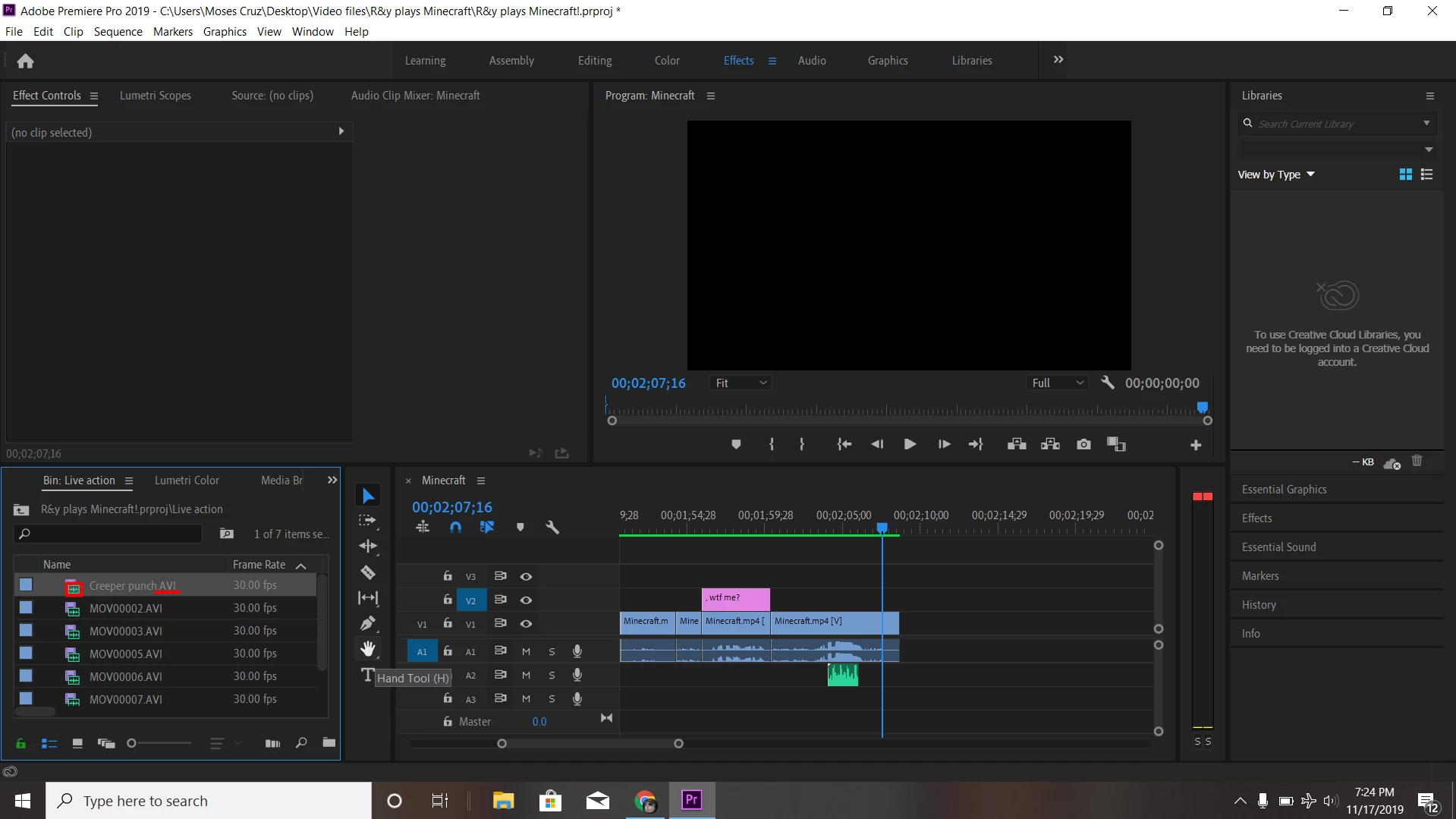
Even when I drag the video over, the video file only goes to the audio tracks

This topic has been closed for replies.

1 reply

R Neil Haugen
Legend
November 18, 2019

Very common and easy to do. Look at the left end of the Timeline panel in your image. See the blue block labeled A1? That far-left set of blocks are for setting "source" targeting when bringing things from the Source monitor or frequently from the Project panel to the timeline. Having the ability to set which track will be the "landing" spot for video and audio separately is very useful.


But if you forget to set a landing spot in the Track targeting blocks to the far left, you will get only that part ... either audio or video ... for which you have a target set. Your image shows you have an audio track set for Source targeting, but no video track. You need to click on a far-left block of a video track above your A1 audio track target block.


Neil


Everyone's mileage always varies ...